
What Is Event Lead Management? Process, Tools and Workflow
BoothMaven Editorial Team·August 5, 2026·18 min read·CL-60 AEO
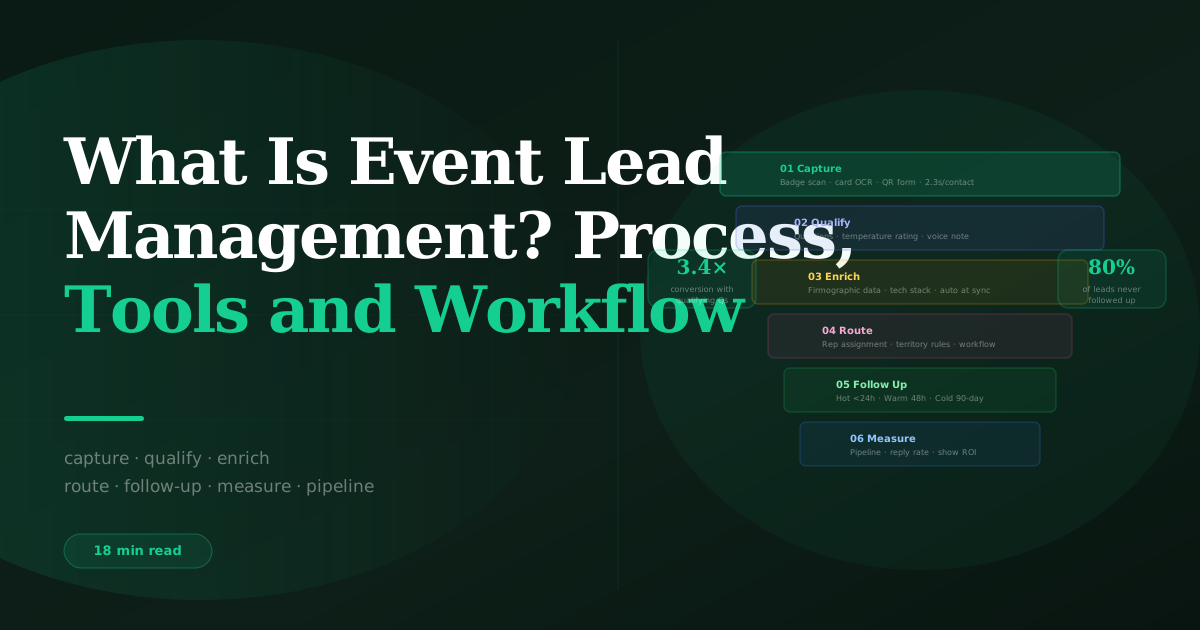
Event lead management is the end-to-end system for capturing, qualifying, enriching, routing, and following up on leads generated at trade shows, conferences, and exhibitions. It spans six stages — capture, qualify, enrich, route, follow up, and measure — and connects the on-event interaction to the CRM pipeline and follow-up sequences that determine whether exhibiting generates revenue. A lead capture app (BoothMaven) handles the first three stages; the CRM handles the last three. The connection between them is the real-time API sync.
Most exhibitors manage event leads poorly — not because they lack intention, but because the stages of event lead management are handled by disconnected tools, manual processes, and delayed handoffs that introduce errors and lost time at every step. A badge scan with no qualifying data produces a follow-up email with no personalisation. A qualifying conversation with no CRM sync produces a hot lead that waits three days for a rep to see it. A CRM record with no follow-up workflow produces a lead that ages to cold before anyone acts on it.
Event lead management is the system that prevents these failures: the process, tools, and workflow that ensure a visitor at the stand on Tuesday morning is a personalised, temperature-appropriate, rep-assigned CRM record by Tuesday afternoon, in a follow-up sequence by Tuesday evening. See BoothMaven lead management for the full platform overview.
Free: Event Lead Management Playbook
The complete framework for managing event leads from capture to pipeline — download before your next show.
Stage 1 — Capture: Collecting Contact Data at the Event
The capture stage is the entry point of event lead management — the moment a visitor’s contact data enters the system. Three capture methods serve different event contexts:
- Badge scanning (QR code or barcode on the event badge) — the fastest method at events with badge technology; 2.3 seconds average in BoothMaven; populates contact identity fields from the badge registration database. Best for events where every attendee carries a scannable badge.
- Business card OCR (photograph the card, extract text automatically) — the backup method for visitors without scannable badges, at non-badge events, or for contacts who prefer to exchange cards. 95%+ OCR accuracy in BoothMaven on standard printed cards. Best for networking events, dinners, and exhibitions where badge technology is not used.
- QR self-serve form (visitor scans a displayed QR code and submits their own details) — best for high-traffic periods when active capture is impractical, for sessions and presentations where large audiences are present, or for stand graphics that capture passing visitors without a conversation.
The capture stage is the foundation of everything that follows. A capture with no email address cannot be followed up by email. A capture with a misspelled company name cannot be enriched accurately. Quality at the capture stage — correct data, complete fields, email address confirmed — determines the quality of every subsequent stage.
Stage 2 — Qualify: Adding Context to the Contact Record
Qualification is what separates event lead management from event contact collection. Without qualification, the output of a trade show is a list of names and emails — identical to a purchased contact list in terms of actionability. Qualification adds the context that makes personalised, temperature-appropriate follow-up possible: what the visitor needs, whether they have authority to buy, when they might make a decision, and the specific conversation context that the follow-up rep needs to write a genuinely personalised email.
The three qualification inputs
Qualifying questions provide structured data — dropdown answers that go directly into CRM fields and drive routing logic. The optimal set for a B2B event is 3–5 questions covering need, authority, and timeline. The temperature rating (Hot/Warm/Cold) is the single most important qualification field — it determines which follow-up workflow the contact enters and therefore how soon and how intensively they are contacted. The voice note provides unstructured context — the specific words, concerns, and commitments from the conversation — that no structured field can capture but that every personalised follow-up email requires.
All three inputs are captured in BoothMaven during the 60–90 seconds after the visitor interaction ends. The rep does not need to step away from the stand; the entire qualification workflow is accessible on their phone screen while the conversation is still in progress or immediately after the visitor moves on.
Stage 3 — Enrich: Adding Data Beyond What the Badge Provides
Badge scan data is limited to what the attendee submitted at registration: typically name, company, job title, and email. Lead enrichment adds the data layer that makes follow-up more intelligent: company size (headcount and revenue range), industry vertical, technology stack, LinkedIn profile URL, direct dial phone number, and in some cases buying intent signals from third-party platforms.
Automatic enrichment at CRM sync
BoothMaven’s enrichment layer queries firmographic databases at the time of CRM sync, using the company name and domain to retrieve available enrichment data and add it to the CRM record automatically. Available data varies by company — well-documented companies in major databases return rich profiles; smaller or privately held companies may return limited enrichment. The enrichment runs in the background and does not delay the sync — the contact record is created with badge data immediately, and enrichment fields are updated as data becomes available (typically within minutes of sync). See BoothMaven lead enrichment for the enrichment field list and data sources.
Manual enrichment for high-value hot leads
For hot leads who represent high-value opportunities, manual enrichment by the follow-up rep before sending the first email typically takes 5–8 minutes and meaningfully improves the personalisation quality. The rep reviews the LinkedIn profile (industry context, recent posts, mutual connections), the company website (recent news, product launches, press releases), and any available intent signals (website visit history if the prospect is a known contact) before writing the first email opener. This investment in enrichment for the top 10–15% of hot leads — those with the clearest buying signals — produces disproportionate follow-up performance.
Stage 4 — Route: Assigning Leads to the Right Rep and Workflow
Routing determines which rep follows up with which lead, and which CRM workflow is triggered. Correct routing ensures that a hot lead from a territory covered by the West Coast team does not sit in an East Coast rep’s queue, and that the right follow-up sequence fires for the lead’s temperature and industry segment.
Temperature-based routing
The primary routing dimension is temperature. Hot leads trigger immediate rep task creation and optional same-day email sequence enrolment. Warm leads trigger a follow-up task due in 48 hours and enrolment in a warm nurture sequence. Cold leads trigger cold nurture programme enrolment with no immediate rep task. This three-way routing happens automatically at CRM sync, based on the temperature field populated by BoothMaven, without any rep action required.
Territory-based routing
For teams with territory-based rep assignment, the contact’s company country, state, or region — populated from badge data or enrichment — drives the CRM’s territory assignment rules. A contact captured at a US show by a field sales rep, but whose company is headquartered in Germany, routes to the EMEA team’s CRM queue rather than the capturing rep. Configure territory routing in HubSpot’s Assignment Rules or Salesforce’s Assignment Rules and Queue structure before the first show to prevent territory routing errors that require manual correction after the fact.
Industry-based sequence routing
Within each temperature tier, industry-segmented nurture sequences outperform generic sequences by 20–50% in open and click rates. If the contact’s industry is available (from badge data, enrichment, or qualifying question answer), route warm and cold leads to the industry-specific sequence for their sector — manufacturing, SaaS, financial services, healthcare — rather than the generic sequence. The sequence routing logic lives in the CRM workflow: “If Lead Temperature = Warm AND Industry = Manufacturing, enrol in Warm-Manufacturing sequence.”
Stage 5 — Follow Up: The Critical 24-Hour Window
Follow-up is where the event lead management system either delivers its value or loses it. The timing data is clear: reply rates are approximately three times higher for hot leads followed up within 24 hours than those followed up at 72+ hours or more. The personalisation data is equally clear: a follow-up email that references the specific conversation (“You mentioned you need lead capture in place before your autumn exhibition schedule begins”) significantly outperforms a generic “great to meet you at [event]” email. Event lead management is the infrastructure that makes timely, personalised follow-up systematically achievable — not dependent on individual rep memory and discipline.
Across BoothMaven customer data from North American trade shows, the reply rate index by follow-up timing: contacts reached within 24 hours index at 100 (baseline); 25–48 hours index at 92; 49–72 hours at 47; 73 hours to 7 days at 31; 8–30 days at 18; beyond 30 days at 9. The data shows that more than half of the achievable reply rate is lost between the 24-hour and 72-hour windows. Real-time CRM sync and automated workflow triggering are the technical prerequisites for consistently reaching the 24-hour window. Data requires verification by the data team before publication.
Hot lead follow-up: personalised same-day
Hot lead follow-up emails are written by the rep, not generated by automation. The CRM workflow creates the task and queues the template; the rep opens the voice note transcript, reads the specific context from the conversation, and writes a personalised opener before sending. The personalised opener is the only thing that differentiates the follow-up from a generic blast — and the voice note is what makes it possible to write one reliably, without relying on memory.
Warm and cold lead follow-up: automated sequences
Warm and cold lead follow-up runs through automated sequences configured in the CRM or sales engagement platform. Warm sequences (5–7 touches over 30 days) deliver value-led content alongside soft conversion prompts. Cold sequences (8–10 touches over 90 days) deliver industry-specific benchmark data, case studies, and decision-stage content. Both sequence types are triggered automatically at CRM sync without any rep action — the workflow fires, the contact is enrolled, and the sequence runs.
Stage 6 — Measure: How to Track Event Lead Management Performance
Measurement closes the loop between the event investment and the commercial outcome. Without measurement, exhibiting decisions are based on intuition and attendance headcount rather than demonstrated pipeline contribution. With measurement, the event programme becomes optimisable: shows that produce high-quality leads receive more investment; shows that produce low conversion rates prompt investigation into whether the audience, the capture process, or the follow-up is the failure point.
The five core metrics
- Lead capture rate: Captures ÷ estimated footfall. Target: capture rate above 30% of estimated stand visitors at a well-staffed booth. Below 20% indicates understaffing or an inefficient capture process. Above 50% at a large show may indicate indiscriminate scanning without genuine interest filter.
- Qualification completion rate: Leads with temperature + at least one qualifying question answer ÷ total leads captured. Target: above 85%. Below 70% indicates a team compliance problem or an app UX issue making qualification difficult during the conversation.
- Hot lead follow-up speed: Average time from capture to first email sent for hot leads. Target: under 12 hours from capture. Above 24 hours represents a meaningful reply rate loss relative to the 24-hour benchmark.
- 30-day engagement rate: Percentage of captured leads that open or click at least one follow-up email within 30 days. Target: above 35% across all temperature tiers. Below 20% indicates either a content quality issue in the sequences or a mismatch between lead quality and sequence targeting.
- 90-day pipeline contribution: Pipeline value (in your CRM’s definition — meetings booked, opportunities created, or closed-won revenue) attributable to event-sourced leads at 90 days post-show. This is the ultimate measure of event lead management effectiveness and the figure that justifies the exhibiting investment to leadership.
Per-show and programme-level reporting
Report on each show individually and across the programme collectively. Per-show reporting identifies which shows produce better-quality leads (measured by 90-day pipeline per lead captured) versus which produce high capture volume but low conversion. Programme-level reporting shows the aggregate ROI of the exhibiting investment and how it changes as the event lead management system matures — capture rates typically improve over the first 3–4 shows as the team becomes familiar with the qualification protocol; conversion rates improve as sequences are refined based on engagement data.
The Event Lead Management Tech Stack
Complete event lead management requires four tool categories, of which three are essential and one is situationally valuable.
| Tool Category | Function | BoothMaven Role | Essential? |
|---|---|---|---|
| Lead capture app | On-event capture, qualification, CRM sync | Primary platform | Essential |
| CRM | Contact management, routing, tasks, sequences | Integration target | Essential |
| Email / sequence tool | Automated follow-up sequences (warm and cold) | Supported via CRM integration | Essential |
| Data enrichment | Firmographic data beyond badge fields | Built into BoothMaven sync | Valuable |
The tool stack is only as strong as the connections between its components. A lead capture app that produces a CSV export at the end of the show is not connected to the CRM in a meaningful sense — the 52-hour delay between capture and CRM availability closes the hot lead follow-up window before the data is even in the system. The integration quality between the lead capture app and the CRM determines everything downstream about follow-up speed, workflow automation, and pipeline velocity.
Common Event Lead Management Mistakes — and How to Avoid Them
The six-stage framework is simple in structure. The execution failures that cause exhibitors to generate contact lists rather than pipeline are also consistently predictable — the same mistakes recur across teams of every size, at every type of event. Understanding them before the first show is faster than learning them from a disappointing 90-day pipeline review.
Mistake 1: Scanning without qualifying
The single most common failure mode: the team is incentivised to capture as many leads as possible, so they scan every badge at every brief interaction — including people who stopped to pick up a piece of literature or ask where the bathroom is. The result is a large contact list with no temperature rating, no qualifying data, and no voice note context. The follow-up team receives 400 names with no way to prioritise or personalise. Every contact gets the same generic email. Reply rates are predictably low.
The fix: build the qualification step into the capture culture, not the capture protocol. Teach the team that a badge scan without a temperature rating is an incomplete capture — not a capture at all. A scan without temperature produces a contact list entry; a scan with temperature produces a lead. The metric to report is not “leads captured” but “leads captured with temperature rating” — this single metric change reframes the capture protocol for the entire team.
Mistake 2: Not recording voice notes
The voice note is what makes the first follow-up email genuinely personalised. Without it, the rep is writing to a contact they may have spoken to briefly four days ago at a show where they had 80 conversations. The email defaults to a generic opener because there is no other option. With a voice note, the rep can write: “You mentioned you’re evaluating lead capture options ahead of your spring show season — I wanted to share how we’ve helped other [industry] exhibitors in similar situations.” That sentence cannot be generated without the voice note; it is the difference between a reply and an unsubscribe.
Teams that do not record voice notes consistently do so for two reasons: they feel awkward doing it in front of the visitor, and they do not have the 30 seconds after the interaction ends before the next visitor arrives. The fix for the first is positioning (“I’m just recording a quick note for follow-up context”) — most visitors find it professional rather than awkward. The fix for the second is a capture protocol that explicitly reserves 45 seconds after each conversation for the voice note, even if it means a brief wait for the next visitor.
Mistake 3: Importing CSVs instead of using real-time sync
Many exhibitors still rely on the organiser-provided lead retrieval device, which produces a CSV at the end of the show. The CSV arrives on the rep’s email 24–48 hours after show close, is uploaded to the CRM manually, field-mapped, deduplicated, and distributed — typically 48–72 hours after the show. By then, the 24-hour follow-up window has closed, the hot leads have already received generic outreach from two competitors who had real-time sync, and the first email is now three days late. The follow-up performance that would have resulted from same-day contact is unrecoverable.
Mistake 4: No post-show audit
Teams that do not conduct a post-show audit — checking that all records synced, all temperature fields populated, all workflows fired, and all hot lead tasks were created — typically discover the errors three weeks later when a rep mentions that “the leads from that show never seemed to go anywhere.” A 15-minute audit on the morning after show close catches the errors when they can still be corrected: records that failed to sync can be pushed manually; workflows that did not fire can be manually triggered; missing voice note transcripts can be supplied from audio files. After three weeks, the window for corrective action has largely closed.
USA: North American B2B trade shows and conferences are the most competitive follow-up environments in the world — a high proportion of exhibitors have implemented at least basic CRM sync and automated sequences, meaning that speed advantage is smaller than it was five years ago and personalisation is the primary differentiator. US exhibitors who use real-time sync and personalised hot lead emails are competing against a field where many competitors are also responding within 24–48 hours. The differentiating factor is the quality of the personalisation — specifically, whether the first email demonstrates that the sender remembered the specific conversation or is sending a generic blast.
Canada: CASL compliance adds one unique operational requirement to the Canadian event lead management workflow: the two-year implied consent window must be tracked in the CRM, and contacts whose window has expired must be suppressed from commercial email. BoothMaven populates the CASL consent date automatically for Canadian contacts; configure a CRM suppression workflow that checks this date before adding contacts to any new sequence. This one additional step prevents the most common CASL violation pattern in Canadian exhibition follow-up: re-engaging contacts from shows several years ago whose implied consent has expired.
Event lead management is a six-stage system, not a single activity. Capture, qualify, enrich, route, follow up, and measure are six connected stages. Weakness at any stage propagates downstream: bad capture data cannot be qualified accurately; unqualified leads cannot be routed to the right workflow; leads not in the right workflow receive generic follow-up that underperforms. The system is only as strong as its weakest stage.
The connection between the lead capture app and the CRM is the system’s most critical integration. Real-time API sync is the technical prerequisite for same-day follow-up, automated workflow triggering, and accurate per-show reporting. A post-show CSV export is not an event lead management integration — it is a manual handoff that introduces delay, error, and lost follow-up opportunity.
Measurement at the 90-day pipeline contribution level is what justifies the event investment. Capture count and footfall metrics are not the return on event investment — they are inputs. The output is pipeline: meetings booked, opportunities created, deals closed. Configure CRM attribution for event-sourced leads before the first show, not retrospectively, to produce the attribution data that makes the business case for continued event investment.
Frequently Asked Questions
Conclusion
Event lead management is the difference between exhibiting and exhibiting effectively. Every company at a trade show is capturing leads. The companies that generate disproportionate pipeline from their event investment are the ones with a systematic process for the five stages after capture — qualification, enrichment, routing, follow-up, and measurement — that converts the capture into a CRM record, the CRM record into a follow-up email, and the follow-up email into a conversation, an opportunity, and a deal.
The six-stage framework in this guide provides the structure. The tools — BoothMaven for capture and qualification, a CRM for everything downstream — provide the infrastructure. What turns the framework and the tools into results is consistency: running the same process at every show, measuring the results, and improving the weakest stage each time. Over a show season, the event lead management system compounds: each show is better than the last because the team is better calibrated, the sequences are more refined, and the data is cleaner.