
How to Prioritise Leads After an Event: The Hot/Warm/Cold System
BoothMaven Editorial Team·July 24, 2026·20 min read·CL-37 Spoke · Repurpose: YT
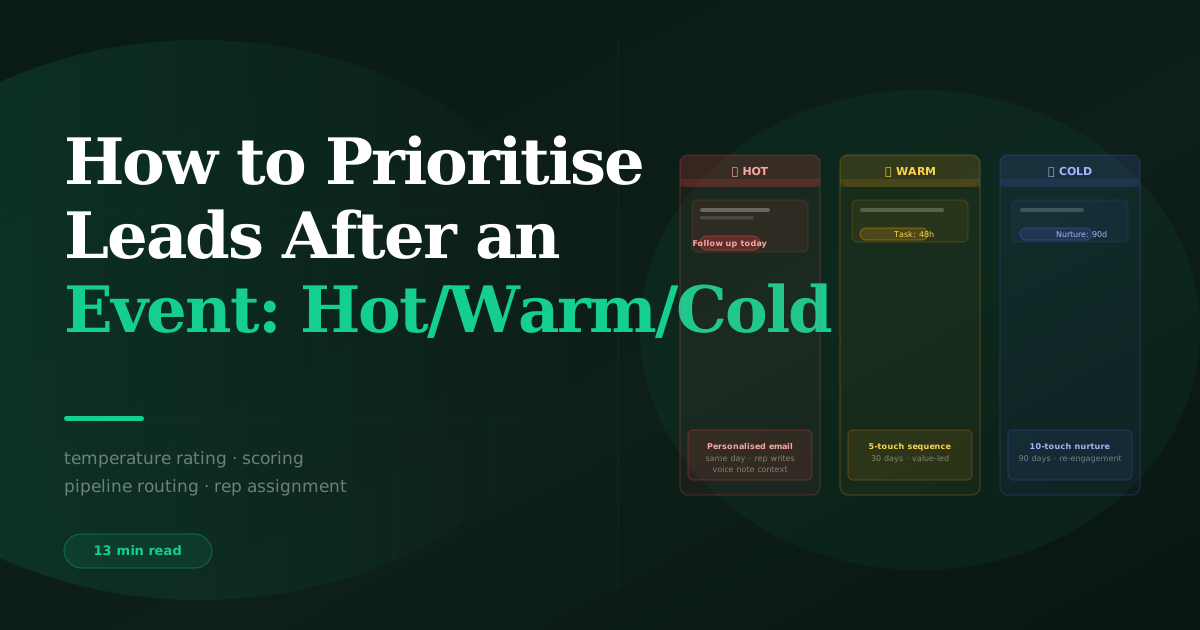
The Hot/Warm/Cold system prioritises event leads into three tiers set by the booth rep at the moment of capture. Hot: active need, decision authority, near-term timeline — contact same day or next morning with personalised direct outreach. Warm: genuine interest, earlier stage or influencer role — personalised email within 48 hours then a 6-touch 45-day sequence. Cold: general interest or wrong profile — automated 90-day content nurture, no direct rep contact. The temperature is set at the event, not in the office afterwards, because the qualifying context is only fully available in the moment.
When 200 contacts arrive in a CRM after a trade show or conference, the default response is to start at the top and work through the list in some order — alphabetical, chronological, or by whoever happens to check the CRM first. This approach treats a hot prospect with a board presentation next month identically to a browser who picked up a brochure. Both wait the same number of days for a follow-up email. Both receive the same level of rep attention. Neither receives the appropriate treatment.
The Hot/Warm/Cold system solves this by giving every event lead a priority classification at the moment of capture, before the conversation details fade, before the team disperses, and before the post-event inbox backlog buries the decision. The classification drives everything downstream: rep assignment, follow-up timing, email personalisation level, and sequence duration. This guide explains the complete system — scoring criteria, CRM configuration, cadence by tier, and how to handle the edge cases that a simple three-tier system does not immediately resolve.
For the full follow-up context: trade show follow-up: the complete guide.
The Window for Accurate Lead Scoring Closes at the Booth
Lead scoring done after the event — from a flat list of contacts without qualifying data — is guesswork. Without knowing what the visitor said about their need, authority, and timeline, a sales team can only score based on job title (a proxy for authority) and company size (a proxy for deal potential). These proxies are useful for cold outbound but inadequate for warm event leads, where the conversation contained far more signal than the contact record reflects.
The qualifying information needed for accurate scoring is only fully available in one place: the booth rep who had the conversation, at the moment the conversation ends. After that moment, it starts to decay. After the show ends, it decays rapidly. After the team returns to the office, much of the nuance — the specific words used, the hesitation about budget, the enthusiasm about a particular feature, the name of the competitor being evaluated — has been replaced by general impressions.
This is why the Hot/Warm/Cold temperature is set at the event, not afterwards. The booth rep sets the temperature as a judgment call informed by the qualifying questions and their overall read of the conversation. They set it before the visitor walks away, before the next conversation starts, while they still have the full context in working memory. The voice note they record within 60 seconds carries the supporting evidence for that judgment to any rep who picks up the lead afterwards.
The Three-Axis Scoring Framework
Every Hot/Warm/Cold classification is based on three signals: need, authority, and timeline. A lead with strong signals on all three axes is hot. Strong signals on one or two axes is warm. Weak signals on all three is cold. The three qualifying questions asked at the booth probe each axis, and the temperature is the rep’s integrated judgment across all three.
Axis 1 — Need signal
Is there a real, active problem that the visitor needs to resolve? The need signal distinguishes between three types of visitors:
- Active problem with urgency trigger. “Our current system failed at the last event and we have four shows in September.” This visitor has a real need and a specific trigger driving urgency. High need signal.
- Genuine interest without an active project. “We know we need to sort this out eventually but haven’t started looking seriously.” Real interest, no active project. Moderate need signal.
- General curiosity or research. “Just having a look at what’s available.” No specific need, no urgency. Low need signal.
Axis 2 — Authority signal
Can this person influence or make the buying decision for a solution in your category?
- Decision-maker or strong influencer. The visitor either makes the decision directly, or is a VP-level champion who will actively advocate internally and has budget visibility. High authority signal.
- Evaluator or team member. The visitor will be part of the evaluation and will make a recommendation, but a manager or director above them makes the final decision. Moderate authority signal.
- Early-career or unrelated role. Analyst, intern, or someone from a department tangentially related to the buying decision. Low authority signal.
Axis 3 — Timeline signal
When does the visitor need to resolve this problem?
- Near-term decision (within 90 days). A specific deadline was mentioned, or the visitor is clearly in active evaluation mode. High timeline signal.
- Mid-term horizon (3–6 months). Evaluating but no specific deadline. Moderate timeline signal.
- Long-term or unknown (6+ months or no timeline). “Whenever we get around to it” or no timeline discussed. Low timeline signal.
The scoring matrix
| Need Signal | Authority Signal | Timeline Signal | Temperature |
|---|---|---|---|
| High | High | High (≤90 days) | 🔥 Hot |
| High | High | Mid (3–6 months) | 🔥 Hot (long-timeline hot) |
| High | Moderate | High | 🔥 Hot |
| High | Moderate | Mid or Unknown | ⚡ Warm |
| Moderate | High | High | ⚡ Warm |
| Moderate | Moderate | Any | ⚡ Warm |
| High | Low | Any | ⚡ Warm (champion potential) |
| Low | Any | Any | ❄ Cold |
| Any | Low | Low | ❄ Cold |
How to Configure CRM Workflows for Each Temperature Tier
The temperature classification only produces value if it drives automatic, immediate action in your CRM. A hot lead that arrives in a CRM with no workflow attached is just a contact with a tag. The following configurations convert the temperature tag into action.
Hot lead workflow
Trigger: Contact created or updated with lead temperature = Hot, event = current show. Actions: (1) Create a Priority: High task for the capturing rep (or territory rep if routing rules apply) with due date = today and subject = “Hot lead from [show] — contact today.” (2) Attach voice note transcript to task body. (3) Add contact to Hot Lead Post-Show email sequence (send window: tomorrow 7:30–9:00am in recipient time zone if same-day email is not sent by rep manually). (4) Notify sales manager via Slack or email summary at end of each show day. (5) Associate contact with the current event campaign object for pipeline attribution.
Warm lead workflow
Trigger: Contact created with lead temperature = Warm. Actions: (1) Create a Normal priority task for the rep, due date = +2 days, subject = “Warm lead from [show] — follow up this week.” (2) Enrol in Warm Post-Show email sequence, first send at 48 hours from capture in recipient time zone. (3) Associate with event campaign. No immediate manager notification — warm leads are reviewed in the weekly show debrief, not flagged individually.
Cold lead workflow
Trigger: Contact created with lead temperature = Cold. Actions: (1) Enrol immediately in Cold Nurture sequence appropriate for the contact’s industry (segment by industry field from badge data or enrichment). (2) Associate with event campaign. (3) No task created — no rep action needed at this stage. (4) Set engagement scoring threshold: if the contact opens and clicks three or more emails in the cold sequence, escalate to warm and create a rep task.
BoothMaven customers tracking lead-to-opportunity conversion at North American events consistently show a 3.4× conversion rate for temperature-classified leads versus leads where no temperature was set. Within classified leads, hot leads convert at 5.1× the rate of cold leads. The conversion difference is not primarily from the classification itself — it is from the different follow-up treatments the classification drives. Hot leads get fast, personalised, rep-driven outreach. Cold leads get slow, automated, content-led nurture. The right treatment for each tier is what produces the conversion difference, not the tag.
The Follow-Up Cadence for Each Temperature
Hot lead cadence
| Day | Action | Who | Goal |
|---|---|---|---|
| 0 (show day) | Personalised email from rep | Rep | Reference conversation, one specific ask |
| 1 | Phone call if no email reply | Rep | Live conversation — book meeting or advance |
| 3 | Follow-up email (add relevant resource) | Rep | Keep top of mind, add value |
| 7 | Email with specific next step proposal | Rep | Concrete proposal or demo booking |
| 10 | Final direct outreach | Rep | Decision point — move to warm if no response |
| 14+ | Move to warm cadence | Automation | Continue relationship at lower intensity |
Warm lead cadence
| Day | Action | Who | Goal |
|---|---|---|---|
| 2 | Personalised email — conversation reference | Rep | Maintain relationship momentum |
| 9 | Value email — relevant resource | Automation | Provide standalone value |
| 16 | Industry insight email | Automation | Demonstrate sector knowledge |
| 23 | Check-in from rep | Rep | Re-engage personally |
| 32 | Case study from similar sector | Automation | Social proof, lower commitment ask |
| 45 | Permission-based decision prompt | Rep / Automation | Identify readiness or move to cold |
Handling the Situations a Simple Three-Tier System Doesn’t Resolve
The high-authority, low-need visitor
A senior decision-maker who is browsing without a current active project is a situation the scoring matrix classifies as warm or cold, but that instinct suggests should be treated differently. The correct approach: classify warm based on the authority signal, but use a different warm email strategy — instead of referencing an active need (which they do not have), reference their role and a future-state use case. “As a VP of Sales who does 10+ events per year, the lead capture volume question will come up at some point — here is the benchmark data for your scale.” This keeps the relationship active for when a project eventually materialises.
The strong champion without buyer access
A visitor who is clearly an enthusiastic champion — they understand the problem deeply, they want the solution, they would push for it internally — but who cannot buy independently. Classification: warm (authority signal is moderate — significant influence but not the buyer). Warm email strategy: champion enablement. Provide materials designed to be shared upward: a one-pager with business case framing, an ROI summary, a comparison document. The goal is to make the champion successful in their internal selling, not to bypass them and reach the economic buyer directly.
The visitor who gave inconsistent signals
Some visitors say they have a Q3 deadline and an approved budget, then say they are “just exploring options.” These inconsistencies are common at trade shows where visitors are partly performing confidence and partly genuinely uncertain. Default to warm in these cases. The voice note is the place to record the inconsistency: “Said Q3 deadline but then walked it back — not sure how serious the timeline is. Warm for now, push to clarify on first call.” The first follow-up email then includes a soft probe: “When you mentioned your Q3 timeline earlier — is that still the target, or is it more flexible than that?”
USA: Territory routing is critical for US hot leads. Route hot leads to the rep owning the visitor’s state immediately — a delay in territory routing of even one day means the hot lead follow-up is delayed accordingly. Configure CRM routing rules to assign based on the State field in the contact record, populated automatically by badge data in BoothMaven.
Canada: Fiscal year awareness is the key Canada-specific consideration. Many Canadian large enterprise and public sector contacts follow an April–March fiscal year. A visitor at a January show who says “we need to decide before our fiscal year end” has a February–March deadline — treat this as a hot timeline signal even if the calendar year seems to leave plenty of time. Configure CRM properties to record fiscal year end if known, and use it as an additional timeline signal in routing logic.
Set temperature at the event, not the office. The qualifying context — what was said, how confident the visitor seemed, the specific signals across all three axes — is fully available only in the moment the conversation ends. Temperature set from memory three days later is a guess.
The temperature classification drives the action — it is not the action itself. A hot tag in a CRM without a same-day task, a voice note, and a workflow firing the personalised email sequence is just a coloured label. Configure the workflows first, then the temperature classification makes them run automatically.
Cold leads have pipeline value. A correctly classified and correctly nurtured cold lead converts at a fraction of the rate of a hot lead — but represents a real long-cycle pipeline that compounds across every event programme. Never discard cold leads. Never treat them with hot urgency. Put them in the right sequence and let the sequence do its work over 90 days.
How to Brief the Sales Team on Temperature — Before and After the Event
The Hot/Warm/Cold system is only as good as the team’s shared understanding of what each temperature means. Without a pre-show briefing that aligns the team on scoring standards, temperature classifications vary between reps, and the downstream follow-up cadences fire based on inconsistent inputs. Two reps can have a conversation with visitors of identical qualification profiles and assign different temperatures — not because the system is ambiguous, but because they have not been calibrated to the same standard.
The 15-minute pre-show temperature briefing
In the morning briefing before the show floor opens, cover three items: the scoring rubric (need, authority, timeline — what constitutes high, moderate, and low on each axis), two or three scenario role-plays where reps assign a temperature to a described visitor and discuss any disagreements, and the default protocol for ambiguous cases (default to warm, never default to hot). This 15-minute investment prevents most temperature misclassification and creates a team-level consensus that makes the morning debrief faster.
The role-play scenarios should be drawn from your actual historical show data — the visitor types your reps encounter most frequently at this specific event. A cybersecurity conference produces different typical visitor profiles than a manufacturing trade show. Calibrate the scenarios to the audience, not to a generic B2B template.
The end-of-day temperature review
At the end of each show day, the sales lead or booth manager reviews that day’s captures in BoothMaven’s dashboard: total by temperature, voice note completion rate for hot leads, and any records with a temperature mismatch (e.g., a “hot” classification with no qualifying question answers — a signal that the temperature may have been set without the supporting data). Flagged records are reviewed and reclassified if necessary before the CRM sync fires the follow-up workflows.
This daily review prevents errors from compounding: a misclassified hot lead identified and corrected at the end of day one does not trigger the wrong follow-up sequence. A misclassified hot lead discovered three days after the show has already received inappropriate urgency outreach and possibly generated an unsubscribe.
Reclassification rules: when and how to change a temperature after capture
Temperature reclassification should be possible but controlled. In BoothMaven, the capturing rep can update the temperature of a lead they own at any time before the show sync window closes. After sync, reclassification in the CRM should require a manager approval step to prevent reps from systematically over-temping leads to inflate hot lead counts (a common behaviour when hot lead count is a team KPI).
The three legitimate reclassification scenarios are: (1) the rep captured the wrong temperature due to a process error (e.g., accidentally tapped warm when they meant hot), corrected within 30 minutes of capture; (2) additional information was learned after the initial capture — the visitor returned to the booth, or a colleague had a follow-up conversation — that materially changes the qualification picture; (3) the post-show voice note review reveals that the temperature was inconsistent with the conversation content recorded. In scenario 3, reclassify before the follow-up workflow fires.
The Most Common Hot/Warm/Cold Classification Mistakes — and How to Avoid Them
Over-temping: classifying warm leads as hot
The most common classification error is assigning hot temperature to a lead based on a single strong signal — typically a senior title or a confident personality — without confirming the other two axes. A VP-level visitor who is enthusiastic but has no active project and no timeline is a warm lead with high authority but low need and low timeline signals. Classifying them as hot means they receive urgent, direct outreach that does not match their actual stage and that they may find slightly off-tone. Hot temperature requires strong signals on at least two of three axes, with need and timeline being the most important — authority alone is insufficient.
Under-temping: defaulting everything to cold
Some reps, uncertain about the qualification picture or reluctant to commit to a temperature, default every capture to cold “to be safe.” This produces a cold-heavy classification distribution that suppresses hot and warm lead pipeline. If a show produces more than 70% cold leads, audit a sample of those records — in most cases, 15–25% of cold-classified leads have qualifying signals that warranted warm. The cost of under-temping is lost pipeline that sits in a cold nurture sequence for 90 days rather than receiving the appropriate warm or hot treatment that would have accelerated conversion.
Recency bias: temping the last conversation highest
At the end of a busy show day, reps may inadvertently rate the most recent conversation more favourably — simply because it is freshest in memory. This recency bias can produce an end-of-day cluster of hot classifications that does not reflect the actual quality of those conversations. The prevention: complete the temperature classification for each lead within five minutes of the conversation ending, before the next one begins. Do not leave temperature fields blank for later completion — the accuracy of later classification is systematically lower than immediate classification.
Frequently Asked Questions
Canada: Fiscal year alignment is the key Canada consideration. Many Canadian public sector and large enterprise contacts follow an April–March fiscal year. A contact with a “before fiscal year end” timeline at a January event has a February–March decision window — treat this as a high-timeline signal even if the calendar year appears to leave plenty of time. Track fiscal year end dates as a custom CRM field for Canadian institutional contacts.
Conclusion
The Hot/Warm/Cold system is not a complex scoring model. It is a three-tier human judgment framework supported by three qualifying questions and captured in a single temperature field at the event. Its value is not in the sophistication of the classification — it is in the downstream differentiation it enables: fast, personalised, rep-driven treatment for hot leads; structured, value-led treatment for warm leads; patient, content-driven treatment for cold leads.
Without this differentiation, 200 event leads receive 200 versions of the same follow-up email. With it, the 15 hot leads on that list receive the same-day personalised outreach that converts them before a competitor does, the 60 warm leads receive a nurture sequence that keeps the relationship alive, and the 125 cold leads receive patient content that converts them 12 months later. The system is what makes the difference — not the volume.