
Does Lead Capture Work Offline? How It Works When WiFi Fails
BoothMaven Editorial Team·
August 2, 2026·
16 min read·
CL-61 AEO
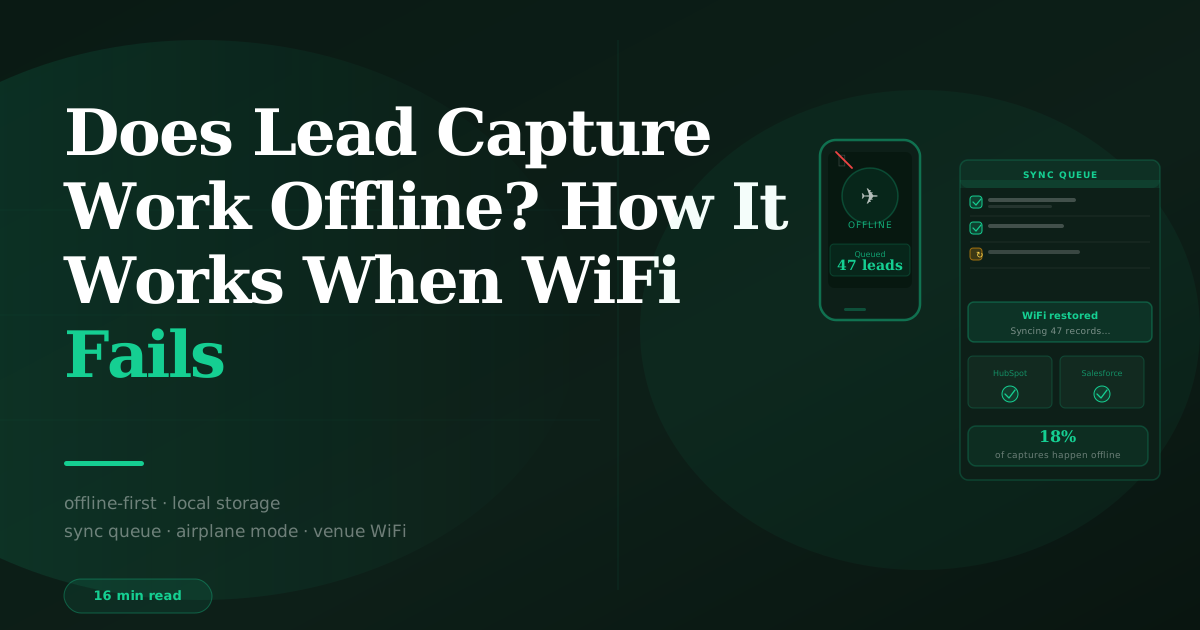
Yes — BoothMaven is built offline-first. Badge scans, business card OCR, qualifying questions, lead temperature ratings, and voice notes are all stored on the device immediately when WiFi is unavailable. The CRM sync queues automatically and completes when connectivity returns — no rep action required, no captures lost. Approximately 18% of captures at major North American conventions occur during periods of venue WiFi degradation, according to BoothMaven platform data.
Convention centre WiFi is one of the most reliably unreliable network environments in commercial real estate. Thousands of exhibitors, tens of thousands of attendees, and a dense concentration of wireless devices competing for finite bandwidth makes WiFi outages at peak show hours a near-certainty at any large trade show or conference. An exhibitor team that relies on a cloud-connected lead capture system will lose captures during those outages — silently, with no error state visible to the rep.
This guide explains exactly how offline lead capture works in BoothMaven, which functions are fully offline, which require connectivity to complete, how the sync queue operates, and how to test offline mode before the show to ensure it is working correctly. For the broader offline lead capture strategy, see how to capture leads offline at events.
Why Convention Centre WiFi Fails at Trade Shows — The Technical Explanation
Convention centre WiFi fails at trade shows for a combination of infrastructure design limits and demand spikes that happen only during events. Understanding the failure mode helps exhibitors anticipate when it will occur and confirms why offline-first lead capture is not a nice-to-have feature — it is a technical requirement for reliable show-floor operation.
Bandwidth demand vs infrastructure capacity
A mid-size trade show with 15,000 attendees produces approximately 30,000–45,000 simultaneous device connections when attendees are on the show floor — roughly two to three connected devices per person (phone, laptop, tablet). Each device running video, streaming demos, or uploading show photos is consuming 5–20 Mbps of bandwidth. The aggregate demand at a busy show floor is measured in hundreds of gigabits per second — a load that even recently upgraded convention centre infrastructure can struggle to support during peak hours.
Most convention centres were designed and built when WiFi demand was a fraction of current levels. Retrofitting adequate wireless infrastructure into large halls with metal structural elements, concrete walls, and dense equipment layouts is expensive and disruptive, and upgrades typically lag behind demand growth by several years. The result: even venues with “enhanced” WiFi packages advertised to exhibitors regularly experience degraded performance during peak attendance periods.
When failures are most likely
Based on BoothMaven connectivity data across North American shows, peak WiFi failure periods cluster in two windows per show day: 10am–12pm (when the show floor reaches peak attendance after the morning keynote or session break) and 2pm–4pm (afternoon peak attendance). The first and second show days produce more failures than later days as attendance is highest. Large-format shows (100,000+ total attendees across the event) produce more and longer failure windows than mid-size shows.
Exhibitors near the centre of large halls experience more degradation than those near hall entrances or edges, where access point density is typically higher relative to visitor density. This is not a reliable predictor — access point distribution varies significantly by venue and show layout — but it explains why two exhibitors at the same show can have very different connectivity experiences.
How BoothMaven Offline Mode Works — A Technical Walkthrough
BoothMaven’s offline architecture is built around a local SQLite database on each scanning device. Every capture event — badge scan, card OCR, qualifying question answer, temperature rating, voice note — writes to this local database first, before any network transaction is attempted. This write-first approach ensures that the data is never in a state where it has been sent to the network but not yet locally confirmed: if the network fails mid-transmission, the local record already exists and the sync is simply retried.
What works fully offline
- Badge scanning (direct-encoding QR and barcode formats). The QR code or barcode is decoded on-device. Contact fields (name, company, job title, email) populate from the badge payload directly without any network call. The complete contact record is created locally in 2–3 seconds, fully offline.
- Business card OCR. Card photographs are processed by the on-device OCR model (cached during initial app setup). Text extraction, field mapping, and contact record creation all happen locally. No cloud OCR call is made during the capture — the on-device model handles it entirely.
- Qualifying questions. All qualifying question data entry happens locally. Question sets are cached on-device during pre-show setup (when connectivity is available). Answers are written to the local database record immediately.
- Lead temperature rating. Temperature (Hot/Warm/Cold) is a local field stored in the device database. No network interaction required.
- Voice notes. Audio is recorded and stored locally on the device. Auto-transcription uses the on-device speech-to-text model for real-time transcription (iOS and Android both provide system-level speech recognition that works offline). Cloud transcription enhancement (for improved accuracy on specialised vocabulary) is queued and applied when connectivity returns.
What requires connectivity to complete (but is queued when offline)
- Badge data lookup for ID-encoded badges. Where the badge QR or barcode contains only an attendee lookup ID (not the full contact data), the API call to retrieve the contact record requires connectivity. BoothMaven queues the lookup with the ID and timestamp. When connectivity returns, the lookups are processed in order — the contact data is retrieved and merged with the qualifying data that was captured offline. The rep sees a “Pending sync” state on these records until the lookup completes.
- CRM sync. Writing the completed lead record to HubSpot or Salesforce requires connectivity. All records are queued in order and sync automatically when connectivity returns. No rep action is required; the sync completes in the background.
- Cloud transcription enhancement. The on-device speech-to-text provides a functional transcript immediately. The enhanced cloud model improves accuracy for specialised terms, abbreviations, and proper nouns when connectivity allows.
Approximately 18% of badge scans and card captures across BoothMaven’s North American trade show customer base occur during periods of measured venue WiFi degradation — defined as API response times exceeding 5 seconds or complete connectivity failure. In BoothMaven’s offline-first architecture, all of these captures complete successfully on-device and sync when connectivity returns. In a cloud-dependent lead capture system, these 18% of captures would either fail silently or queue without data — resulting in lost or empty lead records for nearly one in five event interactions. Data requires verification by the BoothMaven data team before publication.
How the Sync Queue Works — From Offline Capture to CRM Record
The sync queue is the mechanism that bridges offline capture and CRM delivery. Understanding how it works helps teams monitor sync status during and after the show and troubleshoot any records that fail to sync.
Queue structure and priority
BoothMaven’s sync queue processes records in capture order (first in, first out). Hot lead records do not jump the queue in terms of sync order — all records sync in sequence when connectivity returns. However, because hot lead records are also assigned a same-day rep task in the CRM, the combined effect is that hot lead follow-up workflow begins as soon as the hot lead record syncs, regardless of the number of records behind it in the queue.
Queue size is not typically a bottleneck: the average sync time per record is under 2 seconds when connectivity is available. A queue of 50 offline-captured records clears in under two minutes when connectivity returns — well within the same-day follow-up window that drives the highest reply rates.
Sync status indicators
BoothMaven displays sync status on each lead record: a green check indicates the record has synced to the CRM; a yellow clock indicates the record is queued, pending connectivity; a red warning indicates the record encountered a sync error (most commonly a CRM field mapping error or an expired authentication token). The sync status dashboard in the app shows total synced, queued, and error counts, allowing the rep or booth manager to monitor the queue at a glance.
At the end of each show day, the booth manager should open the sync status dashboard and confirm zero queued records and zero errors. A non-zero queue at the end of the day indicates a connectivity problem that the queue did not clear automatically — investigate the CRM authentication status and WiFi connection before leaving the venue.
What happens when a sync error occurs
Sync errors occur when the CRM rejects the record — most commonly because an OAuth token has expired (HubSpot and Salesforce tokens expire after 60–90 days), a required CRM field is missing a mapping, or the CRM is experiencing a platform outage. BoothMaven retries sync errors automatically up to three times before marking the record as a permanent error requiring manual intervention. Records in permanent error state are never deleted from the local database — they remain accessible and can be manually pushed to the CRM once the error condition is resolved.
How to Test Offline Mode Before the Show
The five-minute offline mode test should be part of every team member’s pre-show setup checklist. It takes less time to complete than a single badge scan that fails on the show floor — and it confirms the one thing most critical to data reliability during the event.
Enable airplane mode on the device. Open Settings → Airplane Mode (iOS) or Settings → Network → Airplane Mode (Android). This disables all wireless connections — WiFi, mobile data, and Bluetooth. The BoothMaven app remains open.
Capture a test lead via badge scan or card OCR. Open BoothMaven, navigate to the capture screen, and scan a test badge QR code or photograph a business card. The capture should complete normally with the standard success state — no error, no connectivity prompt.
Complete the qualification workflow. Fill in the qualifying questions, set a temperature, and record a brief voice note. All of these should work identically to the online experience. The record saves locally.
Check the sync status. Navigate to the sync status dashboard in BoothMaven and confirm the test record shows “Queued” status — confirming it is saved locally and waiting for connectivity.
Disable airplane mode and confirm sync. Re-enable WiFi or mobile data. Within 60 seconds, the queued record should change status to “Synced” and appear as a new contact in HubSpot or Salesforce. Confirm the record in the CRM with all fields populated correctly.
If the test fails at any step, the most common causes are: app not fully logged in (complete CRM authentication before the show), insufficient device storage for local database (clear at least 2GB of device storage), or a CRM field mapping configuration error (verify field mapping in BoothMaven settings and retest). Contact BoothMaven support before the show day if the test cannot be resolved — show-day support is included in all plans but pre-show resolution is faster and lower-stress.
Using Mobile Data as a Backup Connectivity Source
One of the practical advantages of scanning on personal staff smartphones rather than rented lead retrieval devices is that staff phones have mobile data plans. When venue WiFi degrades, switching to the device’s mobile data connection restores connectivity for CRM sync and lookup-based badge data retrieval — without relying on the venue’s overloaded network at all.
For US and Canadian exhibitors: most major carriers (Verizon, AT&T, T-Mobile; Bell, Rogers, Telus) provide LTE and 5G coverage inside the major convention centres in both countries. Convention centre walls and floors attenuate cellular signal somewhat, but mobile data is typically functional inside major venues at speeds sufficient for BoothMaven’s sync requirements (under 1 Mbps per device for standard sync operations).
The limitation: at very large shows where tens of thousands of attendees are simultaneously using mobile data in a concentrated geographic area, cellular networks can also become congested. Satellite-based connectivity options (Starlink Business) are increasingly being used by large exhibitors as a dedicated backup network that bypasses both venue WiFi and congested cellular entirely — providing independent, guaranteed bandwidth for the exhibitor’s own devices.
BoothMaven’s mobile data recommendation: configure the scanning devices to automatically switch to mobile data when WiFi drops below a configurable response time threshold. This can be set in iOS (Settings → WiFi → Configure IP → Auto) and Android device network settings, or managed centrally via mobile device management (MDM) software for larger exhibitor teams. Once configured, the failover is invisible to the rep — connectivity degrades, mobile data kicks in, sync continues without interruption.
Offline Lead Capture at Events Without Badges
Not all events use badge technology. Networking events, company-hosted customer gatherings, roadshows, and some smaller industry conferences do not provide scannable badges to attendees. At these events, offline lead capture relies primarily on business card OCR and QR intake forms rather than badge scanning.
Card OCR offline operation
BoothMaven’s on-device OCR processes business card photographs entirely locally — no cloud call required. A business card photographed in airplane mode produces a contact record with all extractable fields populated within three seconds of the photo being taken. The rep reviews the extracted fields (the OCR review step is also fully local), corrects any errors, adds qualifying data and voice note, and saves — the record queues for CRM sync when connectivity returns.
QR intake forms in low-connectivity environments
Visitor self-serve intake forms (QR codes displayed at the stand that visitors scan to submit their own details) require the visitor’s device to have connectivity to submit the form response. If the venue WiFi is down and the visitor does not have mobile data, the form submission will fail on the visitor’s device. For this reason, QR intake forms are best positioned as a supplement to active capture methods (badge scan, card OCR) rather than as the primary capture mechanism at events where connectivity is unreliable.
A practical solution for low-connectivity environments: configure the BoothMaven QR form to work as a progressive web app (PWA) with offline form data caching on the visitor’s device. The form loads from the visitor’s cached copy, they fill it in, and the submission completes when their device next has connectivity — which may be immediately (if they switch to mobile data) or later (if they submit from a coffee shop outside the venue). This offline form mode is available for custom form configurations — contact BoothMaven to enable it.
Offline Lead Capture at International Exhibitions and Congresses
The offline-first architecture that protects exhibitors from North American convention centre WiFi failures is equally important at international exhibitions, where connectivity challenges can be different in character but equally disruptive to cloud-dependent lead capture systems.
UK and European exhibitions
Major UK and European exhibitions — Spring Fair at NEC Birmingham, Hannover Messe, Bauma Munich, MIPIM Cannes — vary significantly in WiFi quality by venue age and show size. NEC Birmingham has undergone significant infrastructure investment in recent years; some older continental European fairgrounds (particularly sections of older Messe complexes built before WiFi was a design consideration) can have variable connectivity in specific halls. For any international exhibition where WiFi reliability is unknown, the offline test should be completed by the lead team at the venue on the morning of setup day — not the morning of show day.
India and Middle East exhibitions
At major Indian exhibitions — Pragati Maidan (New Delhi), BIEC (Bengaluru), BEC (Mumbai) — mobile data connectivity via Indian carriers (Jio, Airtel, Vi) is typically strong inside exhibition halls and serves as a reliable backup when venue WiFi degrades. For teams exhibiting in the Middle East at GITEX, Arab Health, or The Big 5 in Dubai, UAE carriers (Etisalat/e&, du) provide good indoor coverage at the Dubai World Trade Centre and its co-located halls.
One practical consideration for international exhibitions: data roaming costs. A team of four using mobile data for CRM sync across a four-day show at normal BoothMaven sync volumes (under 50MB per device per day) will consume modest data. Verify that team members’ international roaming plans include data, or purchase local SIM cards for the show period. A local SIM provides both cost predictability and stronger signal than an international roaming connection.
Purely offline mode for data-sensitive events
Some government, defence, and healthcare conference environments prohibit or restrict mobile data and external WiFi connections for security reasons. For events in these environments, BoothMaven can be configured for purely local operation: captures accumulate on-device throughout the event, with no network transactions of any kind during the event itself. The complete sync to the CRM occurs after the event, from a trusted network, under the control of the exhibitor’s IT team. This mode requires advance configuration — contact BoothMaven before the event to set up the secure offline export workflow.
USA — Key venues: Las Vegas Convention Center, McCormick Place Chicago, Orange County Convention Center, and the Javits Center in New York have all completed or announced WiFi infrastructure upgrades in 2022–2025. Despite upgrades, peak-hour degradation remains common at the largest shows (CES, HIMSS, NRF) due to the scale of simultaneous demand. BoothMaven’s offline-first architecture handles all of these venues reliably during degradation periods.
Canada — Key venues: Metro Toronto Convention Centre, Vancouver Convention Centre, and Palais des congrès de Montréal have similar infrastructure profiles — upgraded but demand-constrained at peak attendance. Canadian LTE and 5G coverage inside major convention centres is generally good (Bell, Rogers, and Telus all have strong indoor coverage at most major venues), making mobile data fallback a reliable option for Canadian shows.
BoothMaven is offline-first by design — not as a fallback. All core capture functions (badge scan for direct-encoding badges, card OCR, questions, temperature, voice note) are fully functional with no internet connection at any point. The CRM sync queues and completes automatically when connectivity returns.
18% of captures happen during WiFi degradation at major North American conventions, according to BoothMaven platform data. A cloud-dependent lead capture system would lose these captures. Offline-first architecture recovers all of them.
Test offline mode before every show. The five-step airplane mode test takes under five minutes and confirms the complete offline-to-sync workflow for every device your team will use on the show floor. Running it before the show eliminates the most stressful category of show-day technical failure.
Frequently Asked Questions
Conclusion
The question “does lead capture work offline?” has a clear answer for BoothMaven: yes, by design, for all core capture functions. Convention centre WiFi failure is not an edge case — it is a near-certainty at peak attendance during any large trade show. Offline-first architecture is the technical requirement that ensures the 18% of captures that happen during those outages are not lost.
The practical test before every show is the five-step airplane mode sequence. Run it on every device, three to five days before the event. One failed test discovered before the show is ten minutes of troubleshooting. One failed test discovered on the show floor is lost pipeline that cannot be recovered. Run the five-step test on every device, for every show, without exception.