
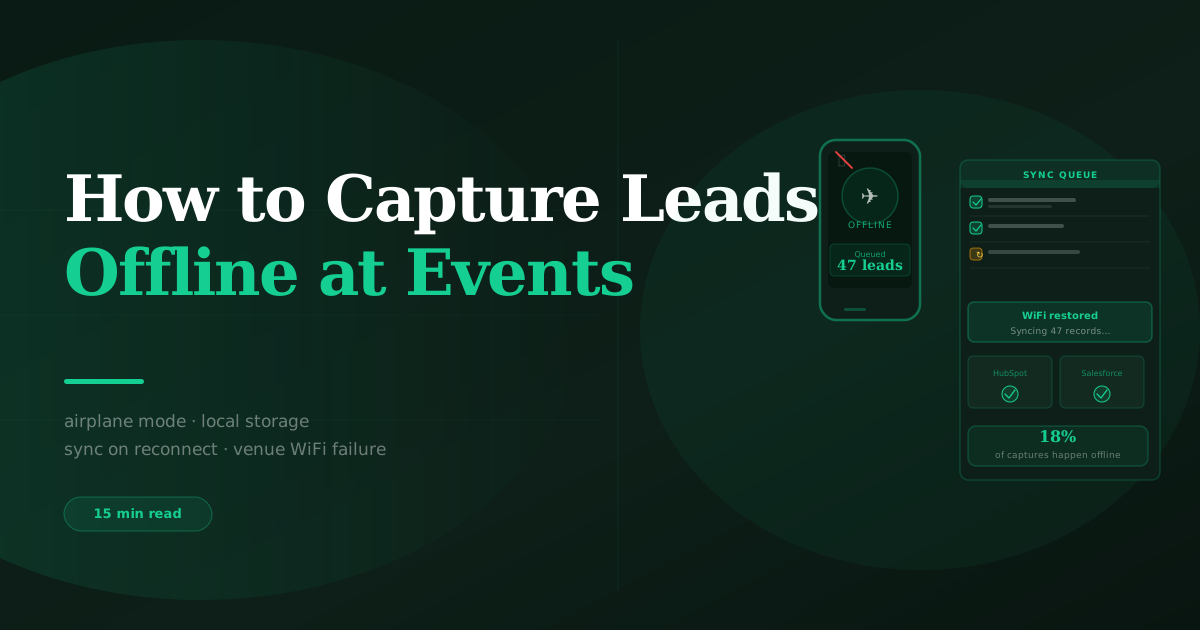
How to Capture Leads Offline at Events (When the Venue WiFi Fails)
BoothMaven Editorial Team·July 15, 2026·22 min read·CL-35 Spoke
To capture leads offline at an event, use a lead capture app with true offline mode — one that stores every scan, card photo, form submission, and manual entry locally on the device at the moment of capture, without requiring any internet connection. BoothMaven does this automatically: all captures are saved to local device storage immediately, and sync to your CRM the moment connectivity is restored, with no manual action from your team. No leads are ever lost due to venue WiFi failure.Venue WiFi at major trade shows is among the most overloaded network infrastructure in the world. At CES in Las Vegas, the network must serve more than 130,000 registered attendees plus tens of thousands of exhibitor staff and media — all simultaneously, in a space where every vendor is trying to demonstrate cloud-based software. At HIMSS in Chicago, at Dreamforce in San Francisco, at GITEX in Dubai, the same dynamic plays out every year. The WiFi degrades during peak hours, drops during lunch periods, and sometimes fails completely for extended periods during a show.For exhibitors whose lead capture system depends on a live internet connection — the organiser’s rental badge scanner, a browser-based form, any tool that sends data to a cloud server on every interaction — this means lost leads. For every interaction that happens during a connectivity outage with a connection-dependent system, the data is not captured. The visitor’s contact details, the qualifying conversation, the voice note — none of it exists.For exhibitors using a lead capture app with true offline mode, a venue WiFi outage is a non-event. The captures keep happening exactly as normal. The CRM sync waits until connectivity returns. Nothing is lost. This guide explains exactly how offline lead capture works, which methods work offline, how to test it before every show, and what to do if your current setup fails the offline test.For the full lead capture context: how to capture leads at a trade show: the complete guide.
Why Convention Centre WiFi Fails — and Why It’s Getting Worse
Convention centres were built for conferences. They were not built for the demand profile of a modern trade show, where every exhibitor is running cloud-based software, streaming product demos, maintaining real-time CRM sync, and serving visitors who expect to connect their own devices simultaneously.
The demand problem that will not be solved
A major trade show floor with 2,000 exhibitor booths and 50,000 daily visitors may have 200,000 or more active devices competing for WiFi bandwidth at peak hours. Convention centre network infrastructure — even at venues that have made significant investments in connectivity — was typically designed for a fraction of this load. The result is predictable: connection speeds that are adequate at 8am when setup begins, degrade significantly by 10am when the floor opens to full attendance, and drop to unusable levels during peak afternoon traffic.This is not primarily a problem that more access points solve. The constraint is often backhaul capacity — the bandwidth of the fibre connection between the convention centre and the internet backbone. Adding access points without upgrading backhaul simply spreads the same inadequate bandwidth across more connection points. Several of the largest convention centres in North America are currently mid-upgrade, but the upgrade cycles take years. In the meantime, exhibitors need to operate as if venue WiFi will fail.
The shows where connectivity is most unreliable
Most congested (expect outages): CES Las Vegas, HIMSS Chicago, SXSW Austin, NAB Las Vegas, Dreamforce San Francisco, AWS re:Invent Las Vegas. These shows combine massive attendance with technically sophisticated exhibitors all running cloud-based demos simultaneously. Connectivity failures during peak hours are essentially guaranteed.Moderately congested (plan for degradation): Most mid-size trade shows at established convention centres in Chicago, New York, Dallas, Toronto, and Vancouver. WiFi typically works but slows significantly during peak hours.Most reliable: Smaller shows at newer convention centres, shows at hotels with purpose-built conference infrastructure, and shows where the organiser contracts dedicated bandwidth for exhibitors. Even at these shows, an offline-ready capture system is the right default.
What “Offline Mode” Actually Means — And What to Watch Out For
Not all lead capture tools that claim offline capability provide the same level of protection. Understanding the difference between true offline mode and partial offline mode tells you whether your captures are safe when connectivity drops — or whether you are relying on a feature that breaks in exactly the scenario you most need it.
True offline mode — what BoothMaven provides
In true offline mode, every capture operation — badge scan, card OCR, QR submission, manual entry — completes entirely on-device without any network request. The contact record is written to local device storage at the moment the rep taps Confirm. No network is involved in the capture itself. The CRM sync is a separate, independent operation that runs when connectivity is available. If connectivity never returns during the show day, all captures are still in local storage, complete and safe, and sync the next time the device connects.True offline mode also means the app remains fully functional — qualifying questions, voice notes, lead temperature, capture method tags — all operate normally when offline. The only thing that requires connectivity is the CRM sync operation at the end.
Partial offline mode — common in browser-based tools
Many lead capture tools — including some that advertise offline capability — operate through a web browser. Browser-based tools can cache a form page for display when offline, but form submissions almost universally require a network connection to process. If you are using a browser-based capture tool and the venue WiFi drops mid-show, submissions made during the outage are lost or stored in a browser cache that is not guaranteed to survive a page refresh, a device restart, or a session timeout. The test for this is the offline test described below — a browser-based tool will fail it.
The critical difference for QR code capture
QR code capture adds another dimension to the offline question. When a visitor scans a QR code on your booth and fills in a form, that submission typically goes to a cloud-hosted form endpoint. If your QR links to a cloud-hosted form and the venue WiFi is down, the visitor sees an error or a blank page when they try to submit — and the lead is lost. BoothMaven’s QR capture uses a form that is served from the device’s local hotspot when configured, or stores submissions locally when cloud connectivity is unavailable. This is not how all QR lead capture tools work — verify the offline behaviour of your QR tool specifically.
Which Capture Methods Work Offline — Method by Method
Business card OCR — fully offline
Business card OCR is the most offline-capable capture method available. The entire process — image preprocessing, text extraction, field classification — runs locally on the device using on-device AI models. No network request is made at any point during the capture. The contact record is saved to local storage immediately. Business card OCR works identically when the device is completely disconnected from all networks. It is the gold standard for offline-safe capture.
QR code capture — offline with BoothMaven’s device-local architecture
Standard QR codes that link to cloud-hosted forms do not work offline. BoothMaven’s QR capture architecture stores submission data locally on the device and queues it for sync — provided the visitor’s QR scan and form submission occurs while the BoothMaven app is running and the form is served locally. In practice this means QR submissions in BoothMaven work offline; QR codes linked to third-party cloud forms (Google Forms, Typeform, HubSpot embedded forms) do not work offline when connectivity is unavailable.
Badge scanning — partial offline, depending on badge format
Badge scanning offline capability depends on the badge format used at the specific show:
- Self-contained QR codes (full contact record in the code): Completely offline-capable. The app reads the contact data directly from the QR code image — no database lookup needed. The complete record is saved locally immediately. Sync happens when connectivity returns. This is the most common format at modern shows.
- Database-lookup formats (1D barcodes, ID-only QR codes): Requires connectivity for the database lookup that retrieves the full contact record from the badge ID. BoothMaven handles this by storing the badge ID locally when offline and completing the lookup automatically when connectivity returns — so the capture intent is preserved, but the full contact details are not available until sync. In the interim, the record shows the badge ID and any manually entered details with a “pending lookup” status.
Manual entry — fully offline
Manual entry (typing a contact’s details directly into the app) requires no network connectivity at any point. All fields are stored locally immediately. Full offline capability, always.
Voice notes — partially offline
Voice note recording is fully offline — the audio is captured and stored locally immediately. Voice note transcription (converting the audio to text for CRM storage as a note) requires connectivity to the transcription service. When offline, voice notes are stored as audio files locally and transcribed automatically when connectivity returns. The audio is never lost; only the text transcript is delayed.
| Capture Method | Works When Offline? | What Requires Connectivity | Data Risk if Connectivity Never Returns |
|---|---|---|---|
| Business card OCR | ✓ Fully offline | CRM sync (background) | None — local storage permanent |
| Manual entry | ✓ Fully offline | CRM sync (background) | None — local storage permanent |
| QR code (BoothMaven) | ✓ Fully offline | CRM sync (background) | None — local storage permanent |
| QR code (third-party cloud form) | ✗ Requires connectivity | Form submission endpoint | High — submission fails silently |
| Badge scan — self-contained QR | ✓ Fully offline | CRM sync (background) | None — full record in local storage |
| Badge scan — database lookup | ~ Partial — ID saved | Contact record lookup | Low — ID preserved, lookup completes later |
| Voice note (audio) | ✓ Audio saved offline | Transcription service | None — audio saved; transcript delayed |
| Browser-based form | ✗ No offline mode | All operations | Critical — all data lost during outage |
The Four-Minute Test That Protects Every Show’s Leads
The pre-show offline test is the single most important preparation step for any exhibitor using a lead capture app. It takes four minutes, requires no special equipment, and identifies any configuration issue — expired CRM token, incorrect app version, device permission problem — before you are on the show floor with visitors in front of you and no way to troubleshoot.Run this test on every device your team will carry at the show, the evening before the show opens. Running it at the hotel is better than running it on the show floor because if something fails, you have time to fix it before the show opens.
The test — step by step
Put the device in airplane mode. This disables all wireless connectivity — WiFi, mobile data, Bluetooth (for NFC). The device is now completely offline. Open the BoothMaven app. Confirm the “Offline Mode Active” indicator is visible.
Capture five test contacts using the methods you plan to use at this show. If you are planning to badge scan, use your own staff badge or a printed test QR. For card OCR, scan your own business card or a team member’s card. For manual entry, create a test contact with a clearly fake email ([email protected]) so you can identify and delete these records after the test.
Confirm all five appear in the app’s pending sync queue. Navigate to the Leads section in BoothMaven and look for the pending sync indicator — a small clock icon on unsynced records. All five test contacts should show this indicator. If any capture is missing, investigate before turning connectivity back on — something in the capture process is not saving to local storage correctly.
Restore connectivity (turn off airplane mode) and confirm all five sync automatically. Within two minutes of restoring connectivity, all five test contacts should appear in your CRM with the correct field values, lead temperature, and any voice notes recorded. If the sync does not complete automatically within two minutes, check the CRM integration status in BoothMaven Settings — the most common cause is an expired authentication token, which requires a one-time re-authentication.
Delete the five test contacts from your CRM. These are clearly identifiable by the fake email addresses used in step 2. Delete them before the show opens to keep your lead data clean.
What to do if the offline test fails
- Captures are not saving to local storage: Check that the BoothMaven app has been granted local storage permissions in the device’s Settings → Apps → BoothMaven → Permissions. On iOS, check Settings → BoothMaven → data access. Deny or restrict permissions will prevent local saves.
- Sync does not complete automatically after restoring connectivity: Navigate to BoothMaven Settings → CRM Integration and check the connection status. An expired OAuth token appears as “Disconnected.” Tap Re-authenticate and complete the CRM login flow. This takes thirty seconds and resets the token for the next 60–90 days.
- Captures show in the app but do not appear in the CRM: Check that the CRM account connected in BoothMaven is the correct account (some teams have multiple HubSpot portals). Also confirm the contact email address is not blocked by a CRM opt-out list or GDPR suppression list, which would prevent contact creation.
Mobile Hotspot: Your Offline Insurance Policy
Even with true offline mode handling all captures, CRM sync — which requires connectivity — will be delayed as long as venue WiFi remains down. For most exhibitors, delayed sync is acceptable: captures are safe in local storage, and they sync that evening when the team returns to a hotel with reliable WiFi. But for exhibitors who need hot leads to reach their CRM and be assigned to reps within minutes (rather than hours), delayed sync means delayed follow-up.The solution is a dedicated mobile hotspot — a separate device that uses a mobile data connection (not venue WiFi) to provide internet access for your capture devices. A mobile hotspot with a solid 4G or 5G data connection provides reliable sync regardless of what the venue WiFi is doing.
Mobile hotspot setup for trade shows
Carry a dedicated mobile hotspot device (not your phone’s personal hotspot, which drains battery and creates a single point of failure) with a data plan specific to the show country. In the US and Canada, the major carriers (Verizon, AT&T, T-Mobile, Rogers, Bell, Telus) all offer data plans that work in both countries — check your plan’s roaming terms before international shows. At a typical trade show with three staff scanning badges, a 10GB data plan is sufficient for a three-day show with continuous CRM sync.Connect your capture devices to the hotspot at the start of each show day. If venue WiFi is reliable, the devices will prefer it. When venue WiFi degrades, they automatically switch to the hotspot. When venue WiFi drops completely, the hotspot takes over. Your team never manually manages this — the devices handle the network switching automatically.
At a major construction and infrastructure exhibition in Houston, the convention centre’s WiFi failed completely for four hours on the second day due to a fibre backhaul failure. Every exhibitor using the organiser’s rental badge scanners stopped capturing leads — the scanners required a live connection to the organiser’s database and simply displayed an error when the network dropped. BoothMaven exhibitors at the same show continued capturing normally throughout the outage. All 340+ leads captured during the four-hour outage synced automatically to the exhibitors’ CRMs within minutes of the network being restored at 3pm. Post-show debrief from one exhibitor: “We actually captured more leads during the outage than in the previous session, because the floor got busier when the demo systems went down and visitors started walking booths instead.”
Offline Capture Planning by Show Type and Venue Category
The offline risk profile differs significantly between show types. A major convention centre show with 50,000 attendees has fundamentally different connectivity characteristics than a regional hotel-based event with 500 attendees. Understanding this profile helps you decide how much offline preparation to apply to each event on your calendar.
Large convention centre shows (5,000+ attendees)
The highest offline risk category. Convention centre WiFi at shows of this size should be treated as likely to degrade and possibly fail during peak hours. The complete offline preparation applies: test offline mode the evening before on every device, configure the mobile hotspot as a connectivity backup, brief your team that offline mode is active by default rather than exception, and run the end-of-day sync check before closing down.Specific shows in this category where offline preparation is non-optional: CES Las Vegas (January), HIMSS Chicago or Orlando (March), NAB Las Vegas (April), Dreamforce San Francisco (September), AWS re:Invent Las Vegas (November/December). At these shows, plan for at least four hours of peak-time WiFi degradation per day and potentially multiple shorter complete outages.
Mid-size trade shows (500–5,000 attendees)
Moderate offline risk. WiFi typically works at these shows but degrades during peak hours (10am–1pm and 2pm–4pm are the most congested windows at most shows). Offline mode provides a safety net rather than a primary operating mode. The pre-show offline test and the mobile hotspot backup are still recommended, but the risk of a complete outage is lower.
Hotel conference rooms and smaller venues
Generally the most reliable connectivity — hotel conference infrastructure is typically purpose-built for conference use and sized appropriately for the attendee count. WiFi outages at hotel-based shows are uncommon but not impossible. A quick offline test is still worthwhile (takes four minutes), but the mobile hotspot may be overkill for a 200-person industry day event. Use your judgment based on the hotel and the show.
Outdoor events, markets, and field shows
No venue WiFi at all — offline mode is not a contingency but the operating mode. Business card OCR and manual entry are the primary capture methods because they work completely offline by design. QR codes work if the visitor has mobile data. Confirm mobile hotspot coverage for your target show location before the event if real-time CRM sync is needed. In rural or remote show locations, plan to sync at the end of the day at a nearby hotel rather than during the show.
Most reliable US venues: McCormick Place Chicago (recent WiFi upgrades), Javits Center New York (2024 infrastructure upgrade), Orange County Convention Center (generally reliable). Even these venues degrade under extreme load — always run the offline test.Most congested US venues: Las Vegas Convention Center (CES and NAB load), Moscone Center San Francisco (Dreamforce load), Hawaii Convention Center during HIMSS years. Offline mode is non-optional at these venues during major shows.Canada: Metro Toronto Convention Centre, Vancouver Convention Centre, and Calgary TELUS Convention Centre all have modern infrastructure and generally reliable WiFi at mid-size shows. The Canadian Trade Commissioner Service offices and provincial trade events use hotel-based venues where connectivity is typically good. Remote Canadian shows (agricultural shows, regional industry events in prairie provinces) should assume no venue WiFi and plan accordingly.
International shows — key differences for North American exhibitors
North American exhibitors attending international shows need to account for two additional connectivity variables: mobile data roaming and CRM regional data hosting. Confirm your mobile data plan covers the show country before travelling — roaming charges for a week of active CRM sync can be significant on plans without included international data. For European shows (Hannover Messe, Mobile World Congress, Fachpack), the venue WiFi is generally more reliable than US equivalents due to different infrastructure standards, but offline mode is still the correct default posture. For shows in the Middle East (GITEX Dubai, Arab Health) and Asia (Tokyo Big Sight shows), venue WiFi quality varies significantly — treat all of these as potential offline scenarios and prepare accordingly.The practical rule: apply full offline preparation (offline test + mobile hotspot) to any show at a major convention centre, any show where the exhibitor kit mentions WiFi as a paid upgrade, and any show where you are exhibiting for the first time and do not yet know the venue’s connectivity track record. Apply minimal offline preparation (offline test only) to hotel-based events and shows under 500 attendees. Carry a mobile hotspot to every show regardless — it weighs nothing and eliminates an entire category of risk.06 — Auto-Sync and What Happens When Connectivity Returns
How Offline Captures Reach Your CRM When You Reconnect
The moment any connectivity is restored — venue WiFi, mobile data, hotspot — BoothMaven begins the sync process for all queued captures. This happens automatically in the background without any action from the rep. The rep continues capturing; the app handles the sync independently.The sync order is chronological — oldest captures sync first. This ensures that if connectivity drops again before all captures sync, the records that have been waiting longest are prioritised. In practice, at typical trade show data volumes, all queued captures sync within two to four minutes of connectivity being restored, even for a queue of 200 or more records.
What appears in the CRM when sync completes
Each synced capture creates or updates the corresponding contact record in HubSpot or Salesforce with all the data captured during the offline period — contact details, qualifying answers, lead temperature, voice note (or voice note transcript if the transcription service was available at sync time). The contact’s CRM record has no indication that it was captured offline — the offline period is transparent in the final record. The only metadata difference is the capture timestamp, which correctly reflects the time of capture (during the outage) rather than the time of sync.
The end-of-day sync check
At the end of each show day, before closing down devices, perform a ten-second sync check: open BoothMaven and confirm the lead count in the app matches the contact count in your CRM for today’s show. If there is a discrepancy, there are still unsynced captures in the local queue. Keep the device connected and the app open for an additional five minutes. If the discrepancy persists after five minutes, check the CRM integration status in Settings and resolve any authentication issues before leaving the venue.
Venue WiFi will fail — plan for it, not around it. True offline mode in BoothMaven means venue WiFi failure is a non-event for lead capture. Every capture is safe in local storage from the moment the rep taps Confirm.
Test offline mode the evening before every show, on every device. Four minutes, five test contacts, confirm sync. This test identifies configuration issues when you have time to fix them — not at 10am on show day when visitors are in front of you.
Carry a mobile hotspot as your backup connectivity source. Even with offline capture working perfectly, a hotspot ensures hot leads reach your CRM and your reps within minutes rather than hours — keeping the 24-hour follow-up window intact.
Frequently Asked Questions
Conclusion
Venue WiFi failure is not a risk that can be eliminated — it is a certainty that must be planned for. Every exhibitor who has attended more than three major trade shows has experienced a connectivity outage during a show. The question is not whether it will happen, but whether your lead capture system will keep working when it does.True offline mode in BoothMaven means venue WiFi is irrelevant to your capture operation. Every badge scan, card OCR, QR submission, voice note, and manual entry is safe in local storage from the moment it is confirmed, regardless of what the venue network is doing. The sync happens when connectivity returns. The follow-up happens the same day. No leads are lost.Set up offline mode. Test it the evening before every show. Carry a mobile hotspot as a connectivity backup. And capture confidently knowing that the show floor’s WiFi infrastructure is someone else’s problem.