
What Data Should You Capture at a Trade Show Booth?
BoothMaven Editorial Team·July 17, 2026·20 min read·CL-35 Spoke
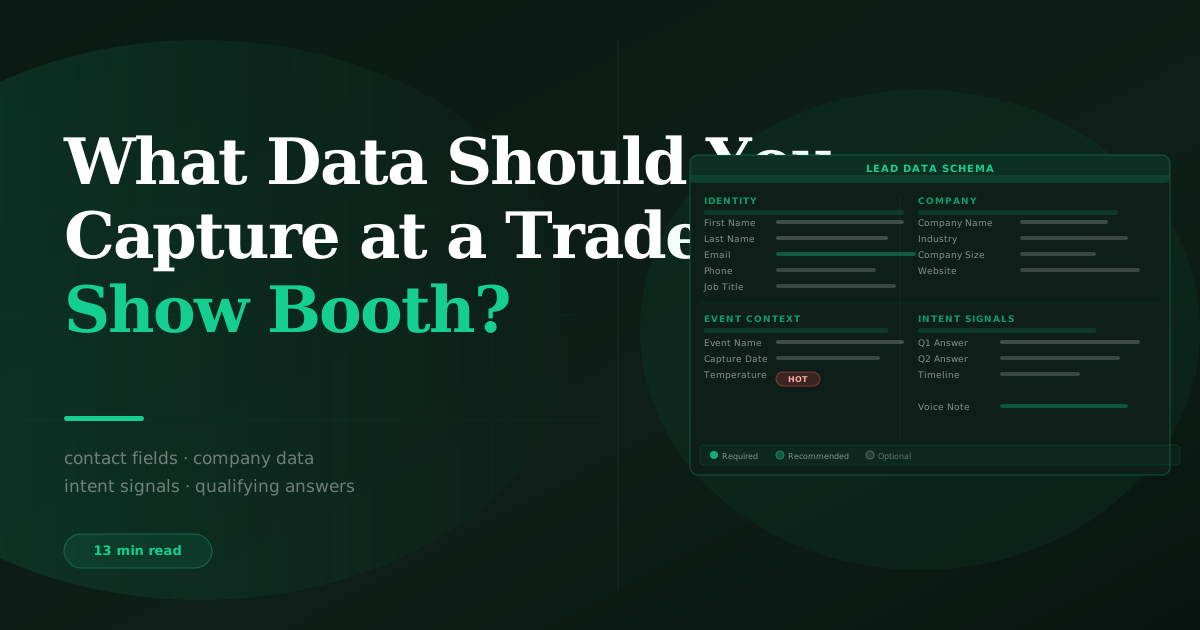
At minimum, capture first name, last name, company, job title, and email from every trade show visitor. A complete lead record also requires qualifying question answers (need, authority, timeline), a lead temperature rating (hot, warm, or cold set by the rep during the conversation), a voice note with conversation context recorded within sixty seconds, capture metadata (show name, method, rep name, timestamp), and post-show enrichment data. The minimum gets you a contact. The full seven-layer model gets you a pipeline-ready lead that your sales team can actually act on.
Most exhibitors treat trade show data capture as a contact collection exercise. The measure of success is how many badge scans they got. The deliverable is a CSV of names and email addresses. And then, reliably, the follow-up rates are low, the conversion rates are lower, and the post-show analysis concludes that “the show didn’t deliver much pipeline.”
The problem is not the show. The problem is what was captured at it. A name and an email address tells a sales rep one thing: this person exists and was at this show. It tells them nothing about what the person needs, whether they can or will buy, how urgently they need to resolve the problem, what was said in the conversation, or why they should receive a call today rather than a two-week nurture sequence. Without that data, every lead gets the same generic follow-up — because there is no basis for treating them differently.
This guide defines the complete data model for trade show leads: seven layers, every field explained, and a prioritisation framework so you can calibrate your capture effort to your booth context without slowing down the conversations that generate leads in the first place. For the full capture system this data model supports: how to capture leads at a trade show — the complete guide.
The Gap Between What Gets Captured and What Sales Actually Needs
A sales development rep receiving a post-show lead list faces a specific problem: they have a list of names and emails with no basis for prioritisation, personalisation, or intelligent routing. Every lead looks the same. The SDR starts from the top and works alphabetically. The hot prospect in the middle of the list waits three days for a follow-up that could have happened the same night. By then, the competitor who scanned them ten minutes later and followed up the next morning has already booked a demo.
This is not a follow-up problem. It is a data problem. The information needed to prioritise, personalise, and route trade show leads correctly must be captured on the show floor, during the conversation, by the rep who had it. No amount of post-show enrichment, data appending, or AI-powered lead scoring can fully reconstruct what a rep knows during a two-minute conversation with a hot prospect. The context that determines whether a lead converts is almost entirely available in the moment — and almost entirely gone two hours later.
Across BoothMaven customers tracking lead-to-opportunity conversion at North American trade shows, the average lead record completeness score (out of seven data layers) correlated directly with conversion rate. Leads with only Layers 1–2 (contact identity + badge scan) converted at 4.2%. Leads with Layers 1–4 (adding qualifying answers and voice note) converted at 14.7%. Leads with all seven layers complete converted at 23.1%. The five-fold conversion difference between a basic contact record and a fully completed lead record represents the value of the ninety additional seconds of capture effort per interaction.
The Complete Trade Show Lead Data Model
Layer 1 — Contact identity (mandatory, auto-captured)
The minimum viable record. Captured automatically via badge scan or card OCR in two to three seconds. Requires no manual input from the rep when the capture technology is correctly configured.
- First name and last name. Separate fields, not a single “full name” field. Separate fields enable personalised email subject lines (“Hi Sarah” vs “Hi Sarah Chen”) and correct sorting in CRM views.
- Company name. The employing organisation. For badge scans, this comes directly from the registration database. For card OCR, it is the organisation printed on the card — which may differ from the employing company (a consultant whose card shows their consultancy, not their client).
- Job title. Extracted from badge or card. Essential for rep routing — a “VP of Operations” goes to a different sales motion than a “Junior Analyst” at the same company.
- Email address. The primary contact field for follow-up. Validated for format by the app on entry. Note: some shows and some visitors do not include email in badge data — in these cases, ask directly and add manually before the visitor leaves.
- Phone number. Available from card OCR and from some badge registration databases. Optional in self-serve QR forms. For hot leads, a direct mobile number enables same-day phone contact, which converts at significantly higher rates than email alone.
Layer 2 — Qualifying question answers (mandatory, verbal)
The data that turns a contact into a lead. Captured verbally during the conversation and entered as structured dropdown answers in the app by the rep in real time. Three fields: need signal, authority signal, and timeline signal. See the full qualifying question bank and selection guide: BoothMaven qualifying questions feature.
- Need signal. Does this visitor have an active problem your product or service solves? The dropdown options are typically: Active project, Evaluating options, General interest, No current need. The rep selects the closest match based on what the visitor said in response to the need question.
- Authority signal. Can this visitor influence or make the buying decision? Options: Decision-maker, Strong influencer, Evaluator (will recommend), End user, Unknown. This field drives rep assignment — a decision-maker goes to senior sales, an end user goes to a nurture sequence.
- Timeline signal. When does this visitor need to resolve the problem? Options: Within 30 days, 30–90 days, 90 days to 6 months, 6+ months, No timeline. This field, combined with need and authority, is the primary input to lead temperature.
Layer 3 — Lead temperature (mandatory, rep judgment)
The single most important field in the lead record from a sales prioritisation perspective. Set by the booth rep during or immediately after the interaction based on everything they heard and observed — not just the three qualifying question answers. The temperature is a human judgment call that incorporates signals the structured fields cannot capture: how engaged the visitor was, how specific their questions were, whether they mentioned a competitor, how urgently they described the problem.
Three values: Hot (active need, meaningful decision influence, near-term timeline — contact same day), Warm (genuine interest, earlier stage or influencer role — personalised follow-up within 48 hours), Cold (general browsing, no active need, or wrong profile — long-cycle nurture). The discipline is to set temperature before the visitor walks away, not later. Temperature judgment degrades rapidly after the interaction ends.
Layer 4 — Voice note (mandatory, immediate)
The data layer that contains everything the structured fields cannot hold: the specific words the visitor used to describe their problem, the competitor they mentioned by name, the feature they got excited about, the hesitation they expressed, the person they mentioned bringing the decision to, the specific date they named as a deadline. A 20–40 second voice note recorded within sixty seconds of the interaction ending is worth more than all the other structured fields combined for the sales rep who will write the first follow-up email.
BoothMaven transcribes voice notes automatically and stores the transcript as a contact note in HubSpot or Salesforce. The audio is also preserved. The transcription enables CRM search across voice note content — useful for finding all leads who mentioned a specific competitor or a specific use case after a large show.
Layer 5 — Capture metadata (automatic)
Data about how and when the lead was captured. Recorded automatically by the app — no rep action required. Critical for post-show attribution and analytics.
- Show name and dates. Associates the lead with the campaign object in your CRM for pipeline attribution. Enables cross-show performance comparison.
- Capture method. Badge scan, card OCR, QR form, manual entry. Enables analysis of capture method quality — which method produces higher-converting leads at which show types.
- Capture timestamp. The exact time and date of capture. Shows peak capture hours, enables daily lead count tracking, and records the time elapsed between capture and CRM sync.
- Rep name. Which team member captured this lead. Enables rep-level performance tracking and ensures the voice note context matches the rep who had the conversation when the sales assignment is made.
Layer 6 — Enrichment data (post-show, automated)
Data added after the show by automated enrichment tools that look up the contact’s company domain, LinkedIn profile, and company firmographics. This layer fills in fields that are useful for routing and segmentation but that are not practically capturable in a two-minute booth interaction.
- LinkedIn profile URL. Enables the follow-up rep to personalise the first email with a reference to the visitor’s background or recent content before they pick up the phone.
- Company size (employee count). Used for deal size estimation and ICP scoring. A 5,000-person company has a different average deal size and sales cycle than a 50-person startup, even if both had a similar booth conversation.
- Company revenue range. Similarly used for deal size estimation and sales motion selection.
- Industry / vertical. Used for sales rep routing where reps are specialised by vertical, and for personalising follow-up messaging to industry-specific pain points.
- Technology stack (if available). Useful for integration-led sales motions — knowing the visitor’s current CRM or marketing automation platform enables a more targeted follow-up that addresses the specific integration your product offers.
Layer 7 — Consent record (mandatory in regulated contexts)
The record that the visitor consented to receive marketing communications from your company. Required under CAN-SPAM in the US (which governs commercial email) and CASL in Canada (which is stricter and requires explicit affirmative consent for commercial electronic messages). The practical implementation is a consent checkbox in your QR intake form and kiosk form, and a verbal consent acknowledgment for badge scans and card captures that is logged as a custom field in the contact record.
This post does not constitute legal advice. CAN-SPAM (US) and CASL (Canada) have different consent requirements for commercial email. US CAN-SPAM operates on an opt-out basis — commercial emails are permissible unless the recipient has opted out. Canadian CASL operates on an opt-in basis — commercial electronic messages require express or implied consent. If your show includes Canadian attendees and your follow-up includes commercial email, verify your consent collection process with a qualified legal advisor. Configure BoothMaven’s consent checkbox fields specifically for shows with Canadian attendees.
Prioritising Data Capture for Your Booth Context
Not every booth context supports capturing all seven layers for every visitor. A team of two at a busy 10×10 booth interacting with 50 visitors per day cannot spend ten minutes per capture. The right approach is to prioritise layers based on your booth’s traffic volume, staffing level, and the typical buying stage of visitors at this specific show.
| Booth Context | Mandatory Layers | Target Layers | Skip or Defer |
|---|---|---|---|
| 10×10 · 2 staff · high traffic | 1, 3 | 2, 4 | 5 (auto), 6 (post-show), 7 (if required) |
| 20×20 · 4 staff · medium traffic | 1, 2, 3, 4 | 5 (auto), 7 | 6 (post-show automated) |
| Large island · dedicated capture staff | 1–5 | 7 | 6 (post-show automated) |
| Sponsored session (no booth) | 1, 7 | 4 (voice after session) | 2, 3 (session context substitutes) |
| Regional show · low traffic | 1–5, 7 | 6 (real-time if possible) | Nothing — time permits full capture |
The minimum viable combination is Layers 1 and 3: contact identity and lead temperature. Even without qualifying answers and a voice note, a lead temperature set by the rep during the conversation is enough to separate hot leads (same-day contact) from the rest. Every additional layer above this minimum adds conversion probability — but Layers 1 and 3 together are better than Layers 1 through 7 that never get filled in because the process was too burdensome for the team to sustain.
What to Prioritise Based on Who You Are Talking To
Decision-makers and economic buyers
For a visitor who is clearly a decision-maker — confirmed authority, active project, near-term timeline — every layer is worth capturing thoroughly. Voice notes for decision-maker leads should be longer and more detailed (45–60 seconds) and should include: the specific business problem stated, any competitor mentioned, the exact timeline given, the rep’s assessment of deal size based on company size and use case, and the most important thing said in the conversation. These leads are the ones that justify the show investment — they deserve the highest data capture effort.
Champions and evaluators
For a visitor who is evaluating on behalf of a decision-maker — a strong champion but not the economic buyer — the most critical additional data point is the decision-maker’s identity. Add a free-text field note (or include it in the voice note): “She reports to the VP of Finance. Decision will need CFO sign-off. She will present the shortlist in four weeks.” This information shapes the entire follow-up strategy — rather than trying to sell the champion, you work with them to build the internal business case.
Early-stage researchers
For visitors who are clearly early-stage — no active project, no timeline, general interest — Layer 1 and Layer 3 (cold) plus a brief voice note about the company size and use case are sufficient. Do not invest ten minutes of capture time on a visitor who is 18 months from a buying decision. Capture enough to route them to a long-cycle nurture sequence and move on.
Visitors who deflect or disengage early
For visitors who take a brochure and move on without engaging in conversation, capture Layer 1 (badge scan or QR) and Layer 3 (cold). No qualifying answers, no voice note — there is nothing to record. Flag the record as “minimal engagement — show walk-by” in the notes field. These are lowest-priority leads and should be treated as long-cycle nurture from the start.
What Automated Enrichment Adds — and What It Cannot Replace
Automated enrichment tools — Clearbit, Apollo, ZoomInfo, and similar — run against your CRM contact records after the show and fill in firmographic fields (company size, revenue, technology stack, LinkedIn URL) that were not captured at the booth. This is valuable for segmentation and routing, but it has a specific limitation that every sales team should understand.
Enrichment tools add standardised data about the company and the role. They do not add what was said in the conversation. They can tell you that the company has 450 employees and uses Salesforce. They cannot tell you that the visitor specifically mentioned a contract expiring in September, that they are evaluating your main competitor, or that they need board approval before any purchase. That information exists only in the voice note recorded by the rep who had the conversation.
The practical implication: enrichment is additive to a voice note, not a replacement for it. A contact record with a voice note and no enrichment is more valuable than a contact record with enrichment and no voice note. Both together is the goal.
US and Canada Considerations for Trade Show Data
State / region: US sales territories are frequently geography-based. Capturing the visitor’s state or region at the point of capture — from badge data or by asking directly — enables correct rep routing from the first touchpoint. A contact from Texas should go to the Southwest rep, not the Northeast rep. BoothMaven stores state as a standard contact property mapped to HubSpot and Salesforce geography fields.
CAN-SPAM consent: US commercial email law operates on an opt-out basis, meaning you can email US contacts who gave you their card or badge without separate consent — provided you offer an unsubscribe mechanism in every email. However, many exhibitors at US shows also reach Canadian attendees, so verifying whether CASL consent collection applies to your show audience is advisable.
Phone capture: US business culture generally accepts professional phone outreach to contacts made at trade shows. Capturing mobile numbers specifically — either from the visitor directly or from data enrichment — enables the same-day hot-lead call that dramatically improves reply rates.
Province: Canadian sales territories are typically organised by province. Capturing province at the point of capture (from badge data or directly) is important for routing and for timing — sales contacts in the public sector often follow provincial government procurement timelines that differ significantly from private sector timelines.
CASL compliance: Canada’s Anti-Spam Legislation (CASL) requires express or implied consent before sending commercial electronic messages to Canadian email addresses. Implied consent exists when there is an existing business relationship. For new contacts met at trade shows, express consent (a checkbox in your capture form, or a verbal consent acknowledgment logged as a custom field) is the safest approach. Configure your BoothMaven forms with a CASL-compliant consent checkbox for shows with Canadian attendees.
Bilingual contact names: In Quebec and federal-sector contexts, contact names may have French spellings with diacritics (é, è, ç, â) that are stripped by some CRM systems. BoothMaven preserves diacritics in all name fields and stores them correctly in HubSpot and Salesforce. Verify your CRM encoding settings before a Quebec-focused show.
Name and email gets a contact into your CRM. The full seven-layer model gets a lead into your pipeline. The difference in conversion rate between a basic contact record and a fully-captured lead is approximately five-fold, based on BoothMaven data across North American exhibitors.
Lead temperature and voice note are the two highest-value fields above the contact identity minimum. These two fields — one the rep’s judgment, one the rep’s words — provide the personalisation and prioritisation data that determines follow-up quality. Every other layer is additive.
Calibrate your capture effort to your booth context. A 10×10 booth at a high-traffic show cannot capture all seven layers for every visitor. The minimum viable combination is Layers 1 and 3 (identity and temperature). Every layer above this is worth adding when conversation pace allows.
Frequently Asked Questions
USA: The standard seven-layer model applies. Additionally capture state or region for rep routing (US sales territories are typically geography-based), and verify whether your show audience includes Canadian attendees who require CASL-compliant consent. Phone capture is culturally accepted and enables the same-day hot-lead call.
Canada: Add province capture for territorial routing. Implement CASL-compliant consent collection for commercial email — a checkbox in your intake form with specific consent language is the safest approach. For Quebec and federal-sector contacts, preserve French diacritics in name fields. BoothMaven handles all of these configurations by show, so you can set them up once before each show rather than managing them manually.
Conclusion
The question “what data should you capture at a trade show booth?” has a short answer and a complete answer. The short answer is: name and email. The complete answer is: seven layers of structured and unstructured data that together give a sales rep everything they need to personalise the first contact, make an intelligent routing decision, and prioritise the lead correctly against everything else in the pipeline.
The difference between a booth that comes home with a list and a booth that comes home with a pipeline is not primarily a technology difference. It is a data discipline difference. Technology makes it easier to capture the right data — badge scanning removes the typing burden, voice notes remove the post-show memory problem, automated enrichment removes the research burden. But the data still has to be captured, in the right layers, at the right moment. That happens on the show floor, in the conversation, by the rep who was there.