
How Does Badge Scanning Work at Trade Shows and Conferences?
BoothMaven Editorial Team·July 31, 2026·18 min read·CL-61 AEO · Repurpose: YT
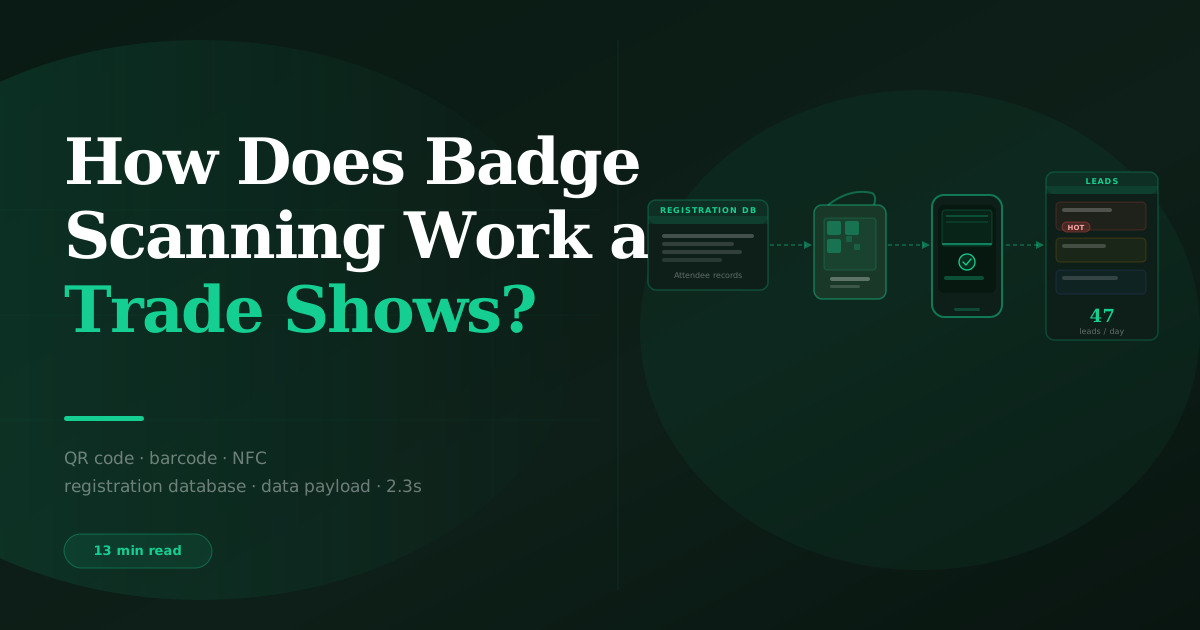
Badge scanning at trade shows and conferences works by reading a QR code, barcode, or NFC chip on the attendee’s registration badge and returning the contact information stored in the event registration database. The scan takes 2–3 seconds. If the badge encodes the contact data directly, no internet connection is needed. If the badge contains only a lookup ID, the app makes an API call to the organiser’s registration database to retrieve the contact fields. Modern lead capture apps store scans locally when offline and sync when connectivity returns, so no captures are lost during venue WiFi failures.
The Six-Step Badge Scanning and Lead Capture Flow
Understanding the full flow — from the moment the rep points their phone at the badge to the moment the lead record appears in the CRM — helps exhibitors identify where failures occur and how to prevent them. The six steps are:
QR Codes, Barcodes, and NFC: The Three Badge Formats
QR codes — the dominant format
QR (Quick Response) codes are the most widely used badge format at US and Canadian conferences as of 2025–2026 and are increasingly adopted by UK, European, and Asian event organisers. A QR code is a two-dimensional matrix barcode that stores data in a grid of black and white squares. Modern smartphone cameras read QR codes natively without additional software in most cases, though a lead capture app uses its own camera interface to scan and parse the QR data into structured contact fields.
Two encoding approaches: direct encoding (the QR code contains the attendee’s full contact record — name, company, email — directly in the code) and ID-based encoding (the QR code contains only a unique attendee ID; the contact data must be retrieved via API lookup). Direct encoding allows the scan to populate contact data without an internet connection. ID-based encoding requires an API call. Most major US and Canadian shows use ID-based encoding to protect attendee data and to allow organisers to control what data fields are exposed to exhibitors.
Code 128 barcodes — the legacy format
Code 128 is the one-dimensional linear barcode format that precedes QR codes at trade shows. It is still used at many industrial and manufacturing exhibitions, some agricultural shows, and events where the organiser’s registration system has not been updated to QR technology. Code 128 barcodes are readable by the same smartphone cameras that read QR codes, using the same lead capture app interface — the scanning experience from the rep’s perspective is identical. Code 128 badges almost universally use ID-based encoding (the barcode encodes an attendee ID, not the full contact record), requiring an API lookup for contact data retrieval.
A practical consideration: Code 128 barcodes are more susceptible to damage from lamination, fold creases, or poor printing quality than QR codes, because a damaged segment of a linear barcode may render the entire code unreadable. QR codes have error correction built in and can still be read with up to 30% of the code obscured. When Code 128 badge scan failures occur at exhibitions, badge damage is one of the top three causes.
NFC chips — the premium format
Near Field Communication (NFC) chips are embedded in a small number of premium conference badges, particularly at technology-focused events where the tap-based interaction is a deliberate design choice. Instead of scanning a barcode with the camera, the rep taps their phone to the visitor’s badge — the NFC chip transmits the attendee ID to the phone wirelessly when contact is made, and the contact data lookup proceeds via API as with a code-based scan.
NFC badge scanning requires a smartphone with NFC capability (most Android phones since 2010; iPhone 7 and later with NFC Reader Mode enabled in iOS 14+). The tap-based interaction can feel more natural in premium or networking-focused event contexts, but requires the visitor to hold their badge steady while the tap is made — a slightly awkward interaction in a busy event environment. For this reason, many organisers who use NFC chips also print a QR code on the badge as a backup scan method.
Proprietary encrypted barcodes — the closed format
Some large event organisers use proprietary barcode formats where the attendee ID is encrypted with a private key that only the organiser’s licensed devices can decode. These badges cannot be scanned by independent lead capture apps using the camera alone — the visual code is readable but the encrypted payload is meaningless without the organiser’s private key. At shows using this format, the organiser’s lead retrieval rental is a requirement for badge-based contact data access.
Organisers using proprietary encrypted badges often offer an API integration path for third-party lead capture apps — allowing the app to submit the raw scanned data to the organiser’s API, which decodes and returns the contact record. BoothMaven supports this integration path at compatible shows. The result for the exhibitor is the same: badge scan → contact data populated → qualification proceeds. The technical route differs, but the front-end experience is identical.
Offline Mode: How Badge Scanning Works Without WiFi
Convention centre and exhibition hall WiFi is one of the most notoriously unreliable network environments in the world. Tens of thousands of devices competing for bandwidth in a large hall, inconsistent access point placement, and the periodic spikes from tens of thousands of visitors simultaneously uploading photos all contribute to a WiFi environment that can drop from reliable to unusable within minutes during peak hours.
Approximately 18% of badge scans across BoothMaven’s North American trade show customer base occur during periods of measured venue WiFi degradation — defined as response times exceeding 5 seconds or connectivity failures. BoothMaven’s offline-first architecture stores all of these captures locally on the scanning device and completes the CRM sync automatically when connectivity returns. On WiFi-dependent scanning systems, these 18% of captures would be lost, delayed, or returned as empty records requiring manual follow-up.
How offline mode handles each badge format
For direct-encoding QR codes: the full contact data is in the QR code itself. The scan, decode, and contact field population all happen on-device with no internet required. Qualification (questions, temperature, voice note) also happens on-device. The only step requiring connectivity is the CRM sync, which queues and completes automatically when WiFi returns. A direct-encoding QR badge can be fully scanned, qualified, and queued for sync without any internet connection at any point in the process.
For ID-based QR codes and barcodes: the decode step produces an attendee ID, but the contact data retrieval requires an API call. When offline, BoothMaven queues the scan with the attendee ID and a timestamp. When connectivity returns, the queued scans are processed: the API calls are made, the contact records are retrieved and merged with the qualifying data that was captured offline, and the complete records sync to the CRM. The rep proceeds with qualification during the offline period — capturing questions, temperature, and voice note against the attendee ID — without seeing the populated contact name and email until sync completes.
See BoothMaven offline mode for the full technical specification and the list of shows where direct-encoding vs ID-based badges are used.
Scan Speed and Accuracy: What the Data Shows
Badge scan speed and accuracy are the two hardware-layer metrics most relevant to exhibitor teams on a busy show floor. A scanner that takes five seconds per badge rather than two seconds per badge is not a trivial difference when a booth has 30 visitors in a busy 45-minute period — the cumulative time cost across a show day can mean the difference between capturing 80% and 65% of interactions.
Speed: 2.3 seconds average
BoothMaven’s average badge scan time — from camera open to successful read confirmation — is 2.3 seconds across standard QR and Code 128 badge formats in normal exhibition lighting conditions. This 2.3-second benchmark is measured on standard mid-range Android and iPhone devices (not top-of-range); high-end devices typically scan in 1.5–2 seconds. Factors that extend scan time: poor lighting (scan time increases by 0.5–1.5 seconds in dim conditions), badge damage (creases or lamination reflections can extend to 5+ seconds or require a manual retry), and low-contrast printing (some badge printers produce QR codes with insufficient contrast for fast reads, particularly on dark badge backgrounds).
Accuracy: 95%+ OCR on business cards; 99%+ on badge scans
Badge scan accuracy (the percentage of scans that return a correct, complete contact record) is 99%+ on undamaged standard QR and Code 128 badges in BoothMaven’s platform data. The 1% failure rate consists almost entirely of damaged badges, extremely low-contrast printing, and the rare case of a badge that has been reprinted or reissued by the organiser mid-show (which can cause the ID to return no record). Business card OCR accuracy — where BoothMaven reads printed text rather than machine-readable codes — is 95%+ on standard printed cards. OCR accuracy drops for hand-written cards, embossed cards, and cards with decorative fonts that are difficult for the character recognition model to parse.
BoothMaven Badge Scanning vs Organiser Lead Retrieval Device
The practical performance comparison between BoothMaven badge scanning on a staff smartphone and the organiser’s dedicated lead retrieval device covers five dimensions:
| Dimension | BoothMaven on Staff Phone | Organiser Lead Retrieval Device |
|---|---|---|
| Scan speed | 2.3s average | 2–5s depending on device age and condition |
| Device per staff member | Own phone — familiar device | Rented device — unfamiliar hardware |
| Offline operation | ✓ Always offline-first | Varies — many require constant connectivity |
| Qualifying questions | ✓ Fully custom per show | None or very limited |
| Lead temperature | ✓ Hot/Warm/Cold | Not available on most systems |
| Voice notes | ✓ Auto-transcribed | Not available |
| Real-time CRM sync | ✓ Within minutes | Post-show export only (typically 24–48h delay) |
| Cost | Included in BoothMaven subscription | $350–$1,500+ per device per show |
The organiser device has one structural advantage: at shows with proprietary encrypted badges, the organiser’s device has the decryption key and can decode the badge without an API call, making it faster and connection-independent at those specific shows. For all other shows where standard QR or barcode formats are used, the BoothMaven scan on a staff phone matches or exceeds the organiser device on scan speed, and significantly outperforms it on every post-scan capability. See BoothMaven badge scanner features for the full technical specification.
Troubleshooting Common Badge Scan Failures
Badge scan failures at events are almost always one of five causes. The troubleshooting guide below addresses each cause and the correct resolution.
Failure 1: Badge does not scan at all
Cause: Badge damage (creasing, lamination glare, ink smearing), low-contrast printing, extreme camera angle, or insufficient lighting.
Resolution: Ensure even lighting on the badge (no direct overhead light causing glare on a laminated badge). Hold the camera 15–25cm from the badge at a perpendicular angle. For damaged badges: try the alternate input method — business card OCR of the badge (photograph the full badge face as if it were a card) or manual entry of the email address. BoothMaven supports manual entry as a fallback for any capture where scanning fails.
Failure 2: Badge scans but returns no data or empty fields
Cause: For ID-based badges: the venue WiFi is down or the organiser’s API is unavailable. For direct-encoding badges: the badge QR code was corrupted or the format changed after the app’s last compatibility update.
Resolution: If WiFi is down: BoothMaven queues the scan with the attendee ID and completes data retrieval when connectivity returns — the rep should proceed with qualification using the visitor’s stated name and continue. If the API is unavailable for an extended period: contact BoothMaven support, who can sometimes provide a cached lookup for major show registration systems.
Failure 3: Badge scans and returns data from the wrong person
Cause: The attendee is using someone else’s badge (a common occurrence when a colleague registered but could not attend), or the organiser reprinted the badge with a new ID that has not yet propagated to the registration database.
Resolution: If the visitor’s name does not match the badge data displayed, ask the visitor for their correct details and use manual entry or card OCR. Note the discrepancy in the voice note. Do not assume the badge data is correct if the visitor indicates otherwise.
Failure 4: Badge scans correctly but CRM record does not appear
Cause: CRM integration authentication has expired (OAuth tokens typically expire after 60–90 days), the field mapping has a configuration error causing a sync error, or the CRM is experiencing a platform issue.
Resolution: Check BoothMaven’s sync status in Settings — a red sync indicator means authentication or mapping issues. Re-authenticate the CRM connection if the token has expired. For persistent sync failures, contact BoothMaven support with the capture timestamp so they can investigate the sync log.
Failure 5: App crashes or freezes during scan
Cause: Insufficient device storage (camera preview requires temporary storage), an app update that introduced a bug, or a device-specific compatibility issue.
Resolution: Free up device storage before the show (BoothMaven recommends at least 2GB free). Update the app to the latest version 48 hours before the show (not the day before) so any update issues have time to surface. For crashes during the show: restart the app. All captured data is stored locally in the app database and will not be lost on restart.
Badge Scanning at Healthcare and Medical Conferences
Healthcare and medical conference exhibitors — at events like Arab Health, HIMSS, BIO, or Medica — face specific badge scanning considerations that differ from general trade shows. Medical congress attendees often include clinicians, researchers, and hospital procurement staff who are registered through complex professional verification processes, and badge data fields may include speciality, institution, and professional designation in addition to standard contact fields.
Data handling at healthcare conferences also requires heightened attention: some healthcare professionals in certain jurisdictions restrict how their professional contact details can be used commercially, and the combination of healthcare professional designation with email address can trigger specific marketing regulations in markets like the EU and Canada. Always review the organiser’s exhibitor data usage terms for healthcare conferences before deploying an automated email sequence to captured leads — some healthcare conference organisers restrict commercial follow-up email use of their badge data as a contractual condition of the lead retrieval rental.
Vocabulary note: the correct terminology for exhibitor presence at medical congresses is “congress stand” or “exhibition stand at the congress” — not “trade show booth.” Healthcare professionals register for congresses, not trade shows, and the vocabulary in follow-up email should reflect that. BoothMaven’s vocabulary settings allow customisation of the event type label in automated notifications and exports to ensure that the correct terminology flows through to CRM fields and any automatic email references.
Badge format: major international medical congresses typically use QR codes (Arab Health, HIMSS USA) or, for European congresses, a mix of QR and proprietary formats (some European medical conference associations use their own registration platforms with proprietary badge formats). Pre-show format confirmation is particularly important for medical congress exhibitors because the consequences of discovering a proprietary format incompatibility on the first day of a four-day congress are significant.
USA: Major US trade shows and conferences use QR codes (most shows since 2020), Code 128 barcodes (older industrial and agricultural shows), and in some cases proprietary formats (several large organiser groups maintain proprietary badge systems). Confirmation of format before the show is always worth 30 seconds — contact the show organiser’s exhibitor services team and ask “What badge format is used — QR code, barcode, or proprietary?” The answer determines whether the organiser’s lead retrieval rental is necessary for contact data access.
Canada: Canadian conference and trade show badge formats follow US patterns. PDAC, Collision Toronto, and CATA use QR codes compatible with independent scanning. Some large Canadian exhibition events use barcode formats. Pre-show format confirmation is the same recommended step.
Badge scanning takes 2.3 seconds and produces a complete contact record in six steps. The scan itself is two seconds. The qualification — questions, temperature, voice note — is 60–90 seconds. The CRM sync is minutes. The full interaction, from camera open to CRM record created, takes under two minutes.
Offline mode is not optional — it is essential. 18% of captures at major US conventions happen during WiFi degradation. An offline-first app stores these captures locally and syncs when connectivity returns. A WiFi-dependent app loses them permanently.
BoothMaven badge scanning matches organiser device scan speed at most shows and significantly outperforms on post-scan capability. Qualifying questions, temperature, voice notes, and real-time CRM sync are not available on organiser retrieval systems. For shows where badge format allows independent scanning, the organiser rental adds cost without adding meaningful capability.
Frequently Asked Questions
Conclusion
Badge scanning is a two-to-three second technical operation on a modern smartphone. The equipment is already in your team’s pockets. The value is not in the scan itself — the scan is the entry point. The value is in what happens in the 60–90 seconds after the scan: the qualifying questions that determine whether this contact is worth pursuing, the temperature rating that triggers the correct follow-up automation, and the voice note that enables a genuinely personalised first email that references the conversation from the stand.
The scan opens the door. The qualification workflow is the product. Understanding how badge scanning works — technically and practically — is how exhibitors configure their system to perform correctly from the first scan of the first show day, rather than troubleshooting it on the show floor.