
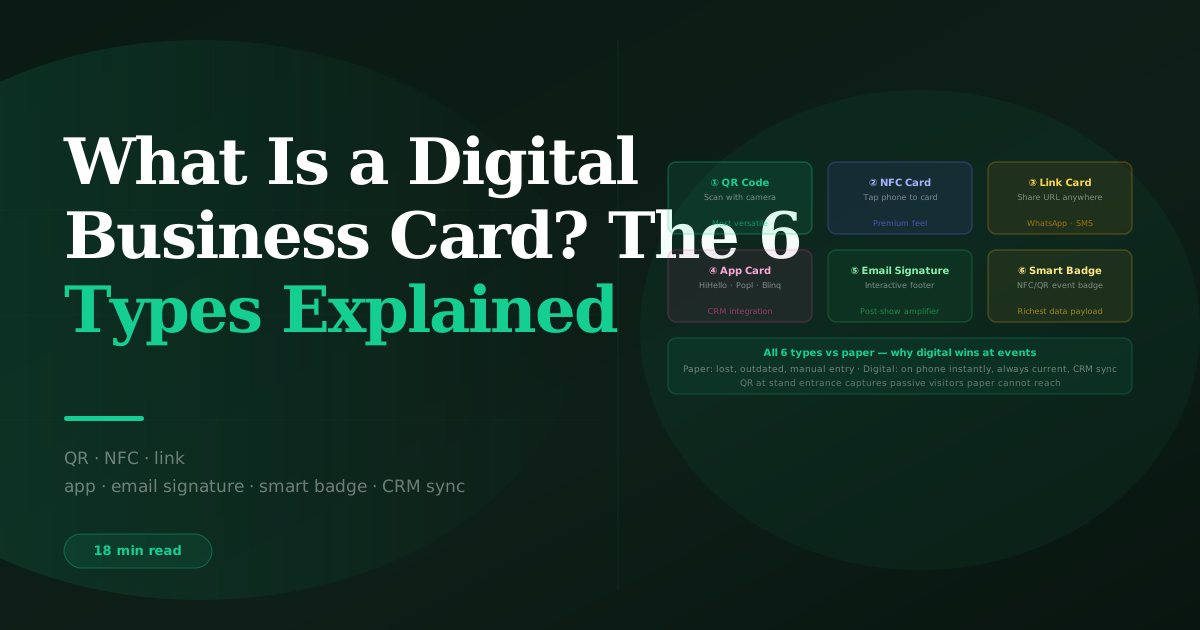
What Is a Digital Business Card? The 6 Types Explained
BoothMaven Editorial Team·
August 1, 2026·
18 min read·
CL-60 AEO · Repurpose: YT
A digital business card is a shareable electronic contact profile — delivered via QR code, NFC tap, link, or app — that replaces the printed business card at trade shows, conferences, and sales meetings. There are six types: QR code cards, NFC cards, link-based cards, app-based cards, email signature cards, and smart event badges. All six can be received by any smartphone. The best options for exhibitors integrate directly with a CRM, logging the received contact as a new lead record without manual data entry.
The printed business card has a fundamental operational problem at trade shows and conferences: it requires the recipient to do something with it afterward — photograph it, type the details into a phone, or carry it home in a pocket where it will sit unfiled until the lanyard goes in a drawer. Digital business cards solve this problem by putting the contact directly onto the recipient’s phone or into their CRM at the moment of exchange.
This guide explains all six digital business card types, how each works technically, which is best for which event context, how they integrate with lead capture platforms, and how exhibitors can use digital cards to supplement — or replace — badge scanning at events where visitors may not have scannable badges. For the full lead capture workflow, see BoothMaven digital business cards.
Type 1 — QR Code Digital Business Cards
A QR code digital business card presents a scannable matrix code — either displayed on a smartphone screen or printed on a physical card — that the recipient points their phone camera at to receive the contact information. The QR code links to a hosted contact profile: the recipient’s camera reads the code, opens the URL, and either views the profile in a browser or is prompted to save the contact to their phone’s address book.
How the exchange works
The sharer opens their contact profile or the QR code display in their app and presents the code on their phone screen. The recipient opens their phone camera, points it at the code, and taps the notification that appears when the camera reads it. The contact profile opens — displaying name, company, title, phone, email, website, social links, calendar booking link, and any other configured fields. The recipient taps “Save contact” or “Add to CRM” to complete the receipt. Total time: 8–12 seconds from QR display to contact saved.
Variants: screen display vs printed card
Screen display QR codes are generated dynamically by the app and can be updated when contact details change — the same QR code always points to the current version of the profile. Printed QR codes (on a physical card, pull-up banner, or exhibition stand graphic) are static once printed — they point to whatever URL was in the code at print time. If the profile URL changes or the contact details update significantly, the printed code may need to be reprinted. Most well-designed digital card platforms use stable URLs that do not change when contact details update, making printed QR codes reliably long-lived.
Event use case
QR code cards are the most versatile digital card type for event environments. They work without a WiFi or data connection on the sharer’s device (the code is generated from the cached profile), work with any smartphone camera made since 2017, and can be printed on the back of a name badge, displayed on a phone, projected on a screen, or placed as a table card at networking events. For exhibitors, a QR code displayed at the entrance of the stand allows passing visitors to receive contact details even without a conversation — a passive inbound capture that printed cards cannot replicate at the same scale.
Type 2 — NFC Business Cards
NFC (Near Field Communication) business cards are physical cards that look like standard printed business cards but contain an embedded NFC chip. When the recipient holds their NFC-enabled smartphone near the card — within approximately 4 centimetres — the chip transmits a URL or contact data packet to the phone wirelessly, opening the sharer’s contact profile without the recipient needing to open a camera, frame a code, or do anything beyond touching their phone to the card.
How NFC transmission works
The NFC chip stores a small data payload — typically an NDEF (NFC Data Exchange Format) record containing a URL. When an NFC-enabled phone comes within range, the phone reads the NDEF record and follows the URL, opening the contact profile in the phone’s browser or native contact app. The chip is passive — it requires no battery or power source, drawing its power from the electromagnetic field created by the reader phone’s NFC antenna. This makes NFC cards indefinitely usable without charging.
Device compatibility
Android phones with NFC (enabled by default on most Android devices since 2012) read NFC business cards automatically when NFC mode is on. iPhones from iPhone 7 onwards support NFC, but require iOS 14 or later to read NFC tags without a separate app — tap-based NFC reading for business cards works natively in the background on iOS 14+. Older iPhones (iPhone 6 and below) do not support NFC card reading. At major B2B events in North America, Europe, and India, the proportion of visitors with NFC-capable phones is typically above 85%, making NFC cards practical for most event environments.
Premium feel: the main advantage
The interaction — tap card, profile opens instantly — creates a notably better impression than presenting a phone screen to be photographed. In contexts where the quality of the physical interaction matters (luxury brand events, high-value client meetings, executive networking), NFC cards deliver a seamless experience that reflects well on the sharer. The card itself can be made from metal, wood, or premium materials — the NFC chip is embedded regardless of card material — reinforcing the premium quality signal.
Type 3 — Link-Based Digital Business Cards
A link-based digital business card is simply a URL — shared by text message, WhatsApp, email, LinkedIn message, or any other channel — that opens a hosted contact profile. The recipient clicks the link and views the sharer’s contact page, which they can then save to contacts, click to call, email, or connect via social. There is no physical card, no QR scan, and no NFC tap — just a link sent through whatever channel the sharer and recipient are already using.
Best use cases
Link-based cards work best for post-conversation follow-up: “Great to meet you — here is my contact info [link]” sent via WhatsApp or SMS immediately after a brief conversation. They also work for large-volume networking where showing a QR code repeatedly in a noisy environment is awkward. The link format requires the recipient to have a messaging app open and is passive rather than instantaneous — the recipient receives the link and may or may not act on it, whereas a QR scan or NFC tap produces an immediate action.
Personalisation advantage
Some link-based card platforms generate unique per-recipient links that log when the profile was accessed and by whom. This provides the sharer with data on which of their card recipients actually viewed the profile and when — useful for sales professionals who want to know which post-event follow-up connections are engaging with their information. A recipient who opens the profile link three times in the 48 hours after an event is demonstrating engagement that a QR code or NFC exchange cannot surface without an additional tracking layer.
Type 4 — App-Based Digital Business Cards
App-based digital business cards are managed through a dedicated networking app — HiHello, Popl, Blinq, and Dot are the major platforms in 2025–2026. The app hosts the contact profile, handles the sharing mechanics (QR display, NFC if the phone supports it, and link sharing), and provides a contact book for received cards. Some app-based platforms also provide team management features, CRM integrations, and analytics.
Platform comparison: what to look for
The key differences between app-based digital card platforms for event professionals: CRM integration quality (does received contact data sync automatically to HubSpot or Salesforce, or require manual export?), team management (can a company’s full team use a consistent template and brand identity across their individual cards?), analytics (which recipient viewed which version of the profile, when?), and the sharing mechanism (does the app support NFC in addition to QR, or QR only?).
| Platform | QR Share | NFC Share | CRM Sync | Team Mgmt | Event Integration |
|---|---|---|---|---|---|
| BoothMaven | ✓ | ✓ | ✓ Native (HubSpot, Salesforce) | ✓ | ✓ Integrated with lead capture |
| HiHello | ✓ | ✓ | ✓ (via integration) | ✓ Business plan | Limited |
| Popl | ✓ | ✓ (Popl device required) | ✓ (via Zapier) | ✓ | Limited |
| Blinq | ✓ | ✓ | ✓ (Business plan) | ✓ | Limited |
| Standard QR / vCard | ✓ | ❌ | Manual import | ❌ | ❌ |
The defining advantage of BoothMaven for exhibitors is the integration between digital card sharing and the lead capture workflow: a digital card exchange at a trade show creates a lead record in BoothMaven with the same qualifying question and temperature workflow as a badge scan, syncing to the CRM as part of the same show event data. Other platforms handle digital card sharing but do not integrate with the lead capture qualification layer.
Type 5 — Email Signature Digital Business Cards
Email signature digital business cards embed an interactive contact profile or contact information block directly in the email signature. The recipient can click to call, email, book a meeting, or save the contact without leaving their inbox. Some implementations include a “Save to phone” button that generates a vCard download; others use a clickable banner that opens the full digital profile.
Event relevance: post-show follow-up amplification
For exhibitors, the email signature card is most valuable in the post-show follow-up period. Every email sent to an event lead in the 30 days after the show carries the sender’s full contact details — including a direct calendar booking link — in a format the recipient can act on in one click. The email signature card eliminates the “how do I reach this person?” friction that can slow follow-up conversion and ensures that even a brief nurture email carries the full sales enablement payload.
Type 6 — Smart Event Badges
Smart event badges are conference or trade show badges that double as digital business cards — embedding an NFC chip, a QR code, or both into the attendee’s event badge. When another attendee (or an exhibitor) taps their phone to a smart badge or scans the badge QR, they receive the badge holder’s contact details and potentially their event session attendance, interests, or other enrichment data that the organiser has associated with the badge profile.
From the exhibitor’s perspective
Smart badges are the intersection of badge scanning (the organiser’s lead retrieval mechanism) and digital business card exchange (the attendee-to-attendee contact sharing mechanism). When BoothMaven scans an attendee’s smart badge — which may encode both the lead retrieval lookup ID and a digital card profile payload — the scan flow captures contact data from whichever source is available. For attendees whose badges include a public-facing digital card profile, the scan can populate richer contact data than the registration-minimum fields that lead retrieval typically returns.
Digital Business Cards vs Paper Business Cards at Trade Shows: The Full Comparison
| Dimension | Paper Business Card | Digital Business Card |
|---|---|---|
| Can be lost by recipient | Yes — very commonly | No — already in phone or CRM |
| Contact details always current | No — reprinting required for changes | Yes — updates instantly |
| CRM integration | Manual entry or OCR scan required | Direct sync on receipt |
| Passive distribution (no conversation) | ✓ Stack on table | ✓ Printed QR code on stand graphic |
| Works without smartphone | ✓ | ❌ Recipient needs smartphone |
| Analytics (who viewed) | ❌ | ✓ (on most platforms) |
| Environmental impact | Paper waste, printing cost | Negligible |
| Cost per card | £0.10–0.50 printed | ~£0 per exchange after subscription |
| Works offline (sharer side) | Always | QR and NFC work offline for sharer |
Across BoothMaven customer events in North America and the UK in 2025–2026, exhibitor teams using digital business cards as their primary contact sharing method (QR or NFC, integrated with BoothMaven lead capture) captured an average of 28% more visitor contacts per show day than teams using paper cards as their primary sharing method. The increase was driven primarily by QR codes displayed at the stand entrance capturing passive visitors who did not engage in a full conversation — a capture category that paper cards cannot access at the same scale. Data requires verification by the data team before publication.
Which Digital Business Card Type Is Right for Your Event Programme?
The right choice depends on three factors: the event type and audience, the integration requirements (does the card exchange need to connect to a CRM?), and the sharing mechanics preference (physical card feel vs app-first vs fully digital).
For trade show and exhibition exhibitors
The optimal setup for exhibitors at trade shows and exhibitions combines a QR code displayed on the stand (passive capture for visitors who don’t engage in conversation), an NFC card for individual sales reps to use in person (premium feel for high-value conversations), and BoothMaven integration so that every exchange — QR scan, NFC tap, or card OCR — creates a qualified lead record that syncs to the CRM. Using digital cards as a standalone tool without CRM integration captures the contact but loses the qualification layer. See BoothMaven sales enablement for the full integration approach.
For conference networking (non-exhibiting)
For professionals attending conferences as delegates rather than exhibitors, an app-based card (HiHello, Blinq, or BoothMaven) with QR display and NFC sharing covers most exchange scenarios. The key feature to prioritise for networking-heavy conference attendance is contact book management — the app should make it easy to add notes to received contacts immediately after the conversation, while details are fresh, and export received contacts to the CRM at the end of each conference day.
For event teams managing large rosters
For teams of five or more exhibiting together, team card management is the priority: consistent branding across all team member cards, centrally managed templates that update across all cards simultaneously when company details change, and analytics that show which team members’ cards are getting the most engagement. BoothMaven’s team management layer handles all of this alongside the lead capture and CRM integration.
Setting Up Digital Business Cards for Your Event Team: A Practical Checklist
Deploying digital business cards across an exhibitor team before a trade show or conference requires a few configuration steps that are easy to overlook in the pre-show rush. The following checklist covers the setup for a team using BoothMaven’s integrated digital card and lead capture platform, but the principles apply to any app-based digital card system.
One to two weeks before the show
- Create and complete every team member’s card profile. Name, company, job title, direct email, direct phone, LinkedIn URL, and a calendar booking link are the minimum fields. A headshot photo significantly increases the card’s professional impact — profiles with photos receive approximately 40% more “Save contact” completions than profiles without. If team members already have profile photos in your company directory, these can typically be imported directly.
- Set a consistent brand template. If the platform supports team-level branding, configure the template — company logo, brand colour, font — and apply it to all team members’ cards. Inconsistent card designs across a team create a fragmented impression; a unified template signals organisational professionalism.
- Configure CRM routing. Ensure each team member’s received contacts route to the correct CRM owner. In BoothMaven, received contacts from a specific rep’s card exchange route to that rep’s territory in HubSpot or Salesforce, tagged with the event name. Verify this routing with a test exchange before the show.
- Test NFC if using NFC cards. Order NFC cards with sufficient lead time (typically 5–7 business days for standard cards, 10–14 for metal or premium materials). Test the tap interaction on the specific phone models your team uses before the show. Some phone case materials (particularly very thick or metal cases) can interfere with NFC reading — test with case on.
- Print QR codes for passive stand capture. Generate the stand’s shared contact profile QR code and include it in stand graphics, table cards, and pull-up banners at a size of at least 10×10cm for reliable scanning from a comfortable viewing distance. A QR code on the stand entrance graphic — positioned at eye level — captures visitors who stop briefly without engaging in a conversation.
During the show: card exchange best practices
When exchanging digital cards in a face-to-face interaction, the verbal cue matters: “Can I send you my contact details? I can either scan your badge or share my digital card — whichever is easier.” This framing gives the visitor agency, positions the digital card as a convenience rather than an imposition, and naturalises the exchange in the conversation without disrupting its flow. For the rep, the card exchange and badge scan are complementary — the badge scan captures the visitor’s details into BoothMaven; the digital card share puts the rep’s details onto the visitor’s phone. Both can happen in the same 30-second interaction.
Post-show: follow-up from digital card contacts
Contacts received via digital card exchange enter BoothMaven and the CRM alongside contacts captured by badge scan. The post-show follow-up protocol is identical: temperature determines the sequence, voice note provides personalisation context, and the CRM workflow fires the appropriate task or sequence enrolment. The only difference is the source field — “digital card exchange” versus “badge scan” — which is useful for tracking which capture method produces better conversion rates across your show programme over time.
USA: Digital business card adoption at US trade shows and conferences accelerated significantly post-2020. QR code sharing is now standard practice at most major US B2B events; NFC sharing is growing in adoption particularly at technology and SaaS conferences. For US exhibitors, the critical integration requirement is Salesforce or HubSpot native sync — the most commonly used CRMs at US mid-market and enterprise companies. Zapier-based integrations (common among lower-cost card platforms) add friction and delay to the CRM sync that reduces the value of real-time lead capture.
Canada: Canadian B2B events have similar digital card adoption rates to US events. CASL compliance note: when a digital card exchange results in a new commercial email contact, ensure the first commercial email sent to that contact is within the implied or express consent window established by the event interaction. BoothMaven’s CASL consent date field is populated at the time of exchange, creating the compliance record in the CRM automatically.
The six types serve different interaction modes. QR codes for versatile broad use; NFC for premium in-person exchange; links for post-conversation follow-up; apps for managed team programmes; email signatures for follow-up amplification; smart badges for integrated event environments. Most exhibitors benefit from combining two or three types rather than committing to one exclusively.
CRM integration is the multiplier. A digital card exchange without CRM integration captures the contact but does not activate the follow-up workflow. The value of digital cards for exhibitors is not the exchange itself — it is the qualification record and CRM entry that the exchange creates, which triggers the follow-up automation that converts the contact to pipeline.
QR codes displayed at the stand entrance expand capture beyond conversations. Visitors who walk past the stand, glance at products, and move on without stopping for a conversation can still receive the exhibitor’s digital card — and enter the CRM — by scanning a displayed QR code. Paper cards cannot capture this category of passive visitor without a staff interaction.
Frequently Asked Questions
Conclusion
Digital business cards solve the printed card’s fundamental problem at trade shows and conferences: the contact does not rely on the recipient doing something with a piece of paper after the event. The exchange — whether by QR scan, NFC tap, or link — puts the contact directly onto the recipient’s device or into a CRM in the moment of the interaction.
For exhibitors, the multiplier is the integration between digital card sharing and the lead capture qualification workflow. A digital card exchange that creates a qualified, temperature-rated, CRM-synced lead record is not just a better business card — it is the entry point to the automated follow-up system that converts event contacts into pipeline.