

Comments Off on Best Photo Booth / Photo Capture Apps for Trade Shows & Events
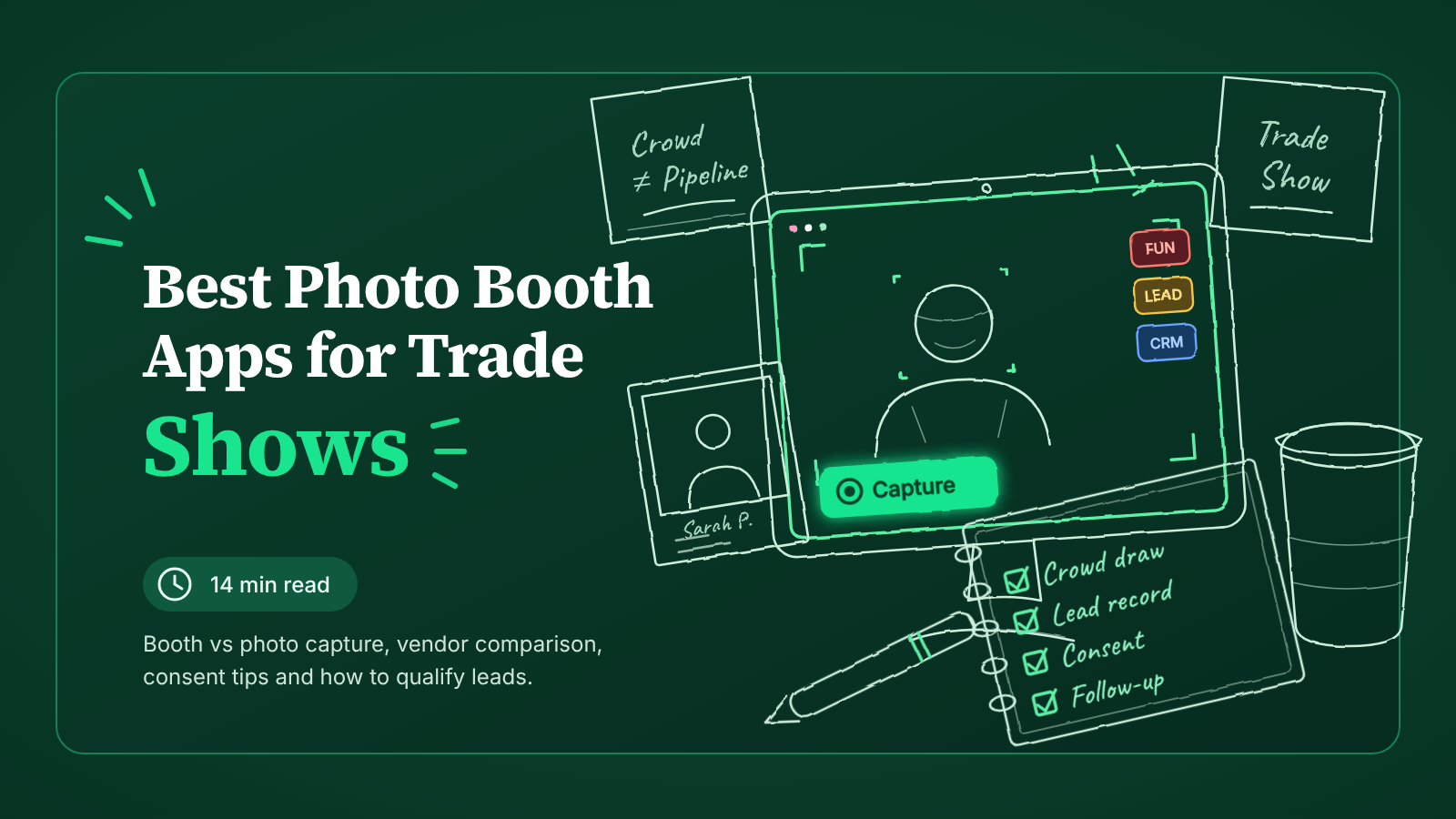
A photo booth draws a crowd, and a crowd is not a pipeline. Exhibitors who buy photo booth software for a trade show often end up with a queue of delighted visitors, a pile of email addresses from people who wanted a picture and few conversations with anyone who could buy. This guide separates two jobs, entertainment and a visual record per lead, compares the main photo booth and photo capture apps, and shows how to design a photo moment that qualifies instead of just amusing.
It is written for field marketers, event marketers, sponsors’ activation teams and booth sales leads. We compare tools using each vendor’s own pages and app store listings, which are the vendors’ own claims, and we did not test the photo booth products. We make BoothMaven, whose photo capture feature, called Moments, is built for the second job, so we are not neutral. We say where dedicated photo booth software fits better, and which is the best photo booth app for trade shows depends on what you are trying to achieve.Two different jobs: a photo booth and photo capture
Searches for the best photo booth app for trade shows mix two jobs, and the answer depends on which one you need. The first is an activation. A branded booth gives visitors something fun, such as a framed photo, a GIF or an AI-styled portrait, and collects an email address in exchange. The photo booth apps for conferences and trade shows that serve this job come from the events and entertainment world, and they are good at queues, sharing and brand overlays. The second job is a record. A rep meets many people in a day, and faces fade faster than names. A photo attached to a lead record helps the rep remember who someone was when the follow-up goes out a week later, and it gives sales a visual reminder in the CRM. That job comes from lead capture, not entertainment, and it needs a photo that is quick to take and tied to the right person.| Photo booth activation | Photo capture for leads | |
|---|---|---|
| Main purpose | Draw a crowd; give visitors a keepsake; collect emails | Remember who the lead is; add context to the record |
| Who takes the photo | The visitor, in a booth or on a kiosk | The rep, with the visitor’s agreement, or the visitor via a link |
| What it produces | A branded photo, GIF or video to share | A photo on the lead record |
| Lead quality | Mixed. Many visitors come for the photo | Tied to a real conversation |
| Staffing | A queue and often an attendant | A few seconds of a rep’s time |
| Typical tools | Photo booth software and hardware | Lead capture platforms with photo features. See lead capture |
What photo capture adds at a trade show booth
- A visual memory. A name and a note are easier to act on with a face attached.
- Proof of engagement. A photo shows that a conversation happened, which helps sales and marketing agree on lead quality.
- Something to give back. A branded photo or AI headshot gives the visitor value, which can justify asking for an email address.
- A conversation starter. A camera on a stand is a reason to stop and talk, which supports your approach to prospects and trade show marketing plan.
- Shareable content. Visitors who post a branded photo carry your message further, though you cannot count on it.
How we compared photo booth apps for trade shows
We used ten criteria that matter on a show floor. Apply them to any photo booth or photo capture tool.- Speed per guest. How many seconds from start to share? Long sessions create queues. See booth staff training for the habits that keep a queue moving.
- Sharing options. Email, SMS, QR code, AirDrop or a gallery, so visitors get the photo easily.
- Lead and data capture. Does it capture name, email and custom answers, and where does that go?
- CRM and tool sync. Does it send leads to your CRM, or only to an email list? See CRM sync.
- Branding. Templates, overlays and branded delivery.
- Offline behaviour. Does it keep working and queue sends when the venue network drops?
- AI effects and moderation. If it offers AI portraits, can you moderate output?
- Hardware. An iPad, a DSLR, a kiosk or a rented unit, and who supplies it.
- Privacy and consent. Notices, retention, deletion and AI processing.
- Cost model. A rental per event, a subscription or bundled in a platform.
Best photo booth apps for trade shows at a glance
| Tool | Type | What the vendor states | Lead data | Watch-out |
|---|---|---|---|---|
| Snappic | Photo and video booth software | Photo, GIF and video capture; templates; offline mode with queue management; sharing by SMS, email, AirDrop and QR; AI effects; printing; branded microsites; custom surveys; analytics | Email capture; Mailchimp sync mentioned | Aimed at event professionals; we have not tested it |
| Simple Booth | iPad photo booth app and hardware | Photo, GIF and video capture; sharing by text, email and AirDrop; analytics; privacy options; AI portraits; a hardware product called HALO | Custom data capture forms with email and phone | Built for event operators; we have not tested it |
| Snapbar | AI photo booth and virtual booth | Browser-based AI portraits and headshots; branded microsite; moderation tools in the admin dashboard | Lead capture and analytics | Vendor claims; we have not tested it |
| FotoZap | Photo activation platform | Booth app, handheld camera app, event pass and gallery; delivery by email, SMS, AirDrop and printed access cards; custom survey | Custom survey and data capture | Brand activation focus; we have not tested it |
| Captello | Activation suite inside a capture platform | AI photo booth listed among its activations, with badge and card capture and attribution | Part of the lead record | Enterprise scope; pricing not public |
| BoothMaven Moments | Photo capture inside a booth platform | A photo tied to a lead, beside badge, QR and NFC capture, notes and meetings | Photo on the lead record; leads sync to HubSpot and Salesforce on Essential and Business | Not a photo booth; no entertainment hardware or printing |
Dedicated booth software
Dedicated photo booth software: what Snappic, Simple Booth, Snapbar and FotoZap offer
Four names appear repeatedly in the event photo space. Snappic describes software for photo, GIF and video booths that runs on iPads, DSLR and 360 setups, with branded templates, offline queue management, sharing by text, email, AirDrop and QR code, AI effects, printing and analytics. Simple Booth describes an iPad photo booth app with lead capture, analytics and privacy options, plus a hardware product. Snapbar describes a browser-based AI photo booth that produces AI portraits and headshots, with a branded microsite, email delivery and moderation tools. FotoZap, from Picture Marketing, describes a brand activation platform with a booth app, a handheld camera app and printed photo access cards. These are vendor statements from their own sites and app listings, and we have not tested the products. They share a pattern: strong on the experience, sharing and brand, and lighter on CRM sync and sales workflow, with lead data usually going to an email list or an export. That is a reasonable design for an activation. It is a weaker one if your sales team needs a qualified lead in the CRM the same day. Ask each vendor how a lead gets from the booth to your CRM, and what fields it carries.- Best for
- Brand activations, sponsor lounges and events where the photo is the reason to visit.
- Watch-outs
- Lead data often goes to an email list or export, not the CRM; we have not tested these tools.
- Pricing model
- Varies: event rental, software subscription, hardware purchase or bundled.
AI photo booths
AI photo booths and AI headshots: a B2B twist
AI has changed the category. An AI photo booth turns a selfie into a stylised portrait or a professional headshot in seconds. For a B2B trade show, the headshot version has a practical appeal: it gives a visitor something useful, a polished profile photo, in exchange for an email address, and it starts a conversation about their work. Snapbar markets AI headshots in this way, and Captello lists an AI photo booth among its activations. The risks are the same as for any AI tool, with some added ones. Output can be off-brand or unflattering, so moderation matters. Photos of faces are personal data, and in some places face images are treated as sensitive. Processing may involve third-party AI services, so ask where images go and whether they are used to train models. And the novelty fades: a photo moment that wins attention at the first show may be old news by the third. Treat AI portraits as a conversation starter, not a lead engine. See the best AI tools for lead capture for the broader AI picture.- Best for
- Teams that want a useful keepsake (an AI headshot) as the exchange for an email address.
- Watch-outs
- Moderation of output; face images are personal data; third-party AI processing raises privacy questions; novelty fades.
- Pricing model
- Varies: subscription software, rental or bundled in an activation suite.
Photo on the lead
BoothMaven Moments: a photo on the lead record
BoothMaven’s Moments feature is photo capture for the second job. It sits inside the booth platform, beside badge, QR and NFC capture, business card scanning, voice notes and a meeting planner, so the photo belongs to a lead with notes, qualifiers and a next step. Leads sync to HubSpot and Salesforce on Essential and Business, and offline capture is on every plan. See the feature page for the current capabilities. What it is not: a photo booth. It has no entertainment hardware, no printing and no AI portrait gallery, and it is not designed to fill a lounge. If your goal is a crowd and brand reach, dedicated photo booth software is the better fit. If your goal is to remember the people your reps spoke to and give sales a visual cue, a photo capture feature inside the capture tool is cheaper and simpler. See the best lead capture apps and the BoothMaven vs Captello comparison.- Best for
- Teams that want a photo on each lead record inside a wider booth platform, on a published price.
- Watch-outs
- Not a photo booth; no entertainment hardware, printing or AI portrait gallery; narrower than dedicated photo booth tools on the activation side.
- Pricing model
- Published month-to-month tiers; photo capture sits inside the platform.
Do photo booths generate qualified leads? An honest look
The question deserves a straight answer. A photo booth generates a lot of contacts and few conversations, because the exchange is a photo for an email address. Many of those contacts are not buyers. The metrics that look good, such as photos taken and emails collected, can hide that. A simple test is to compare the qualified rate of leads from the booth with leads from conversations. If the booth rate is a fraction of the other, the booth is a brand tool, not a lead tool. You can improve the odds. Ask one qualifying question on the form, such as the visitor’s role or what they hope to solve. Limit the booth to visitors who have spoken to a rep, using a card or a sticker as a pass. Place the booth where reps can see the queue and start conversations. And follow up on the photo contacts with a message that fits what they did, not a hard sell. Our guides on lead qualification, qualifying questions and prioritising leads explain how.Designing a photo moment that qualifies
- Start with a conversation, not a camera. A rep opens with a question, then offers the photo as a bonus.
- Keep the flow under a minute. Pose, shoot, enter an email and a role, done.
- Ask one qualifying question, such as role or interest, with tap answers.
- Deliver by email with a next step, such as a link to book a meeting.
- Tag the lead’s source as the photo activation, so you can report on it.
- Score photo leads separately. Give them a lower starting score until they act.
- Follow up the same day with a message that mentions the photo and one useful link. See how soon to follow up.
Photo booth apps for conferences and sponsors
Conferences and sponsorships change the brief. A sponsor often has a lounge, a charging station or a stage sponsorship rather than a booth with a counter, so the photo activation may be the main reason people visit. Queues matter more, because dwell time is high and attention is split. And the sponsor has to prove value to the organiser as well as to its own team, which means counts, shares and leads by day.- Ask the organiser about rules for photography, branding and data collection at sponsored areas.
- Plan hardware and power early, since sponsor areas are not always wired for equipment.
- Choose a tool with offline queueing, because conference networks are often crowded.
- Report by day: photos, shares, leads and meetings, so you can compare days.
- Plan the handoff: who follows up photo leads, and when.
Photo capture app for exhibitors: what to ask a vendor
If your priority is the record, not the show, a photo capture app for exhibitors should pass five tests. Ask each vendor to demonstrate them with your own phone.- One-tap capture. A rep should take a photo from the lead record in two taps, one-handed.
- Consent built in. The flow should prompt the rep to ask, and let the visitor decline.
- The photo stays with the lead. It should appear on the record in your CRM or the capture tool, not in a camera roll.
- Offline works. The photo and the lead should queue and sync later. See offline mode.
- Delete is easy. A visitor’s request to remove their photo should take a minute, not a ticket.
Privacy, consent and AI for booth photos
A photo of a person is personal data, and an image of a face may be treated as sensitive in some places. Tell visitors what you capture, why and who will see it. Get their agreement before you take or use a photo, particularly for marketing use, and never photograph people who say no. Keep images only as long as you need them, and be ready to delete on request. Ask each vendor where images are stored, how long they are kept, which AI services process them and whether images are used to train models. Do not photograph minors. Display a clear notice at the booth. BoothMaven’s terms state that customer data is not used to train AI models except as needed for the requested output. Read our consent and privacy explainer, check your own policies and local law, and ask your counsel if you are unsure.Hardware, power and connectivity
A photo moment depends on logistics more than software. Plan for a stable stand, good light, a power supply and a plan for weak networks. Many venues have poor wireless, so look for offline capture with queued sends, which some of the booth tools above describe. Check the venue’s rules on power, rigging and loud effects, and book power early. Bring spares: a charger, a cable and a second device. If you only need a visual record of leads, a phone camera is enough, and a photo capture feature inside your lead capture app avoids extra hardware. See the photo capture feature, and the trade show preparation checklist for where logistics fit.How photo booth tools are priced
Photo booth tools are usually sold as an event rental, a subscription for software, a hardware purchase or a bundle. Vendors rarely publish a single price, and add-ons such as printing, AI effects or analytics change the total. BoothMaven publishes month-to-month tiers from $49 a month and a single-event licence, and photo capture sits inside the platform. Ask every vendor for a total for your event, including hardware, delivery and any per-photo or per-lead charges, and compare cost per qualified lead, not cost per photo.Common mistakes with photo booths at trade shows
- Measuring photos, not leads. Count qualified leads and meetings.
- Letting the queue block the stand. Place the booth so reps can still talk to buyers.
- Skipping consent. Display a notice, and ask before using a photo.
- Collecting emails and doing nothing. Plan the follow-up before you buy. See the follow-up guide.
- Buying hardware you cannot staff. A booth without an attendant stalls.
FAQs
It depends on the job. For an entertainment activation, dedicated photo booth software such as Snappic, Simple Booth, Snapbar or FotoZap, per their own claims. For a photo on each lead record, BoothMaven’s Moments. For an AI photo booth inside a capture platform, Captello. Decide the job first.
It is a tool that takes a photo at the booth and ties it to a lead, so a rep remembers who they met and sales sees a face on the record. It is different from a photo booth, which entertains visitors and collects emails.
They generate many contacts and fewer conversations, and many contacts come for the keepsake. You can improve quality by asking a qualifying question, starting with a conversation and tagging the source. Compare the qualified rate with other leads. See lead qualification.
It depends on the country and the setting, and a photo of a face is personal data. Tell visitors what you capture, ask for agreement, keep images only as long as needed and never photograph minors.
Put a face on every lead. Book a 20-minute demo. We will show photo capture on a lead record beside notes and meetings, and say plainly when a dedicated photo booth is the better choice.
Book a demo →