

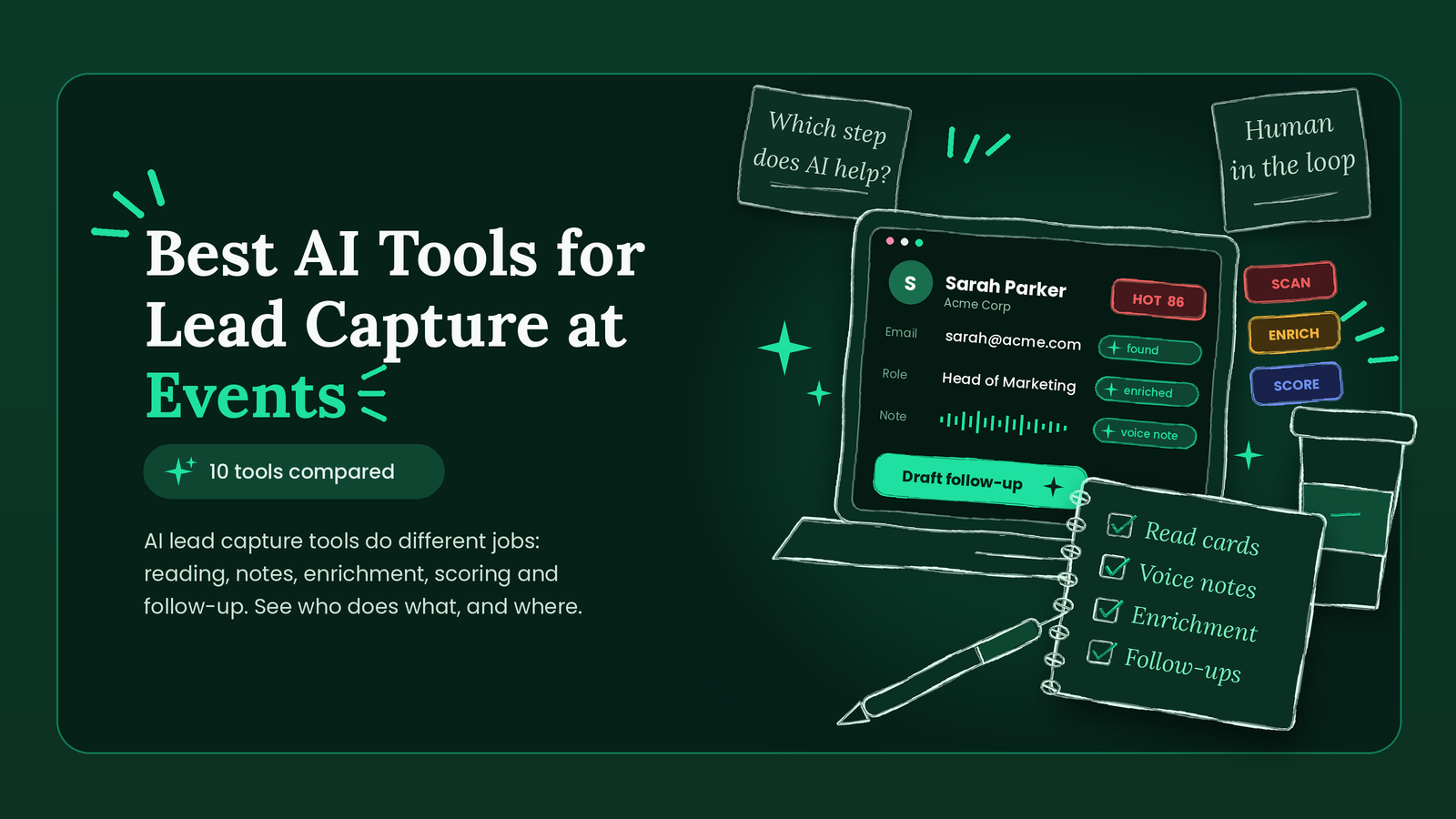
Every event vendor now says AI. Few say which step it helps. Some AI lead capture tools read a business card, some turn a voice note into a CRM record, some find a missing email, and some write the follow-up. Each does a different job, with a different risk. This guide defines AI by capture step, shows which tools do what, and gives you a way to test the claims.
It is written for field marketers, event marketers and marketing operations teams deciding where AI belongs in the booth workflow. We compare ten tools using each vendor’s own pages and the public G2 reviews. We make BoothMaven, and its AI is narrower in places, so we say where other tools are stronger. B2Brain, for example, leads on voice-note-to-CRM speed. Our AI workflows library shows what this looks like in practice.What AI actually does at each step of event lead capture
“AI lead capture” is a bundle of six different jobs. Treat each one as a separate decision, because the benefits and risks are not the same. A tool can be excellent at one and weak at another.
Step one
Reading cards and badges
Optical character recognition, often with a language model, turns a photo of a card or a badge into fields: name, title, company, email, phone. Accuracy depends on the image, the layout and the language, and no vendor reaches perfect. BoothMaven’s card reader uses AI services from Mistral AI, NVIDIA, DeepSeek and Microsoft Foundry, and says plainly that the output should be checked. See how to scan business cards into a CRM and the best business card scanner apps. G2 reviewers of Zuant describe card scans that need manual correction, a reminder to test.- Best for
- Teams that want faster card capture without typing every field.
- Watch-outs
- No OCR is perfect; output should be reviewed. Mixed light, curved cards and long titles cause errors.
- Pricing model
- Often included in the capture plan; check whether card OCR is limited per event.
Step two
Notes and voice
Voice notes let a rep speak for 30 seconds instead of typing for two minutes. AI transcribes and sometimes structures the note into fields such as budget, timeline and next step. B2Brain says a roughly 30-second voice note becomes a structured CRM record in about four seconds, which is its figure, and it leads on that speed. Blinq has an AI Notetaker for in-person and phone conversations. BoothMaven transcribes voice notes in 60+ languages on all plans. See voice notes and our guide to the best note-taking apps for trade shows.- Best for
- Booth reps who lose context typing notes on a noisy floor.
- Watch-outs
- Transcription accuracy in noisy halls varies; check where the note lands in the CRM.
- Pricing model
- Often included; some tools limit transcription minutes per event or seat.
Step three
Enrichment
Enrichment fills missing fields from external data: a company’s size, a person’s title, a likely email address. Some vendors query many providers and choose the best result per field. Mobly describes a waterfall across 20+ providers, Captello cites 125+ sources and Popl cites 20+ partners. These figures are the vendors’ own and have not been independently verified. BoothMaven’s enrichment covers five contact fields and no firmographics, which is narrower.- Best for
- Teams that need titles, company size or verified emails after a thin scan.
- Watch-outs
- Vendor accuracy figures are self-reported; test on your leads and verify emails.
- Pricing model
- Varies: included, credit-based add-on or per-lead pricing.
Step four
Scoring and prioritisation
Scoring ranks leads so sales calls the best first. Approaches range from rules you write to models that weigh behaviour, intent and fit. momencio’s AI IntelliSense scores across several layers, and Mobly scores each lead against your ideal customer profile. BoothMaven’s lead scoring is rules-based, which is transparent but not predictive. Whichever you pick, test it against what your reps already know.- Best for
- Teams that need a prioritised follow-up list the morning after the show.
- Watch-outs
- Predictive scores are harder to explain; rules are transparent but not adaptive.
- Pricing model
- Usually included; some tools charge for AI scoring as a paid tier.
Step five
Drafting the follow-up
AI can draft follow-up emails from the note, the company and the conversation. The risk is generic text, or invented detail, so a human should review before sending. BoothMaven offers AI-personalised follow-up on Business, and iCapture describes AI-assisted personalisation for follow-up email.- Best for
- Teams that want a first draft in seconds, with a rep reviewing before send.
- Watch-outs
- Generic or invented detail erodes trust; always review before sending.
- Pricing model
- Often a higher-tier feature; check whether it is included or an add-on.
Step six
A note on the search results. Lists titled “AI lead capture tools” mix two groups: event capture tools, and digital business card apps that add an AI scanner. We cover the first group here. For the second, see the best digital business card apps.
Assistants and MCP
The newest step is letting an AI assistant work with your event data directly. That is what the Model Context Protocol, or MCP, makes possible, and the next section explains it. It matters because it moves AI from a feature inside one app to a layer that spans your tools.- Best for
- Teams that want an assistant to query and act on event data, with approval controls.
- Watch-outs
- Check what an assistant can read and change, and who can connect it.
- Pricing model
- Usually included when the vendor exposes an MCP server; not yet standard.
AI lead capture tools at a glance
| Tool | AI features documented | Strongest step | Watch-out | Assistant connector |
|---|---|---|---|---|
| BoothMaven | Card OCR, voice transcription, AI follow-up on Business, MCP Server | Notes and assistants | Enrichment narrow; scoring rules-based | MCP Server |
| B2Brain | Voice note to CRM record, real-time ICP scoring, pre-show briefings | Notes | Two native CRMs | Not documented |
| Mobly | Enrichment waterfall, ICP scoring, handwritten tag scanning | Enrichment | Reviewers note slow or imperfect enrichment | Not documented |
| Popl | AI event lead capture, enrichment from 20+ partners | Enrichment and assistants | Cost and customisation comments | Ask Popl connector |
| Blinq | AI Notetaker, enrichment from 25+ live sources | Notes | Per-lead event pricing | Zapier and an MCP |
| momencio | AI IntelliSense scoring, AI EdgeCapture enrichment | Scoring | Enrichment is a paid add-on | Not documented |
| Captello | IntelliScan, enrichment from 125+ sources, AI photo booths | Capture and enrichment | Enterprise scope | Not documented |
| iCapture | AI-assisted follow-up personalisation, AI-predicted email suggestions | Follow-up | Configuration often via support | Not documented |
| Lodago | AI enrichment from a single scan | Enrichment | Scoring not documented | Not documented |
| Zuant | AI badge capture | Capture | Accuracy comments from reviewers | Not documented |
Choosing an AI lead capture app for events, tool by tool
Short profiles follow for each AI lead capture app for events. Each lists what the vendor documents and what to check. Vendor figures are the vendor’s own.
Notes and assistants
BoothMaven
BoothMaven uses AI for card reading, voice transcription, content generation and follow-up personalisation, and exposes event data to assistants through its MCP Server. Its limits are plain: scoring is rules-based, enrichment covers five fields, and AI output should be reviewed before use. See content intelligence and the B2Brain comparison.- Best for
- Teams that want card OCR, voice transcription and an MCP assistant on a published price.
- Watch-outs
- Enrichment covers five contact fields; scoring is rules-based; AI output should be reviewed.
- Pricing model
- Published month-to-month tiers; AI-personalised follow-up on Business.
Note-taking leaders
B2Brain and Blinq
B2Brain pairs the fastest documented voice-note-to-CRM flow with pre-show target lists and per-account-executive briefings, but only Salesforce and HubSpot are native. Blinq adds a dedicated AI Notetaker, enrichment from 25+ live sources and seven native CRMs, with per-lead event pricing. See B2Brain alternatives and Blinq alternatives.- Best for
- Teams that value voice-note speed (B2Brain) or an AI Notetaker with broader CRM coverage (Blinq).
- Watch-outs
- B2Brain: two native CRMs. Blinq: per-lead event pricing.
- Pricing model
- B2Brain: quoted on a call. Blinq: per-lead event pricing plus Business subscription.
Enrichment leaders
Mobly, Popl and Captello
Mobly describes the deepest waterfall of the group and fires follow-up from the booth, though reviewers mention slowness. Popl pairs enrichment with an assistant connector, and Captello adds activations. Each states its own match rates, so run a blind test on 50 real leads. See Mobly alternatives, Popl alternatives and Captello alternatives.- Best for
- Teams that need enrichment depth before the record lands in the CRM.
- Watch-outs
- Vendor accuracy figures are self-reported; enrichment speed varies; enterprise scope for Captello.
- Pricing model
- Mixed: Mobly and Captello by demo, Popl by custom quote.
Other AI routes
momencio, iCapture, Lodago and Zuant
momencio uses AI to score on behaviour and intent, and sells enrichment as a paid add-on. iCapture applies AI to follow-up personalisation and email suggestions for human review. Lodago enriches from a single scan, and Zuant offers AI badge capture with reviewer comments on accuracy. See momencio alternatives, iCapture alternatives, Lodago alternatives and Zuant alternatives.- Best for
- Teams whose priority is behavioural scoring, follow-up drafting, single-scan enrichment or badge capture.
- Watch-outs
- momencio: enrichment is a paid add-on. iCapture: configuration often via support. Lodago: scoring not documented. Zuant: accuracy comments from reviewers.
- Pricing model
- Mixed: per-seat annual tiers (momencio), not published (iCapture, Lodago), demo-led (Zuant).
AI tools for trade show leads: what to automate and what to keep human
The best use of AI tools for trade show leads is removing typing and lookups, not replacing judgement. A simple rule helps: automate what is mechanical, keep human what is relational or risky.- Automate: transcription, card reading, field mapping, enrichment lookups, deduplication, routing and reminders. These save time and rarely harm the relationship when they err.
- Automate with review: drafted follow-up, summaries of a day’s conversations and suggested next steps. A person should read them before they reach a prospect or a CRM field that drives decisions.
- Keep human: the qualification call on a high-value account, any pricing or commitment, and the first message to a senior buyer. People notice generic text, and a wrong detail costs more than the minutes saved.
The MCP angle: letting an AI assistant work with event data
MCP is an open standard introduced by Anthropic in November 2024 that lets AI assistants connect to outside tools and data through one common format. It has since been adopted across the industry: ChatGPT added support in 2025, and it is also supported by Claude, Gemini and Microsoft Copilot. In December 2025 it moved to the Linux Foundation’s Agentic AI Foundation, so no single company controls it. For event teams, that means you can ask an assistant things such as which leads from last week have no follow-up, or what the hot leads from Tuesday asked about, and have it act on your event data directly. BoothMaven’s MCP Server is built for this. Its AI-built content tools exist only through the MCP server, and the user approves emails inside the AI tool before anything is sent. It has been tested with ChatGPT, Claude and Perplexity. Popl offers a similar connector called Ask Popl, and Blinq lists an MCP. Treat this as powerful and in need of controls. Check what an assistant can read and change, who can connect it, and whether every send needs human approval. See our lead-to-follow-up chain, before-the-event workflows and pre-show cadence for patterns you can start with. BoothMaven is not alone here. Popl lists Ask Popl, an AI assistant built on MCP, and Blinq’s buyer’s guide names MCP access as a buying criterion. Compare what each assistant can read, what it can change and who approves an action.Risks: accuracy, privacy and consent
AI adds three risks that event teams should plan for. The first is accuracy. OCR misreads, transcription mishears and a drafted email can invent a detail. Build review into the workflow, particularly before anything is sent to a prospect. Ask for the vendor’s evidence, and see the trade show lead capture guide for the wider process. The second is privacy. A business card image or a voice note is personal data, and AI providers process it. Ask each vendor which AI services it uses, where they process data and whether your data is used to train models; our CRM sync and enrichment pages show where records go next. BoothMaven’s terms state that it does not use customer data to train AI models, except as needed to produce the requested output. The third is consent. A scan, a card or a recorded conversation does not by itself permit marketing or recording in every jurisdiction. Read the consent and privacy explainer, tell visitors what you record, and keep recordings only as long as you need them. Check your own policies and local law, and ask your counsel if unsure.How AI features are priced
AI features are sold in three ways, and the difference changes your total cost. Some are included in the plan. Some are add-ons, such as momencio’s AI EdgeCapture enrichment, which is a credit-based add-on. Others are priced by usage, such as per-lead event pricing at Blinq. Popl describes uncapped usage on a custom quote, and Mobly, Lodago, B2Brain, iCapture, Zuant and Captello do not publish prices. BoothMaven publishes month-to-month tiers, with AI-personalised follow-up on the Business tier. Ask each vendor four questions. Is the AI feature included in the plan I am quoted? Are there credits, and what happens when they run out? Does using more AI raise the price? And is there a limit on transcription or enrichment per event? Compare the answers on the BoothMaven pricing page and the alternatives hub, and add the totals for your full show calendar, not a single event.How to pilot AI lead capture tools before you commit
Do not take AI claims on trust. Run a small test with your own leads.- Reading: scan 50 real cards in mixed light, and count fields that need correction.
- Notes: record 20 conversations of 30 seconds in a noisy room, and compare the transcript with what was said.
- Enrichment: run 50 leads through each tool, and check titles and emails against a trusted source.
- Scoring: let two experienced reps rank 30 leads blind, and compare with the tool.
- Follow-up: have each tool draft ten emails, and have a manager rate them for accuracy and tone.
- Assistants: try three realistic questions, and check permissions and approvals.
An AI-assisted booth day, step by step
A realistic workflow shows where each AI step earns its place. Before the show, an assistant connected to your event data can help build target lists and draft invitations, with a person approving every send. At the booth, the rep scans a badge or card, speaks a 30-second note and taps two qualifiers. AI reads the card, transcribes the note and attaches both to the record, which syncs to the CRM. In the evening, an assistant can summarise the day’s hot leads and flag any record with a missing email. The next morning, drafted follow-up waits for review. Each step is small. Together they make a day’s work look like an hour’s. The lead-to-follow-up chain shows the full flow, and the follow-up timing research explains why speed matters.What AI cannot do yet at events
AI does not judge buying intent in a noisy conversation. It cannot fix a badge it cannot read, and it cannot make a rep follow up. It can lower the cost of each step, which is useful, but the basics still decide results: clean capture, fast routing and disciplined follow-up. If those are weak, adding AI scales the problem. Fix the process first with the lead capture guide and follow-up guide, then add AI where it saves the most time.Ten questions to ask every AI vendor
Use this list in every demo of AI lead capture tools. Ask for the answers in writing, and share them with your legal and IT teams.- Which steps of capture use AI, and which use rules?
- Which AI services process our data, and where do they run?
- Is our data used to train any model, yours or a provider’s?
- How is accuracy measured, and can we see results on our own leads?
- What does a human review before anything is sent or saved?
- Can we switch AI features off for a specific show or region?
- How are recordings and card images stored, and for how long?
- Which AI features are included in my plan, and which cost extra?
- Can an AI assistant connect to our data, and with what permissions?
- What happens to records when an AI step fails? Check CRM sync and offline mode behaviour.
AI lead capture glossary: the terms vendors use
Vendor pages use a lot of jargon. This short glossary translates the terms you will meet, so you can ask better questions.- OCR (optical character recognition): software that turns an image of text, such as a business card, into editable text. See the business card scanner.
- Speech-to-text, or ASR: software that turns spoken words into text. It powers voice notes.
- Large language model (LLM): an AI model that reads and writes text. It is used to structure notes, summarise conversations and draft emails.
- Enrichment waterfall: a process that asks several data providers in turn until a field is filled.
- ICP scoring: ranking leads by how closely they match your ideal customer profile.
- MCP (Model Context Protocol): an open standard that lets AI assistants connect to tools and data.
- Hallucination: a confident but invented detail in AI output. It is why a person should review anything sent to a prospect.
Common mistakes with AI lead capture tools
- Treating AI as one feature. Evaluate each step separately.
- Skipping human review. AI output should be checked before it reaches a prospect or a CRM field that drives decisions.
- Believing vendor accuracy figures. They are the vendors’ own. Test on your leads.
- Ignoring consent and data location. Ask where data is processed.
- Buying AI before fixing the basics. Clean capture and sync come first. See the best lead capture apps and the CRM sync explainer.
FAQs
It depends on the step, and the best AI tools for trade show leads differ by job. For voice notes into the CRM, B2Brain and Blinq. For enrichment depth, Mobly. For scoring on behaviour, momencio. For assistants and notes on a published price, BoothMaven. Pilot two or three on 50 of your own leads.
It does up to six jobs: read cards and badges, transcribe and structure notes, enrich missing fields, score leads, draft follow-up and let an assistant query your data. Few tools do all six. See lead capture for the core feature.
MCP, the Model Context Protocol, is an open standard that lets AI assistants connect to tools and data. For trade show leads it means an assistant such as ChatGPT or Claude can look up and act on your event data, with approval. See the MCP Server page.
Accuracy varies by vendor, region and role, and the figures vendors publish are their own. Test each tool on 50 of your own leads, check emails with an email verifier and expect gaps.
See BoothMaven’s AI features on your own leads. Book a 20-minute demo. We will run a short pilot on your cards and notes, and tell you plainly where another tool on this list is the better fit.
Book a demo →