

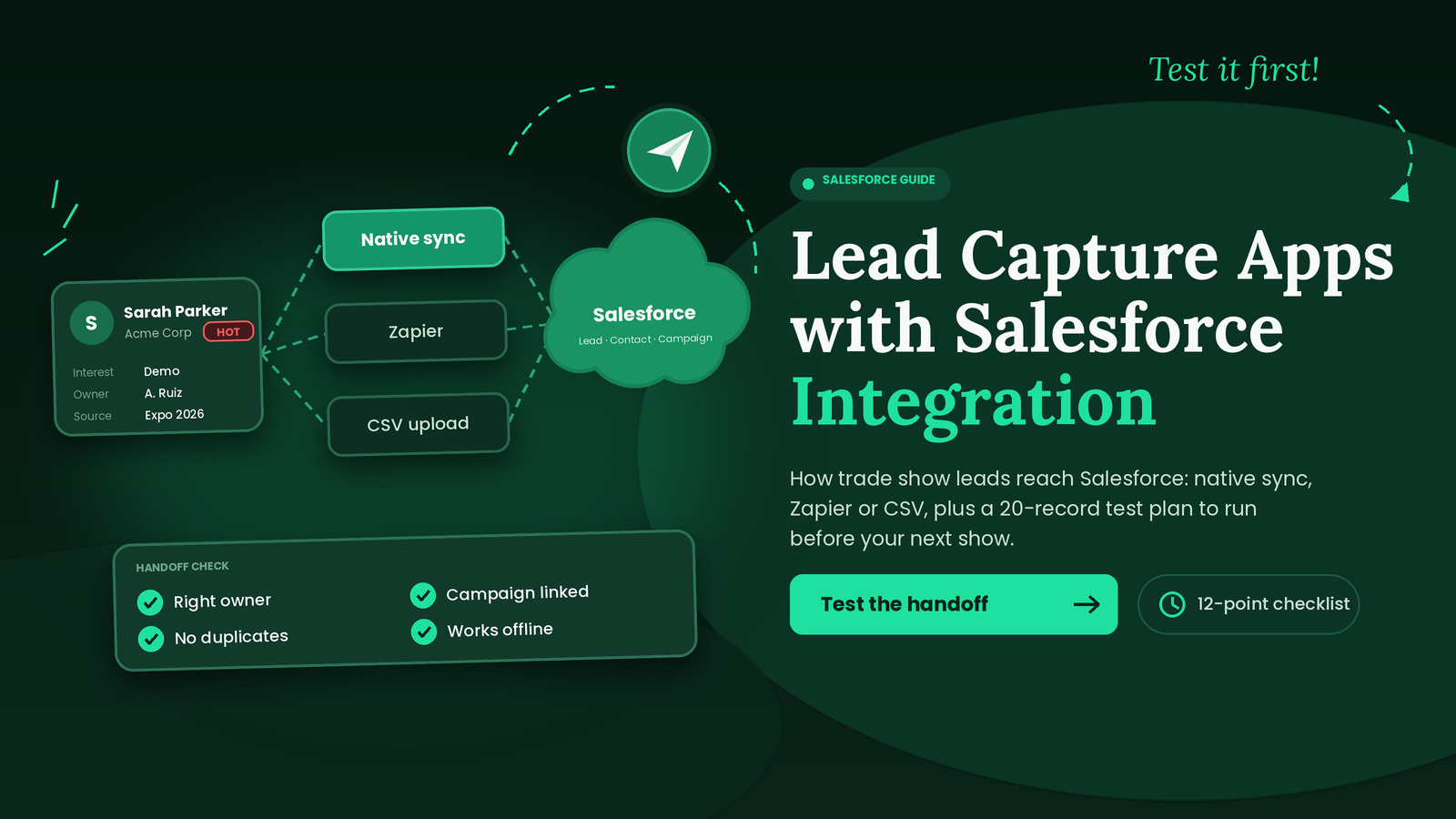
The scan is the easy part. The hard part is what happens to the record when it reaches your org: which object it lands on, who owns it, which campaign it joins and whether it duplicates a contact your sales team has worked for two years. This guide shows how to choose a lead capture app with Salesforce integration that your RevOps team will still trust on Monday morning.
It is written for RevOps, marketing operations and field marketing teams who run Salesforce lead capture events and are tired of cleaning up after each show. We compare how ten tools move trade show leads to Salesforce, using each vendor’s own documentation and public G2 reviews. We make BoothMaven, so we are biased, and we say where other tools are stronger, including on Salesforce depth.
Why the Salesforce handoff decides whether event data gets used
Most teams judge a trade show tool by the booth experience. RevOps judges it by what lands in the org, which is why Salesforce lead capture events live or die on the handoff. A scan that arrives without an owner, a lead source or a campaign is a record nobody will act on. A record that duplicates an existing contact creates a second version of the truth, and the rep who owns the account never sees the booth conversation. The CRM sync explainer covers the basics, and our CRM sync page shows the generic flow.
The same problems recur at every show. Leads arrive without owners, so they sit unrouted. Lead source is blank or wrong, so the show never gets credit in reporting. The same person scanned at two shows becomes two leads. Required fields or validation rules reject records, so some leads silently never arrive. Salesforce’s own import tools show how this happens: the Data Import Wizard handles up to 50,000 records a time and can match on a field such as email, but duplicate rules can block, alert or allow duplicates, and validation rules reject records that miss a required value. Whatever route a tool uses, those same rules in your org decide what is accepted.
That is why any lead capture app with Salesforce integration should be tested against your org, not a demo org. The test plan later in this guide gives you 20 records to try. For deeper reading, our workflow guides on duplicate lead detection, lead assignment routing and lead source automation cover each pain point.
Three ways trade show leads reach Salesforce
Every tool uses one of three routes, and many offer two. Knowing which one you are buying shapes everything else.
| Route | How it works | Strengths | Watch-outs |
|---|---|---|---|
| Native integration | The app connects to Salesforce with OAuth and writes records through the API as leads are captured or on a short schedule | Fastest to start; fewer moving parts; usually included in the plan or an add-on | Field mapping may be fixed; custom objects and complex rules can be out of reach |
| Zapier or webhook | The app sends an event to Zapier or a webhook, which creates or updates Salesforce records | Flexible; reaches custom fields and other systems; works when native sync is missing | Another tool to pay for and maintain; a failed Zap can drop records silently. See Zapier and Zapier-to-Salesforce workflows |
| CSV import | A rep or marketer exports a file and imports it with the Data Import Wizard or Data Loader | Needs no integration; works with any app | Manual and slow; duplicates and validation errors surface at import time; leads wait days |
For most teams the best answer is native sync for the standard flow and Zapier or webhooks for the exceptions. CSV is a fallback when a show organiser gives you a spreadsheet. If your event programme includes meetings and follow-up tasks, ask whether the native route covers those objects too. Our meeting activity logging and auto task workflow pages explain what good looks like.
What “syncs to Salesforce” actually means: a 12-point checklist
Vendors say “native Salesforce integration” for very different things. Use these twelve questions in every demo. They are what separates a tool that works for trade show leads to Salesforce from one that merely exports contacts.
- Which objects does it write? Lead only, or Contact, Account, Campaign Member and Opportunity as well?
- Which fields map, and can you change them? Ask for the default mapping and whether custom fields are supported without a support ticket.
- Who becomes the owner? Check whether the app can set the owner or defer to your assignment rules.
- How is lead source set? If your org requires it, the value must match your picklist.
- Does it add the lead to a campaign, and set member status? This is how shows get credit.
- How does it handle duplicates? Ask whether it matches on email, name or domain, and whether it updates or creates.
- Where do notes go? A text field, a task or the activity timeline? Voice notes should land somewhere reps look.
- What happens to meetings? Booked meetings should reach the timeline.
- Are enrichment fields written? Title, company size and industry should map to fields you use, not to a note.
- How are failures shown? Look for a sync log, retries and an alert, so a rejected record is not a mystery.
- What happens offline? Records should queue and sync on reconnect, in order. See offline mode.
- Who can connect and change it? Check permissions and whether a connected-app approval is needed from your Salesforce admin.
Keep this checklist next to the vendor’s documentation. If a vendor cannot answer in writing, assume the answer is no. The trade show lead capture guide explains where sync fits in the wider workflow.
There is a fourth route that the three above do not cover: event platforms built on Salesforce itself. Blackthorn, for example, describes a suite of native Salesforce applications that turn the CRM into an event management platform, and its Smart Capture tool syncs on-site data to Salesforce in real time, according to its own pages. These tools suit teams that run their own events inside Salesforce. If you exhibit at other organisers’ shows, check how badge capture works there before assuming it fits. Whatever route you pick, ask whether the connector is packaged and security-reviewed on Salesforce AppExchange, and run the pilot early, because one G2 reviewer of Mobly says getting it to sync with Salesforce was challenging and took a long time.
Lead capture apps with Salesforce integration compared
The table summarises what each vendor documents about Salesforce. Vendor statements are their own claims and reviewer comments are labelled as such. Where a capability is not documented, we say so.
| Tool | Salesforce route | What the vendor documents | Watch-out |
|---|---|---|---|
| BoothMaven | Native on Essential and Business; Zapier and webhooks for other systems | Contact sync at no extra cost; offline capture on every plan | Standard field mapping; no native Marketo, Eloqua or Pardot |
| iCapture | Native with custom mapping | Sync confirmation logs, skip logic, Salesforce plus Marketo, Eloqua, Pardot, Dynamics | Reviewers say mapping and form changes often go through support |
| Mobly | Native | Enrichment waterfall before sync; native sync to eight systems | Reviewer reported some leads not reaching Salesforce when enrichment failed |
| B2Brain | Native | Writes Lead, Contact, Account, Opportunity and Campaign objects; dedupe on write | Native CRMs limited to Salesforce and HubSpot |
| Popl | Native | Salesforce AppExchange approved, per Popl | Customisation limits reported by G2 reviewers |
| Blinq | Native | Salesforce sync including campaign objects | Per-lead event pricing; review base mostly cards |
| Captello | Native, plus routing | Salesforce named among supported CRMs; calendar sync | Enterprise scope; pricing not public |
| momencio | Native, sold separately | Salesforce, HubSpot, Marketo and Dynamics 365 integrations as an add-on | Extra cost on top of per-seat tiers |
| Lodago | Native | Salesforce, HubSpot, Dynamics, Marketo, Pardot, per Lodago | Pricing by quote |
| Zuant | Real-time CRM sync described | Real-time sync and CSV export | Manual device sync reported by reviewers |
Tool by tool: how each handles trade show leads to Salesforce
Configuration specialist
iCapture: deep field control and sync logs
Cvent’s iCapture is the benchmark for field-level control. Custom field mapping, sync confirmation logs and skip logic on forms are the reasons CRM admins pick it. G2 reviewers praise the support team, but also say back-end mapping and form changes often need that team, and one mentions sync cut-outs on hotel Wi-Fi. If you have a complex Salesforce org, start with BoothMaven vs iCapture and iCapture alternatives.
- Best for
- CRM admins and complex orgs that need configurable mapping and sync logs.
- Watch-outs
- Mapping and form changes often go through support; sync cut-outs reported on weak Wi-Fi; pricing not published.
- Pricing model
- Not published on its website in the materials we reviewed.
Multi-object writes
B2Brain: several objects and dedupe on write
B2Brain describes native writes to Lead, Contact, Account, Opportunity and Campaign objects, with dedupe on write and enrichment that draws on your own CRM first. The device holds up to 150 captures offline. The limit is breadth: native CRM support covers Salesforce and HubSpot only. See BoothMaven vs B2Brain and B2Brain alternatives.
- Best for
- Salesforce or HubSpot teams that want several objects written natively with dedupe.
- Watch-outs
- Native CRMs limited to Salesforce and HubSpot; small review base.
- Pricing model
- Quoted on a call; the first event is free for two reps, per B2Brain.
Enrichment depth
Mobly: enrichment before sync for Salesforce-heavy teams
Mobly enriches every lead through a waterfall across 20+ providers before it syncs, and its native connections include Salesforce, HubSpot, Marketo, Pardot, Zoho, Pipedrive and Eloqua. In our comparison research it leads on contact enrichment depth and quick note handoff for Salesforce-heavy teams, and we say so plainly. One G2 reviewer reports that leads captured in Mobly did not all reach Salesforce when enrichment failed, so test failure handling. See BoothMaven vs Mobly.
- Best for
- Salesforce-heavy teams that want enrichment depth before the record lands.
- Watch-outs
- Reviewer reported some leads not reaching Salesforce when enrichment failed; test failure handling.
- Pricing model
- Not published; a demo is the call to action.
Included sync
BoothMaven: included Salesforce sync with standard mapping
BoothMaven includes Salesforce contact sync on its Essential and Business tiers at no extra cost, and offline capture on every plan. Zapier and webhooks cover systems without a native connector. The honest limits are standard field mapping instead of deep customisation and no native Marketo, Eloqua or Pardot. Start with the Salesforce integration page and the real-time lead sync workflow, and ask for the current object coverage in a trial, since this is the area where we are narrower than iCapture.
- Best for
- Teams that want included native sync on a published price, with offline capture on every plan.
- Watch-outs
- Standard field mapping; no native Marketo, Eloqua or Pardot; SOC 2 in progress, not certified.
- Pricing model
- Published month-to-month tiers; Salesforce sync included on Essential and Business.
Card-first and enterprise
Popl, Blinq, Captello, Lodago, momencio and Zuant
Popl states that its Salesforce integration is approved on the AppExchange, but G2 reviewers cite limited customisation. Blinq documents Salesforce sync including campaign objects. Captello and Lodago name Salesforce among several supported CRMs. momencio sells its Salesforce integration separately through the AppExchange, which raises the all-in cost. Zuant describes real-time CRM sync, though reviewers mention manual device sync. Compare them on the alternatives hub.
- Best for
- Teams whose primary need is cards, enterprise activations or a specific CRM route.
- Watch-outs
- Customisation limits, per-lead pricing, or integrations sold as paid add-ons.
- Pricing model
- Mixed: custom quotes, per-lead event pricing or paid add-ons.
Which route fits your Salesforce org?
Choose by complexity, not by brand. A simple org with standard Lead and Campaign objects and a handful of required fields suits a tool with included native sync and standard mapping. A mid-complexity org, with custom fields and a few record types, needs a tool with configurable mapping or a Zapier layer for the exceptions. A complex org, with territory management, several business units and heavy validation, needs deep mapping, logs and a named contact at the vendor.
That suggests a rule of thumb. Teams with straightforward orgs and published-price needs should shortlist BoothMaven, Blinq or Popl. Teams who want enrichment before sync should add Mobly. Teams with demanding field control should look at iCapture, and teams who want several native objects should look at B2Brain. For a full comparison beyond Salesforce, read the best lead capture apps guide.
What happens when the booth is offline?
Venue networks fail at the worst moment, and the offline question is really a Salesforce question: what happens to records when the device reconnects? Ask three things. Does the app keep every capture, including notes and photos? Does it sync in order, so a duplicate check still works? And does it show you which records failed? Our offline capture FAQ and offline guide explain the mechanics.
Vendors differ. BoothMaven works offline on every plan and syncs when the device reconnects. B2Brain’s device holds up to 150 captures. Zuant reviewers describe manual syncing that reps forget, and an iCapture reviewer reports sync cutting out on show-floor Wi-Fi. None of these is a reason to rule a tool out, but each is a reason to test with the airplane-mode switch on.
Set up Salesforce before the show: campaigns, source and owners
The best lead capture app with Salesforce integration still fails in a messy org, so spend an afternoon on the receiving end. This setup works for most teams running Salesforce lead capture events across a season.
- One campaign per show, under a parent. Create a parent campaign for the programme or year and a child for each event, so spend and results roll up. See campaign member assignment.
- Member statuses that match the booth. Use statuses such as Scanned, Qualified, Meeting booked and Met after the show, so campaign reports describe what actually happened.
- A lead source value for events. Agree the picklist value, and where the show name lives, such as a detail field or the campaign.
- A queue and an assignment rule. Route event leads to a queue or to owners by territory, so none are orphaned.
- Duplicate and validation rules reviewed. Decide whether the integration should update existing records, and relax any required field the app cannot supply.
- An integration user with the right access. Give it permission to create and update the objects you need, with field-level security checked for every mapped field.
Write the decisions down on one page, and share it with the vendor. If you are choosing a tool now, ask each vendor to show their sync against this page. Our event lead management guide explains how the rest of the process fits.
Set the campaign member status at capture, not after the show: scanned, qualified, meeting booked. A status ladder written on the day gives you a funnel by Monday. A flat list gives you names.
A 20-record test plan for Salesforce
Run this in a sandbox or a safe campaign before any show. It takes under an hour and finds nearly every problem a lead capture app with Salesforce integration can have.
- Capture five clean leads with a full set of fields, and confirm they land with the right owner, source and campaign.
- Capture two leads that already exist in Salesforce, and check whether the app updates or duplicates them.
- Capture a lead with no email, and see whether it is created, rejected or flagged.
- Capture three people from one company, and check how Account association works.
- Capture a lead with a long note and a voice note, and see where each appears.
- Book a meeting from a lead, and see whether it appears on the timeline.
- Switch the phone to airplane mode, capture three leads, reconnect and check order, duplicates and errors.
- Break a rule deliberately, such as a blank required field, and confirm the app tells you instead of dropping the record.
Record the results in a sheet and share it with the vendor. A good vendor will fix a gap before the show. The duplicate rules workflow and assignment rules workflow show how to configure Salesforce to cooperate.
What RevOps, marketing ops and field marketing each need
The three groups care about different parts of the sync, and a purchase works best when each signs off its piece.
- RevOps owns data integrity: duplicates, ownership and territory rules. Ask for matching logic and a log of rejected records.
- Marketing operations owns campaigns and source reporting. Ask for campaign member status and lead source control. See the marketing operations page.
- Field marketing owns the booth experience and the volume. Ask for speed, offline behaviour and a single view across shows via the event dashboard.
The ROI and attribution page and the ROI guide show how clean source data becomes pipeline reporting. Nothing in that chain works if the first record is wrong.
Reporting once trade show leads land in Salesforce
Clean data pays off in the report you show your leadership. With campaigns, source and owners in place, standard Salesforce reports can answer the questions finance asks: how many leads came from each show, how many became opportunities, how much pipeline each campaign sourced and how fast the first follow-up happened. The sync should make these reports easy, not hard.
Two practical points. First, attribution to revenue usually needs contacts linked to opportunities, for example through Opportunity Contact Roles, so ask each vendor whether their sync helps or leaves it to you. Our opportunity attribution workflow explains the pattern. Second, keep the event view as well as the CRM view. An event dashboard shows booth-level activity, meetings and engagement that Salesforce reports do not hold. Together they let you tell the event ROI story with data, which the trade show ROI guide sets out in full.
If you rely on engagement signals to prioritise, check that they sync as well. Buyer intent signals and content microsite engagement are only useful to a rep if they appear on the record. Ask each vendor to show you where in Salesforce the signal lives, and who can see it.
Common failures and how to fix them
- Records rejected for a missing required field. Align the mapping with your required fields, or relax the rule for the integration user.
- Lead source mismatch. Match the app’s value to your picklist exactly, or use a default per event type.
- Duplicates after a second show. Check the matching field and your duplicate rule settings, and prefer update over create.
- Leads with no owner. Route through your assignment rules, and keep a catch-all queue so no lead is orphaned.
- Enrichment overwrote good data. Ask whether enrichment fills blanks or overwrites, and set the rule explicitly.
If you inherited a messy import, fix the structure before you fix the tool: agree the fields, the source values and the owner rules, then connect the app. Our event lead management guide helps with the process.
FAQs
Test BoothMaven against your Salesforce org. Book a 20-minute demo. We will run the 20-record test with your fields and tell you plainly where another tool on this list fits better.