

Comments Off on The Trade Show App Stack for Exhibitors: Capture, Meetings, Content (PILLAR)
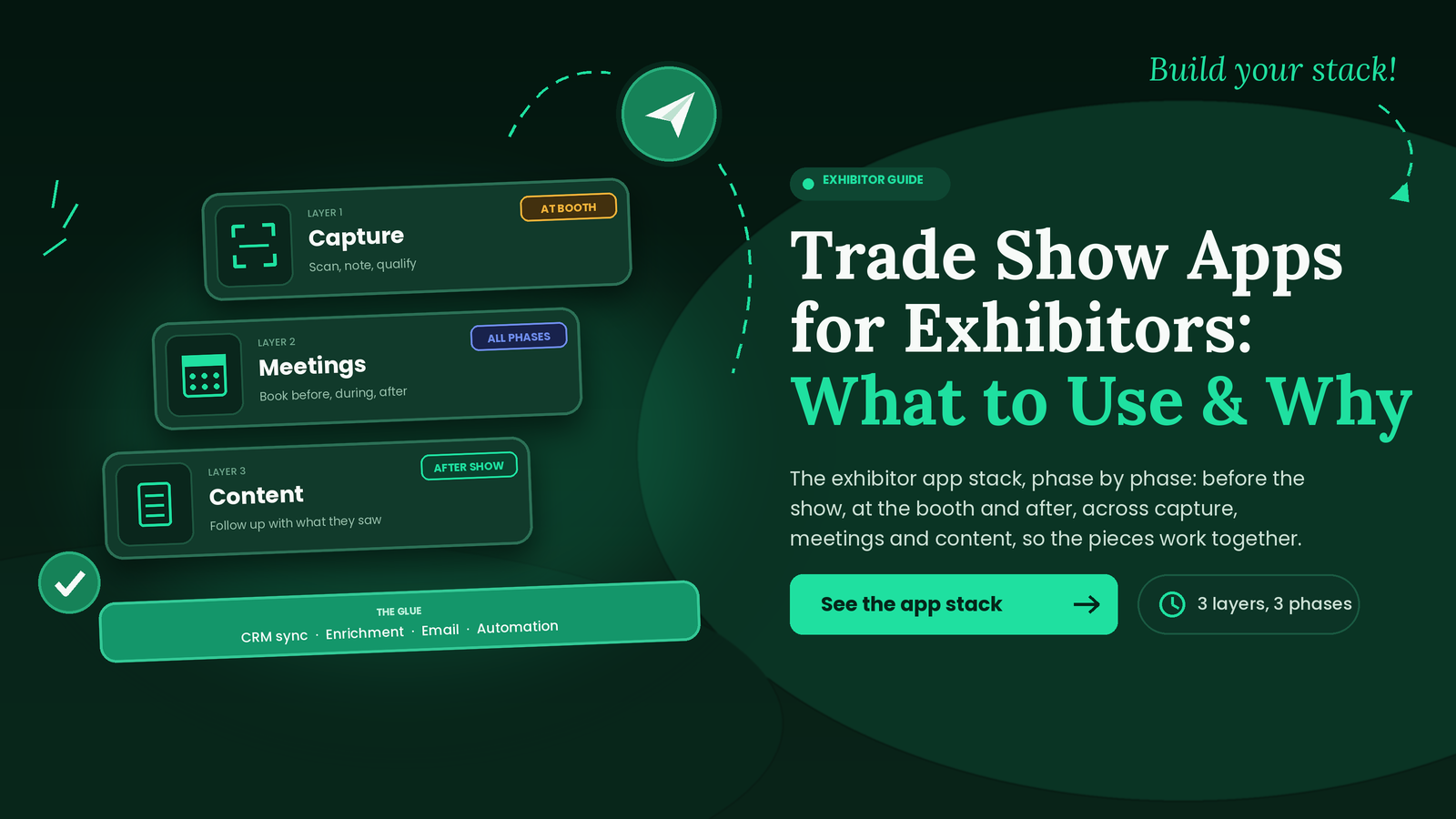
Most exhibitors do not have a tool problem. They have a stack problem: three apps at the booth, nothing after the show, and no link between the two. This guide sets out the trade show apps for exhibitors by phase, from the first target list to the last follow-up, so you can see which layers you already have, which you lack and which are worth paying for.
First, a definition. “Trade show app” means two things. Organisers use it for the attendee app: agenda, floor plan and networking. This page covers the other kind, the exhibitor app stack: the software an exhibiting team uses to invite the right people, capture and qualify conversations, book meetings and follow up. It is written for trade show marketing teams, field marketers, event marketers and marketing operations leads who have to make the pieces work together.What is a trade show app stack?
A stack of trade show apps for exhibitors is the set of tools that carry a lead from the first invitation to a closed deal. It differs from a single trade show app because no one tool does every job well, and the handoffs between tools are where leads are lost. Most exhibitors over-invest in the booth and under-invest in what happens after. The CEIR study of exhibitor lead capture practices, conducted in 2012, found that 74% of exhibitors used the lead retrieval system supplied by the organiser, about 59% used paper forms or collected business cards, and only 30% captured qualifying information beyond contact details (summary of the CEIR study). Practices have moved on since 2012, but the pattern still rings true: capture is common, qualification and follow-up are not. The same body of research shows what exhibitors want from shows. In CEIR’s 2015 study of exhibitor ROI and performance metrics, 68% ranked lead generation among their top three objectives, 86% used at least one intermediate performance metric, and 62% used ROI metrics (CEIR announcement). That is the job of the stack: generate leads, track what happens to them and tie the result to revenue. Our exhibitor’s pipeline guide and trade show ROI guide go further.Trade show apps for exhibitors at a glance
Use this table to audit what you have. Each row is a job, with the tool category that covers it and where to read more.| Phase | Job to be done | Tool category | What to check | Deep dive |
|---|---|---|---|---|
| Before | Choose and invite target accounts | Outreach and AI assistants | List sources, CRM match, approval before sending | Pre-show outreach |
| Before | Book meetings ahead of the show | Meeting planner apps | Calendar sync, invitations, no-show handling | Meeting planner apps |
| Before | Brief and train booth staff | Training and checklists | Short, repeatable, phone-based | Booth staff training |
| During | Capture and qualify leads | Lead capture apps | Badge formats, offline, custom questions | Lead capture apps |
| During | Scan badges and cards | Badge and card scanners | Show badge compatibility, OCR accuracy | Badge scanner apps |
| During | Record the conversation | Voice and note-taking apps | Transcription in noisy halls, where notes land | Note-taking apps |
| During | Share collateral and brochures | Content microsites and QR | Named engagement tracking, mobile pages | Content microsites |
| After | Enrich and verify records | Enrichment and email verification | Fields returned, accuracy claims, consent | Contact enrichment |
| After | Route leads to the CRM | CRM sync and automation | Field mapping, duplicates, owner assignment | CRM sync |
| After | Follow up and nurture | Email sequences | Triggers, templates, stop rules | Email sequences |
| After | Watch what leads do next | Content intelligence | Signals to CRM, named visitors | Content intelligence |
| After | Report pipeline and ROI | Dashboards and attribution | Source tracking, meeting-to-pipeline link | Event dashboards |
What to look for in trade show apps for exhibitors
Whatever the layer, the same six questions separate a useful tool from an impressive demo. Ask them in every evaluation, including the trade show apps for exhibitors you are about to renew.- Does it work at your shows? Check badge formats, venue networks and devices. Ask for a test at your next show, and read how badge scanning works first.
- Where does the data live? Your CRM should hold the record, not the app. Test the path with the CRM sync explainer and the CRM sync page as a checklist.
- How fast can a rep use it? A rep will skip any step that takes more than a few seconds. Time lead qualification on a phone, standing up, in a noisy hall.
- What does it cost across a season? Per-seat, per-lead, per-event and flat models behave differently at five shows and at fifty. Ask for a quote that covers your whole calendar and every add-on, and compare it with published tiers.
- How does it handle consent and security? Scanning a badge is not marketing consent; see the consent explainer. Ask each vendor for its security certifications. BoothMaven’s SOC 2 is in progress and not yet certified.
- Can you leave? Confirm you can export every lead, note and meeting. The data belongs to you, so offboarding should be a button, not a project.
Layer one: capture, the trade show app everyone buys first
Capture is the layer most exhibitors already have, and the one with the most options. A good lead capture app reads badges, QR codes and business cards, asks two or three qualifying questions, stores a note and keeps working when the venue network does not. Our ten-tool comparison of the best lead capture apps covers the differences, and the explainer on what a lead capture app is defines the terms. Three decisions matter more than the scan. First, badge compatibility: not every tool reads every show’s badge, so test a real badge before you buy (best badge scanner apps). Second, the form: the qualifying questions that work take under 30 seconds, and the data worth capturing is shorter than most teams think. Third, offline behaviour, covered in our offline capture FAQ and the offline mode page. If the show offers a rented scanner, treat it as a fallback rather than a plan. Organiser tools are tied to one event, so your history lives in a different place for every show. Cards still matter for people without badges, which is why business card scanners and the business card scanner feature stay in the stack, and why a capture plan without a badge scanner is worth having.Layer two: meetings, before, during and after the show
Meetings are the layer most teams manage in spreadsheets. They are also where the business is made, because a booked meeting is a stronger signal than a scan. Think of three separate jobs: pre-show booking, on-booth scheduling and post-show follow-up meetings. Our guide to the best meeting planner apps for trade shows compares tools job by job. Different vendors lead on different jobs. Lodago starts from the meeting, with in-inbox booking, side-event registration and booth staffing coordination. B2Brain builds pre-show target lists and books meetings at the booth with a dual calendar invite. Captello’s meeting management covers pre-event booking, on-floor management and attribution to pipeline. BoothMaven’s meeting booking has two flows, pre-event RSVP invitations and on-spot booking, and is lighter than a dedicated scheduling platform. Do not overlook the meetings that happen away from the booth. Dinners and receptions often produce better conversations than the floor, and our side events guide shows how to plan them. If you want to run your own meeting programme, the buyer-seller meet guide and the event networking guide cover the format. For the booth conversation itself, read how to approach prospects and the booth sales role page.Layer three: content and intelligence after the show
The third layer is the one most exhibitors lack. After the show, you know who you scanned. You do not know who read your pricing sheet on Tuesday, who forwarded your case study or who is evaluating a competitor. Content tools close that gap by sending follow-up through tracked pages and reporting which named contacts engaged. BoothMaven’s content microsites do this and sync the signals to the CRM, as described on the content intelligence and signal-based marketing pages. Other platforms attack the same problem differently. momencio’s IntelliStream records every scan, click and microsite visit against a named contact and builds a per-lead page for follow-up, on a per-seat model with a seat minimum and an annual term. Mobly emphasises enrichment and fires email and text sequences from the booth. Compare them in BoothMaven vs momencio and BoothMaven vs Mobly. This layer also feeds sales. A rep who knows a lead opened the proposal twice can call at the right moment. The result should be fewer cold callbacks and a sharper prioritised follow-up list.The glue: CRM sync, enrichment, email and automation
Between the three layers sits the plumbing, and it decides whether your data is trusted. Your CRM is the system of record, so every tool needs a clean path into it. Salesforce and HubSpot have dedicated integration pages, and the dedicated posts on Salesforce lead capture for events and HubSpot lead capture for events show what to test. For other systems, Zapier and webhooks usually fill the gap, as the integrations hub explains. Enrichment fills missing fields, such as company size or title, and verification catches bad email addresses before you send. Check what each tool returns, because vendors state their own accuracy figures and those are not independently verified. Automation then turns clean records into action: automated follow-up, lead assignment routing and the lead-to-follow-up chain built with AI assistants through the MCP Server. Marketing operations should own this layer. Give it an owner, a test plan and a checklist before the show season starts. The marketing operations page and the event lead management guide set out the workflow.Attendee event apps and exhibitor tools: the best apps for events work together
The best apps for events, whether they serve attendees or exhibitors, share one trait: they make the right person meet the right person with the right context. The organiser’s attendee app does the introductions. It usually offers an agenda, messaging, a floor plan and sometimes meeting requests, and exhibitors can use it to push their booth number and book appointments before the show. The limit is ownership. The organiser holds the attendee data, and what you can export varies by show. That is why an exhibitor stack exists. Use the organiser’s app as a channel, and use your own tools as the record. Invite people through the app, then move the conversation to a booked meeting you control. Capture the visit in your lead capture app, and keep the contact in your CRM. If you plan your own gatherings around the show, our side events guide and buyer-seller meet guide explain how to add them without waiting for the organiser. A final point on intent. People searching for a trade show app are often looking for an attendee app, while exhibitors want capture and follow-up. Keep the two straight in your brief, your budget and your vendor shortlist. The guides hub collects the exhibitor-side playbooks in one place.| What “trade show app” can mean | Who it serves | Examples |
|---|---|---|
| Organiser badge scanner | Exhibitors, for that show only | Cvent LeadCapture, CompuLead (organiser-rented or licensed) |
| Attendee engagement app | Visitors: agenda, networking, maps | Whova, Cvent Attendee Hub, Guidebook |
| Exhibitor-owned lead capture app | Booth teams, at any show | BoothMaven, Popl, Blinq, Mobly and the other tools in our comparison |
What BoothMaven covers, and what it doesn’t
This is the three-layer story we tell on our product pages, so here it is plainly. BoothMaven covers capture (badge, QR and business card scanning with offline capture), meetings (meeting booking with pre-event RSVP invitations and on-spot booking) and content intelligence (content microsites with named engagement tracking and email sequences). It also syncs to HubSpot and Salesforce and has an MCP Server for AI assistants. It does not cover everything. Booth design, logistics and shipping are outside the product. So are show registration, badge printing, paid media and ABM advertising. BoothMaven does not offer gamification, kiosk mode or side-event registration, its enrichment covers five contact fields, and it is not a CRM or full marketing automation platform. Those gaps are why this guide names other tools. See the comparison pages and the alternatives hub.Three example trade show app stacks
Lean team
One or two reps, a handful of shows
Start with a capture app that includes offline mode and a CRM sync, then add follow-up templates. Keep meetings in a shared calendar until volume justifies a planner. A platform with published pricing, such as BoothMaven’s tiers, keeps the cost visible; the capture roundup lists alternatives.- Best for
- Small exhibiting teams that want one tool for capture and CRM sync.
- Watch-outs
- No dedicated meeting planner until volume grows; limited content tracking.
- Pricing model
- Published monthly tiers, such as BoothMaven’s, keep cost visible from day one.
Field marketing
Ten to twenty-five staff, many shows
Add a meeting planner, content tracking and sequences, and standardise fields across events with a marketing operations owner. Watch pricing structure: per-seat, per-lead and flat models behave differently at scale. Read the field marketing manager page and the trade show preparation guide.- Best for
- Teams running many shows who need meeting booking and content tracking in the stack.
- Watch-outs
- Per-seat and per-lead pricing can scale badly; check total cost across your calendar.
- Pricing model
- Mixed: some tools publish tiers, others quote per show or per lead.
Enterprise
Activations, attribution, security
Look at platforms with games, revenue attribution and security certifications, such as Captello, and weigh deep CRM configuration, such as iCapture. Plan a procurement review and a pilot. Our Captello and iCapture alternatives pages explain the trade-offs.- Best for
- Enterprise programmes that need games, attribution and certified security.
- Watch-outs
- Procurement and pilot cycles are long; pricing is often by consultation.
- Pricing model
- Usually event licences or custom quotes; rarely published.
How to build your stack in five steps
- List the jobs, not the tools. Use the table above and mark which jobs you cover today.
- Pick the system of record. Decide where leads live, and which fields must be present.
- Shortlist per layer. Use the guides on capture, meetings and content intelligence to pick two options each.
- Test the handoffs. Send 20 dummy leads through capture, CRM and follow-up before the show.
- Measure and prune. Track response time, meetings booked and pipeline, then drop tools that do not move a number. See post-show ROI questions.
An eight-week timeline for rolling out the stack
A stack is easiest to introduce on a calendar. This timeline fits most shows and assumes the show is about eight weeks away.- Eight weeks out: choose the stack and name an owner for each layer. The trade show preparation guide has the checklist.
- Six weeks out: build the target list and set up outreach using the before-the-event workflows and pre-show outreach cadence.
- Four weeks out: send meeting invitations and open booking with meeting booking.
- Two weeks out: run the CRM test with 20 dummy leads, checking the Salesforce duplicate detection or HubSpot properties setup.
- One week out: train booth staff for 20 minutes using the booth staff guide.
- Show days: capture, qualify and book. Review the event dashboard each evening.
- Within 48 hours: enrich and verify records, route leads and send the first follow-up.
- Two to four weeks after: nurture with the 90-day plan and watch the engagement signals.
- Six weeks after: report pipeline and meetings against cost using the ROI guide.
Metrics to track across the stack
Each layer needs a number, or you cannot tell what to cut. These seven cover most teams, and all can be pulled from a CRM plus an event dashboard.- Capture rate: leads scanned as a share of meaningful booth conversations. Low rates point to friction or staffing.
- Qualified rate: the share of leads that meet your lead scoring threshold.
- Time to first follow-up: hours between the scan and the first personal message. Our follow-up timing data explains targets.
- Meetings booked per rep: a stronger signal than scans. Split pre-show, on-spot and post-show.
- Sync success and duplicates: the share of records that reach the CRM cleanly, and how many need merging.
- Engagement rate: the share of followed-up leads who open or act on your content, tracked through buyer intent signals.
- Pipeline sourced per show: the number the finance team cares about; see event ROI and attribution, the ROI guide and the post-show ROI questions.
Stack mistakes to avoid
- Buying best-of-breed in every layer. Each extra tool adds a handoff. Fewer tools with clean syncs often beat more tools with manual exports.
- Ignoring the after-show layer. Capture without follow-up is a data collection exercise. See why leads go cold and the follow-up guide.
- Letting the organiser’s tool become the system. Keep your own data store across shows.
- Skipping consent. Scanning a badge does not equal marketing consent.
FAQs
The core trade show apps for exhibitors cover five jobs: a lead capture app, a way to book meetings, a content or follow-up tool, a CRM sync and a reporting view.
A trade show app is usually the attendee-facing app an organiser provides for agendas, maps and networking. An exhibitor app is the software an exhibiting company uses to capture leads, book meetings and follow up. This guide covers the second kind.
As few as cover your jobs cleanly. A lean team can run on one platform for capture and CRM sync. Larger teams often add a meeting planner and a content tool. Count the handoffs, not the tools: every extra system needs a clean path into your CRM.
Partly. All-in-one platforms such as BoothMaven cover capture, meetings and content tracking, and some enterprise platforms add games and attribution. None covers booth design, show registration or paid media, so most teams still use a few specialist tools. Compare options on the alternatives hub.
Build your stack around one platform. Book a 20-minute demo. We will map your shows to the three layers and tell you where BoothMaven fits and where another tool is the better answer.
Book a demo →