

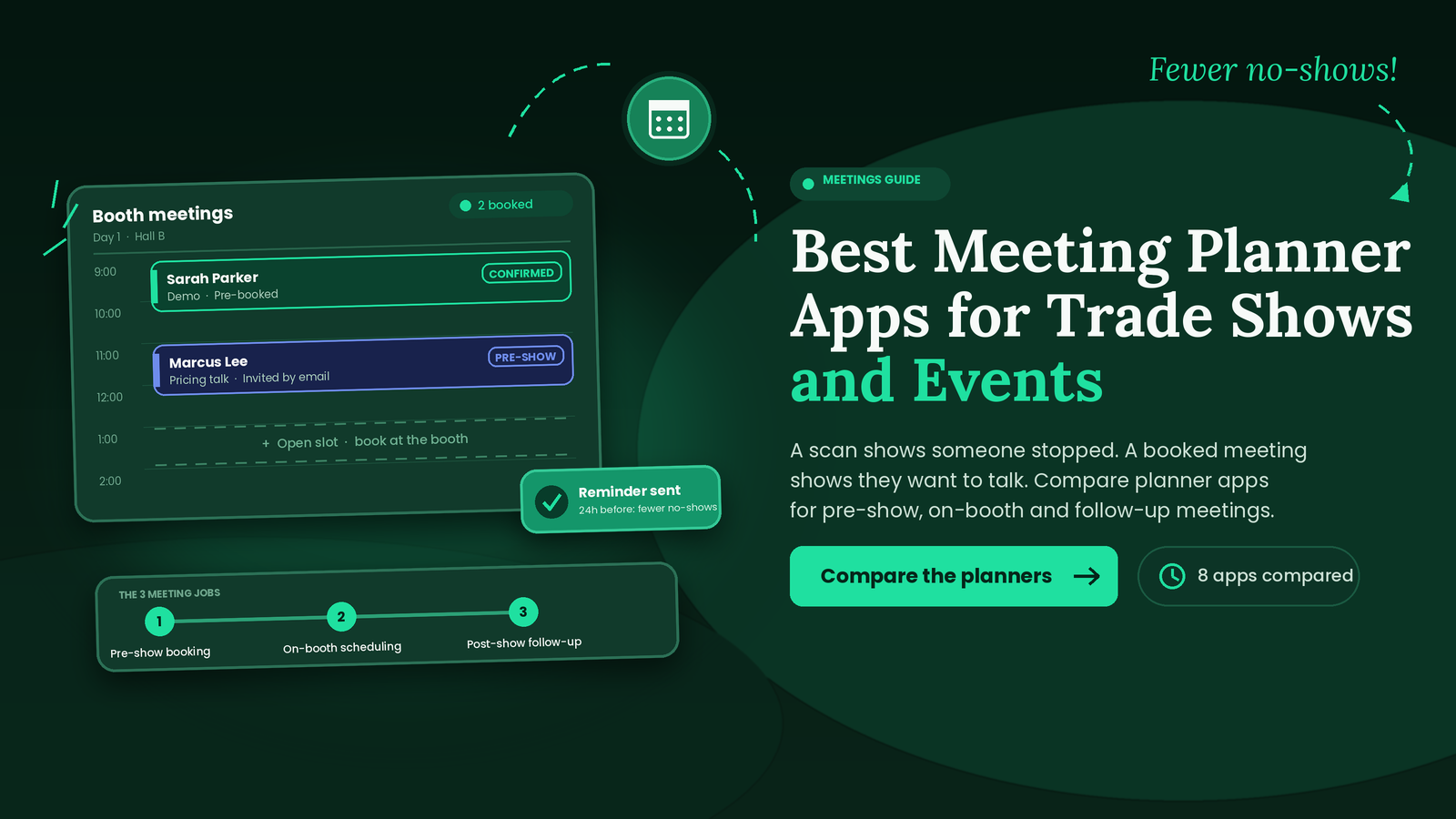
A scan tells you someone stopped. A booked meeting tells you they want to talk. Yet most exhibiting teams still book meetings through spreadsheets, email chains and personal calendar links, and then lose track of which ones happened. This guide compares the meeting planner app options for trade shows and events, job by job, so you can pick one that fits how your team actually works.
It is written for field marketers, event marketers, booth sales leads and marketing operations teams. We compare eight options using each vendor’s own documentation and the public G2 reviews. We make BoothMaven, and its booking is narrower than the dedicated tools in this guide, so we say where others are stronger. Read the meeting booking page for what ours does.The three meeting jobs a meeting planner app must handle
Most buying mistakes start by treating all meetings as one thing. A trade show involves three separate jobs, and different tools are strong at each. Define them first, then compare tools per job.
Pre-show
Job one: pre-show booking
This is the work of filling calendars before the doors open: choosing target accounts, inviting them and confirming times. It is where most value sits. A survey by meetings-technology company Certain found that more than 91% of respondents believed events with pre-scheduled one-to-one appointments were more productive (reported by Successful Meetings). The survey comes from a vendor with an interest in the answer, so treat it as direction. The same report cites CEIR research that more than half of trade show attendees prefer one-on-one interactions with exhibitors. See our pre-show outreach cadence and the trade show preparation guide.- Best for
- Teams that fill calendars before the doors open and want acceptance tracking.
- Watch-outs
- Vendor surveys overstate the case; treat the numbers as direction, not proof.
- Pricing model
- Depends on the tool; some include it on every plan, some sell it as an add-on.
On the floor
Job two: on-booth scheduling
This is booking the next step while the visitor is still standing there: a demo next week, a call tomorrow, a drink tonight. The tool must be fast on a phone, show the right rep’s availability and send an invitation before the visitor walks away.- Best for
- Booth teams that need to book the next step in under 30 seconds on a phone.
- Watch-outs
- Test one-handed on a noisy floor; slow tools get abandoned after the first day.
- Pricing model
- Varies; check whether on-booth scheduling is included or a paid tier.
After the show
Job three: post-show follow-up meetings
This is turning scanned leads into conversations in the weeks after. It overlaps with email follow-up, and the best tools connect the two. See how soon to follow up, automated follow-up and the follow-up guide. A meeting planner app that handles jobs one and two but forgets job three leaves value on the table.- Best for
- Teams that treat post-show meetings as part of the pipeline, not an afterthought.
- Watch-outs
- If the planner does not write outcomes to the CRM, meetings disappear from reporting.
- Pricing model
- Often bundled with capture or sold as part of a broader event platform.
What to look for in a meeting planner app for trade shows
Whichever tool you consider, test it against these nine questions. They apply to the best meeting apps for events and exhibitors alike.- Calendar sync. Does it read availability and write confirmed meetings to Google and Microsoft calendars, for the visitor and the rep?
- Clash handling. Does it prevent double-booking when a rep is already committed, including across several shows?
- Invitations and RSVPs. Can you send branded invitations before the show and track who accepted?
- Reminders. Can it confirm by email or text? Reminders are the best defence against no-shows.
- Multi-host and round-robin. Can a meeting go to whoever is free, or to several experts together?
- CRM and notes. Does the meeting, its outcome and its notes reach the contact record?
- On-phone speed. Can a rep book in under 30 seconds, one-handed, on a noisy floor?
- Offline behaviour. Does it queue bookings when the venue network fails?
- Reporting. Can you see meetings booked, held and no-show by rep and by show?
Meeting formats a planner should support
A good meeting planner app handles more than the one-to-one demo. Think about the formats your programme actually uses, and check each tool against them before you buy.- Short booth meetings. Fifteen to twenty minutes at the stand, often with a specialist. These need fast booking and buffers.
- Executive briefings. A longer slot with senior people from both sides, often off the floor. These need private rooms or off-site locations and a named host. See the buyer-seller meet guide.
- Group sessions and presentations. Several attendees at once, with capacity limits and RSVPs.
- Dinners and receptions. Hosted around the show, with guest lists and seating. Lodago covers side-event registration; most others do not.
- Virtual follow-ups. A video call a few days after the show, booked from the lead record. These need a link and calendar sync.
Meeting planner apps at a glance
| Tool | Pre-show booking | On-booth scheduling | Post-show meetings | Calendar and CRM | Pricing model |
|---|---|---|---|---|---|
| BoothMaven | Pre-event RSVP invitations | On-spot booking with dual calendar invite | Meetings link to leads; sequences | HubSpot and Salesforce sync | Published monthly tiers; booking on every plan |
| Lodago | Scheduling via email, website or QR; in-inbox booking | On-the-spot booking | Meetings and side events | Salesforce, HubSpot, Dynamics, Outlook, Google Calendar | Not published; demo |
| B2Brain | Pre-show target lists and briefings | One-tap dual calendar invite with clash detection | Offline-to-pipeline report | Salesforce, HubSpot | Quoted on a call |
| Captello | Pre-event booking | On-floor management and native scheduler | Attribution to pipeline | CRM routing; Microsoft and Google calendars | No public pricing page |
| Popl | Not a headline feature | Opens your scheduling link with details pre-filled | Booking tag on the lead | Calendly, Google, HubSpot, Microsoft Bookings, Chili Piper | Custom quote |
| iCapture | Not documented | Launch scheduling from a lead | Follow-up meetings | Calendly or HubSpot | Not published |
| Mobly | Not documented | Calendly or Chili Piper links | Email and SMS sequences | Calendly, Chili Piper | Not published |
| Scheduling tools such as Calendly, HubSpot Meetings, Chili Piper | Link sharing | Link sharing | Link sharing | Strong calendar; no booth context | Varies by tool |
Set up your meeting planner before the show
The tool is only half the job. A planner works when the calendars, owners and rules behind it are ready, and most failures trace back to setup rather than software. Spend an afternoon on this checklist.- Connect real calendars. Every rep who will take meetings should connect Google or Microsoft calendar, so availability is accurate. Ask reps to block travel and booth shifts.
- Set meeting lengths and buffers. Choose standard lengths, such as 15 and 30 minutes, with buffer time between them.
- Assign owners. Decide who takes which meetings: by territory, product or named account. Use round-robin only where any rep can run the conversation.
- Write the invitation. Prepare a short invitation with two specific slots and one reason to attend. Test it on a colleague.
- Agree outcomes. Define the outcome codes you want logged, such as held, no-show, moved or next step booked, so reporting is consistent.
- Link to the CRM. Confirm meetings and outcomes reach the contact record. See CRM sync, Salesforce meeting logging and HubSpot meeting timeline.
The best meeting apps for events, tool by tool
Meeting-first
Lodago: the meeting-first platform
Lodago starts from the meeting. Pre-event scheduling can be shared by email, website or QR, and CalMails show live availability inside Gmail and Outlook, so a prospect books without leaving their inbox. Lodago reports booking conversion rising from about 10% to 30-50% in its own blog, which is its figure, not ours. It adds side-event registration, booth staffing by role and zone, and a real-time team calendar. Pricing is by quote, and automated lead scoring and named content tracking are not documented. See BoothMaven vs Lodago and Lodago alternatives.- Best for
- Teams whose main pain is pre-show booking, side events and booth staffing.
- Watch-outs
- Pricing by quote; lead scoring and named content tracking not documented.
- Pricing model
- Not published; pricing requires a quote.
Booth meetings
B2Brain: booth meetings with routing
B2Brain builds pre-show target lists and per-account-executive briefings, then books meetings at the booth with a one-tap dual calendar invite that routes to the right executive by territory or named account and checks for clashes. Outcomes are tracked, and a pipeline report arrives the morning after the show. Native CRM support is limited to Salesforce and HubSpot, and pricing is quoted on a call. See BoothMaven vs B2Brain and B2Brain alternatives.- Best for
- B2B revenue teams in Salesforce or HubSpot that want booth meetings routed to the right rep.
- Watch-outs
- Two native CRMs only; pricing quoted on a call; small review base.
- Pricing model
- Quoted on a call; the first event is free for two reps, per B2Brain.
Enterprise
Captello: enterprise meetings with attribution
Captello’s Meeting Management is one of its core solutions. It covers pre-event booking for outbound and inbound meetings, on-floor management of rooms and executives, ad hoc booking, a native scheduler with Microsoft and Google calendar sync, and attribution of each meeting to pipeline. It suits enterprise programmes. It has no public pricing page, though its G2 and Capterra listings describe event-licence pricing.- Best for
- Enterprise programmes that want meetings, rooms, executives and pipeline attribution in one platform.
- Watch-outs
- Enterprise scope; no public pricing page; more platform than a small team needs.
- Pricing model
- No public pricing page; event-licence pricing described on G2 and Capterra.
Booth platform
BoothMaven: a lighter planner inside a booth platform
BoothMaven’s meeting booking has two flows: pre-event RSVP invitations and on-spot booking with a dual calendar invite and outcome tracking, included on every plan. It sits beside lead capture, email sequences and content microsites, so a meeting links to the lead record. It is lighter than Lodago or Captello: no in-inbox booking, no side-event registration, no staffing coordination and no pre-show target lists. If meetings are your main pain, read the alternatives pages first.- Best for
- Teams that want capture, meetings and content tracking in one platform on a published price.
- Watch-outs
- No in-inbox booking, side-event registration, staffing coordination or pre-show target lists.
- Pricing model
- Published month-to-month tiers; meeting booking included on every plan.
Booking link
Popl, iCapture and Mobly: a booking link from a lead
These three treat meetings as an extension of capture. Popl’s calendar booking opens your own scheduling link with the lead’s details pre-filled and logs a booking tag. iCapture lets booth staff launch scheduling from a lead through Calendly or HubSpot, and links the booking back to the record. Mobly runs booking through Calendly or Chili Piper links. This works if you already have a scheduling tool and want less typing. See Popl alternatives, iCapture alternatives and Mobly alternatives.- Best for
- Teams that already run Calendly, HubSpot Meetings or Chili Piper and want less typing at the booth.
- Watch-outs
- No native planner; relies on your existing scheduling tool for availability.
- Pricing model
- Varies by tool; Popl by custom quote, iCapture and Mobly not published.
Best meeting apps for exhibitors and for sponsors
Exhibitors and sponsors want similar tools but face different constraints, so the shortlist differs. Exhibitors run a booth, control their own calendars and want leads and meetings together. The best meeting apps for exhibitors connect booth capture to scheduling, as the tools above do. The best meeting apps for sponsors have to cope with extra rules, which is why sponsors should shortlist separately. Sponsors often receive a fixed number of meeting slots, shared hosted-buyer lists or organiser-run matchmaking, and they need to prove value to the organiser as well as to their own sales team. Ask these questions: can you invite your own contacts outside the organiser’s tool, can several colleagues share availability, and can you report meetings held per sponsored activity? Our buyer-seller meet guide and side events guide cover programmes you run yourself, and the event networking guide covers the in-person craft. In both cases, the organiser’s matchmaking tool and your own planner should complement each other. Use the organiser’s tool for introductions, and move the confirmed meeting into your calendar and CRM so you own the record. That advice holds whether you pick among the best meeting apps for sponsors or for exhibitors.A four-week plan for running a meeting programme
- Four weeks out: build the target list and set a goal for booked meetings per rep. See before-the-event workflows.
- Three weeks out: send personal invitations offering two specific slots, not an open question. Our pre-show cadence shows a three-touch sequence.
- Two weeks out: follow up non-responders, and confirm accepted meetings by email.
- One week out: send a reminder with the booth number, the person they will meet and the agenda. Add buffer time between meetings.
- Show days: book next steps on the spot, and check no-shows each evening.
- Within 48 hours: send a thank-you with a next step, and log outcomes in the CRM. See why leads go cold.
How to cut no-shows
No-shows are the main reason pre-booked programmes disappoint. Practitioners recommend an assertive scheduling campaign with plenty of follow-up after the meeting is set, and, where you have a mobile number, a text or call during the show to confirm (source). Three habits help. Make the invitation about the visitor’s problem, not your product. Offer a clear reason to keep the slot, such as a demo of a feature they asked about. And leave buffer time, so a late visitor does not collapse your afternoon. Your planner should help with each. Reminders by email or text, easy rescheduling and a visible calendar for the team reduce friction. Measure the show rate, meaning meetings held as a share of meetings booked, and review it after every event. The event dashboard, the ROI and attribution page and the ROI guide show how to report it.Metrics for a trade show meeting programme
Meetings are only useful if you can show what they produce. Track five numbers for every show, and compare them across events.- Meetings booked per rep, split into pre-show, on-the-spot and post-show.
- Show rate, meaning meetings held as a share of meetings booked.
- Meeting-to-opportunity rate, the share of held meetings that become a qualified opportunity.
- Time to next step, the days between the meeting and the proposal, demo or follow-up call.
- Pipeline per meeting, the average value of opportunities created from meetings, against the cost of the show.
Eight questions to ask in every demo
Vendors show their best flow. Ask for yours instead, using these questions, and record the answers in a shared sheet so the team can compare.- Show me booking a meeting from a lead on a phone, standing up, in under 30 seconds.
- What does the visitor receive, and does it include my branding and the booth number?
- How do you stop two reps being booked at the same time, including across shows?
- What happens when a visitor wants to move or cancel the meeting?
- How do reminders work, and can I choose email or text?
- Where does the outcome of the meeting go in my CRM? Show me the record.
- What happens to a booking made offline? See offline mode.
- What does it cost for my whole show calendar, including any add-ons or extra seats?
Calendar and time zone details that cause trouble
Two small details break more meeting programmes than any feature gap. The first is time zones. A visitor who books from another country may see slots in a different zone, so confirm that invitations show both zones and the venue’s local time. The second is calendar permissions. Many companies restrict third-party apps from writing to calendars, so ask your IT team to approve the connection before the show, not on the morning. Shared calendars help too. Give the booth team one shared calendar for the show, so anyone can see who is free, and keep personal calendars synced for the executives who move in and out. Check how the tool handles recurring blocks, such as a booth lunch rota, and whether a rep can mark themselves unavailable from their phone.Common mistakes when choosing a meeting planner app
- Buying a scheduling tool and calling it a planner. General scheduling links lack booth context, so meetings never reach the lead record.
- Ignoring job three. Plan the post-show meetings, or the lead goes cold. See the 90-day nurture plan.
- Skipping the phone test. If booking takes a minute on a noisy floor, reps will stop using it.
- Forgetting the CRM. A meeting that is not on the timeline is invisible to sales. See Salesforce meeting logging and HubSpot meeting timeline.
FAQs
It depends on the job. For pre-show booking and side events, Lodago. For booth meetings with routing, B2Brain. For enterprise meetings with attribution, Captello. For a lighter planner inside a booth platform, BoothMaven. List your three meeting jobs first, then pick the tool that is strongest at the most important one.
A scheduling tool shares a link and finds a common time. A trade show meeting planner adds invitations before the show, booth-speed booking, routing to the right rep and a record of the outcome in your CRM. Some event platforms open a scheduling tool from a lead.
The best meeting apps for sponsors give the same core features as exhibitors, plus the ability to invite their own contacts, share availability across a team and report meetings per sponsored activity. Check the organiser’s rules too.
Start about four weeks before the show, send personal invitations with specific slots, and confirm each meeting a week out. Follow up non-responders, and leave buffer time between meetings.
See BoothMaven’s meeting booking in action. Book a 20-minute demo. We will map your three meeting jobs to the product and tell you plainly where Lodago, B2Brain or Captello fits better.
Book a demo →