

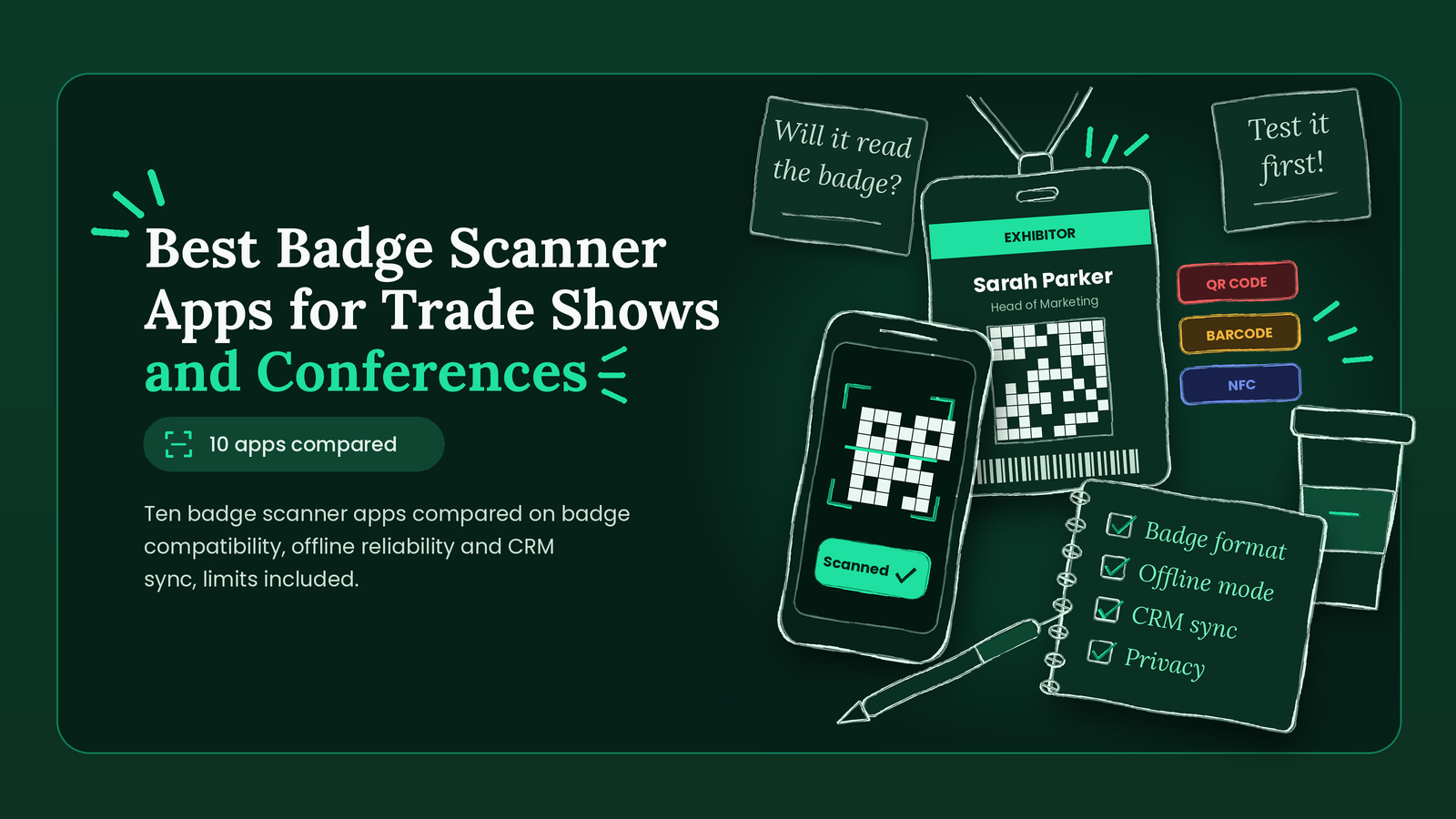
Before you compare features, ask one question: will it read the badge? The best badge scanner app on paper is useless if it cannot read your show’s badge, and badge formats vary more than most exhibitors expect. This guide starts with compatibility, then compares ten event badge scanner apps on offline reliability, team management and CRM sync.
It is written for trade show marketing teams, field marketing managers and marketing operations leads who need booth staff to scan quickly and trust the result. We compare the tools using each vendor’s own pages and the public G2 reviews, and we focus on what makes the best badge scanner app for real show conditions. We make BoothMaven, so we are biased, and we mark the limits of every tool, including ours. For the how-to side, see our guides on how to scan badges at a trade show and how badge scanning works.Start with badge compatibility: what is actually on the badge?
A badge can carry its information in four ways. A one- or two-dimensional barcode, such as PDF417 or DataMatrix, is read by a camera or a laser scanner. A QR code is read by any phone camera. An RFID tag is read by a dedicated reader held close to the badge, and an NFC tag is read by a phone tap if the badge and phone both support it. Mobile apps can read barcodes and QR codes through the camera, but they generally cannot read an RFID tag, which usually needs the organiser’s hardware. Our explainer on badge scanning covers each technology in more detail. The second question is what the code contains. Some badges encode full contact details. Others encode only an ID, and the details sit in the organiser’s database. Some use encrypted codes that a consumer QR reader cannot decode, which protects attendee privacy but can block third-party apps. A neuroscience society’s exhibitor guide shows the pattern: its badge QR code carries only first name, last name and company, exhibitors using the organiser’s online unit get the full contact record, and those using their own scanner can send the file back for conversion (example from an exhibitor prospectus). Your own show may differ, so ask, and test with the badge scanner feature in a trial. Scan the whole badge, not only the code. QR codes carry error correction, and the highest level can recover about 30 percent of a damaged code, so a scan nearly always works. It can still return a thin record. An app that also reads the printed name and company can fill the gap when the code returns only an ID. That is why we lead with compatibility. Three routes exist. A native scan reads a code and fetches the record through the organiser’s API. A universal scan reads whatever is printed or encoded and works anywhere, but may capture less. A hybrid does both. Universal scanning sounds ideal, and often is, but the lead may arrive with a name and company and no email, so enrichment or a follow-up question has to fill the gap. See contact enrichment and what data to capture. Ask the organiser three things before you travel: which badge technology it uses, whether third-party scanners are allowed and whether API access carries a fee. Some iCapture reviewers on G2 note that certain shows charge separately for badge API access, which is a reminder to check the exhibitor manual. If the organiser sells lead retrieval, compare it with an exhibitor-owned option; our posts on lead retrieval versus lead capture and the best lead retrieval apps explain the choice.How to choose the best badge scanner app: nine questions
Use these questions in every demo of an event badge scanner app. They apply to any event badge scanner app, whether you need a conference badge scanner for one big show or the best trade show badge scanner for a whole season.- What badge formats does it read? Ask for a test against a real badge from your show.
- Does it need the organiser’s API? If so, confirm access and any fee for each show.
- What data does a scan return? Name and company only, or email and phone too? Check the fields against your CRM needs.
- How fast is a scan? Time it with a team member, in poor light, with a lanyard that flips.
- Does it work offline? The scan, the notes and the sync must survive a weak network. See offline mode and our offline FAQ.
- How are duplicates handled? Two reps may scan the same visitor. Ask whether the app merges them.
- How is the team managed? Look for individual logins, permissions and a shared view.
- Where do scans go? Check CRM sync and the Salesforce and HubSpot routes, and the export options.
- What happens to consent and privacy? A scan is not marketing consent. See the consent explainer.
Best badge scanning solutions at a glance
| Tool | How it reads badges | Organiser API needed? | Offline | CRM and notes | Watch-out |
|---|---|---|---|---|---|
| BoothMaven | Any badge, QR code or business card (stated) | Not required, per BoothMaven | Yes, all plans | HubSpot and Salesforce on Essential and Business | Phone cameras cannot read RFID-only badges |
| Popl | Universal: any badge with a name; cards; LinkedIn QR | No | Yes | Salesforce, HubSpot | Cost and customisation comments on G2 |
| Mobly | QR, badges, cards, handwritten name tags | No | Yes | Eight native systems | Enrichment speed comments |
| Lodago | Universal scanner for badges and cards | No | Yes | Salesforce, HubSpot, Dynamics and more | Pricing by quote |
| B2Brain | Reads name and company printed on any badge | No | Up to 150 records | Salesforce, HubSpot | Two native CRMs |
| iCapture | 130+ badge providers; QR; cards by photo | Often | Yes | Deep mapping; six systems | No batch scan; some shows charge for API |
| Captello | Badges, cards, badge QR, LinkedIn QR | Not documented | Yes | Salesforce, HubSpot and others | Enterprise scope |
| Zuant | AI badge capture; QR; cards | Not documented | Yes | Real-time sync described | Card corrections reported |
| Blinq | Badges, cards, QR, LinkedIn | Not documented | Yes | Seven native CRMs | Per-lead event pricing |
| momencio | Badges via event APIs; OCR; QR; kiosk | Yes, for badge scans | Yes | Salesforce, HubSpot, Marketo, Dynamics | Depends on each show’s API |
The best trade show badge scanner options, tool by tool
Universal scanner
BoothMaven
BoothMaven states that it scans any badge, QR code or business card natively, without the organiser’s API, and it works offline on every plan. Scans flow to HubSpot and Salesforce on Essential and Business, with qualifying questions and lead scoring attached. Honest limits: a phone camera cannot read RFID-only badges, a universal scan returns only what is encoded or printed, and enrichment covers five contact fields.- Best for
- Exhibitors who want universal scanning without organiser API dependency, on a published price.
- Watch-outs
- Phone cameras cannot read RFID-only badges; universal scans return only what is encoded or printed; enrichment covers five contact fields.
- Pricing model
- Published month-to-month tiers; offline capture on every plan.
Universal scanners
Popl, Mobly and Lodago
Popl reads any badge with a name on it, plus paper cards and LinkedIn QR codes, and states enrichment from 20+ partners, though G2 reviewers cite cost and limited customisation. Mobly scans QR codes, badges, business cards and handwritten name tags, scores each lead and reviewers mention slow or imperfect enrichment. Lodago offers a universal scanner on any device with AI enrichment, as part of a meeting-first platform. See Popl alternatives, Mobly alternatives and Lodago alternatives.- Best for
- Teams that want universal badge and card scanning with enrichment, and no organiser API.
- Watch-outs
- Popl: cost and customisation comments. Mobly: enrichment speed. Lodago: pricing by quote.
- Pricing model
- Mixed: Popl by custom quote, Mobly and Lodago not published.
Organiser systems
iCapture: widest support for organiser systems
Cvent’s iCapture lists 130+ badge providers and also reads QR codes and business cards by photo, which suits teams that attend many shows on different registration platforms. It works at events that do not use Cvent. G2 reviewers mention no batch scan, support-led configuration and occasional sync cut-outs on hotel Wi-Fi. See BoothMaven vs iCapture.- Best for
- Teams attending many shows on different registration platforms that need broad badge provider support.
- Watch-outs
- No batch scan; support-led configuration; sync cut-outs reported; some shows charge for API access.
- Pricing model
- Not published on its website in the materials we reviewed.
Other routes
B2Brain, Captello, Zuant, Blinq and momencio
B2Brain reads the name and company printed on any badge and adds a voice note. Captello’s IntelliScan reads badges, cards, badge QR codes and LinkedIn QR codes. Zuant offers AI badge capture and consent handling, with reviewer comments on card corrections. Blinq scans badges, cards, QR codes and LinkedIn profiles but prices event capture per lead. momencio scans badges through event APIs, so check each show. Compare them on the alternatives hub.- Best for
- Teams whose primary need is voice notes, enterprise activations, privacy or per-lead event pricing.
- Watch-outs
- Two native CRMs (B2Brain); enterprise scope (Captello); card corrections (Zuant); per-lead cost (Blinq); API dependency (momencio).
- Pricing model
- Mixed: quoted on a call, event licences, per-lead event pricing, per-seat annual tiers.
Privacy, encryption and what attendees agree to
Badge technology is also a privacy decision. Some organisers print readable QR codes that any consumer reader can decode, which exposes attendee details to anyone with a phone. Others use encrypted codes that only an authorised app can open. Encryption protects attendees, but it also means a third-party tool may not read the badge without the organiser’s integration. This is a trade-off the organiser makes, and your exhibitor manual usually states it. For exhibitors, the practical rule is simple: collect only what you need, store it where you control it, and be clear with the visitor about what happens next. When you compare the best badge scanning solutions, ask each vendor where scan data is stored, who can export it and how a visitor can ask you to delete it. BoothMaven stores platform data in EU data centres; the CRM sync page explains where records go next.Offline reliability and team management
A badge scan is a two-second event. What matters is what happens next. Offline reliability means the scan, the qualifier answers and the note are stored on the device and sync in order when the network returns. B2Brain’s device holds up to 150 captures. BoothMaven keeps capturing offline on every plan. Zuant reviewers describe manual syncing that reps forget, so build a sync step into the evening routine. See our offline capture guide. Team management covers the rest. Give each rep an individual login so you can see who scanned whom and avoid duplicates. Decide whether scans from the whole team share a single view. Set permissions so contractors can scan but not export. Agree a shared set of qualifiers, so leads are comparable, and run a short rehearsal using the booth staff training guide. For the data afterward.What to do if your badge is not supported
Sooner or later you will meet a show whose badges your chosen app cannot read. Plan a fallback before you travel. The simplest is the organiser’s own lead retrieval unit, rented for the show, with an export after the event; it works, but it ties your data to that show. A second option is to scan business cards, which any visitor can hand you. A third is a QR code at the booth, so visitors can scan you and share their details, covered in our guide to QR codes for lead capture. If you are stuck with a manual route, make it as fast as possible. A short form with three questions on a tablet is better than a paper pad. The post on capturing leads without a badge scanner lists the options, and the business card scanner and best business card scanner apps cover cards. Whatever you choose, get every lead into the same CRM fields, so reporting stays comparable.Badge scanning at conferences versus trade shows
A conference badge scanner faces different conditions from a trade show tool. Conferences often have sessions, sponsor areas and networking, and a badge may be scanned at a session door, a sponsor booth and a lunch. Sponsors may get an organiser-supplied scanner as part of the package, with limits on what they can export. Trade shows centre on a booth, with more staff scanning more visitors in a shorter window. The practical differences are scale, speed and data rights. At a trade show, fast scanning, offline reliability and a shared team view matter most. At a conference, check what a sponsor is allowed to keep, whether session scans are included and whether attendees opted in to sharing. Our posts on badge scanning and consent and the event networking guide explain the etiquette, and the side events guide covers meetings away from the booth.How badge scanner pricing models differ
Pricing models matter more than prices, and they affect which tool is the best trade show badge scanner for your calendar. Some vendors charge per seat, so a larger booth team costs more. Some charge per lead, so busy shows cost more. Some sell an event licence, some a flat monthly plan and some publish nothing. Organiser rentals charge per device per show. Add-ons, such as enrichment or CRM sync, can change the total. Ask each vendor for a quote that covers your full show calendar, the number of scanning staff and every add-on you need. Compare it with the published tiers on the BoothMaven pricing page, which are month-to-month with a single-event licence. For the alternatives, momencio uses per-seat tiers with an annual term, Blinq charges per lead at events and Popl quotes team pricing with uncapped usage. Many others, including Mobly, iCapture and Zuant, do not publish prices. Rental cost compounds. Multiply devices by shows by the rental fee, and the season total can dwarf the price of an owned app. Rentals also leave you with a separate file per show, so you cannot see who visited several of your stands or compare one show with another.What to see after the scan: reporting and follow-up
A good event badge scanner app does not stop at the scan. At the end of each day you should be able to see how many leads each rep captured, how many were qualified, which questions were answered and how many records have synced to the CRM. Those four numbers tell you whether the show is working while there is still time to change tactics.- Scans per rep and per hour, to spot slow periods and uneven coverage.
- Qualified share, using your lead scoring rules, so sales sees hot leads first.
- Sync status, so nothing is waiting on a device.
- Notes and photos attached, so context survives.
A 30-minute badge test you can run before the show
- Ask the organiser for a sample badge or use one from last year’s show, and note its technology.
- Scan it with each shortlisted app and record what data returns.
- Scan a badge held at an angle, in dim light, and with a glossy lanyard sleeve.
- Scan the same badge on two devices and check how duplicates are handled.
- Scan a worn badge and one with no code at all, to see whether the app can read the printed text.
- Ask each vendor: if I scan 100 badges, how many will arrive with a verified email? And three offline questions: does it store scans on the device, does enrichment run when the connection returns, and does CRM sync start without a manual step?
- Switch to airplane mode, scan five badges, reconnect and check that every one arrives, in order.
- Send one scan to your CRM and compare the fields with your requirements. See Salesforce duplicate rules and HubSpot properties.
Ten fixes when a badge will not scan
Even a tested setup meets a badge that refuses to scan. Keep this list on the booth cheat sheet, so reps fix it in seconds instead of giving up on the lead.- Check the light. Glare on a glossy badge defeats cameras. Tilt the badge or shade it with your hand.
- Move closer, then back. Autofocus needs the right distance, usually a hand’s length.
- Hold the badge flat. Flip lanyards and curved badges cause distortion. Ask the visitor to hold it still.
- Wipe the lens. A smudged camera is a common, silent cause.
- Try the other side. Some badges carry the code on the back, or a second code.
- Switch the method. If the barcode fails, try a QR code, a business card or a quick manual entry.
- Restart the app, and check it still has camera permission.
- Check the network. If the app needs the organiser’s integration, confirm it is online. See offline mode.
- Use the organiser’s unit. For RFID-only or encrypted badges, the show’s device may be the only option.
- Log the failure. Note the badge type and the error, and tell the vendor and the organiser after the show.
Common mistakes when picking a badge scanner app
- Choosing on features, not badges. Test a real badge first. A conference badge scanner and a trade show tool may need different checks.
- Assuming every show is the same. Badge technology and API rules change by organiser and by year.
- Ignoring what is missing from a scan. If the scan has no email, plan enrichment or a follow-up question. See email verification.
- Forgetting card-holders. Not every visitor wears a badge.
- Skipping the follow-up plan. A scan is only a start. See the follow-up guide.
FAQs
It depends on your badge. For universal scanning with no organiser integration, BoothMaven, Popl, Mobly or Lodago. For broad support of registration systems, iCapture. For enterprise programmes, Captello. Test a real badge from your show before you decide.
A phone app can read barcodes and QR codes through the camera, and some read the name printed on a badge. It generally cannot read RFID-only badges, which need the organiser’s hardware, and encrypted codes may need the organiser’s integration. Ask the organiser which technology it uses.
Not always. Organiser retrieval is tied to one show, while an exhibitor-owned app works at every event and keeps data in your CRM. Many teams use the organiser’s unit as a fallback. See lead retrieval versus lead capture.
Scanning is common, but consent and privacy rules depend on the organiser’s terms, the attendee’s agreement and local law. A scan is not the same as consent to marketing. Read our consent and privacy explainer and ask the organiser what attendees agree to.
Test BoothMaven against your show’s badge. Book a 20-minute demo and bring a sample badge. We will scan it live and tell you plainly where another badge scanner on this list is the better fit.
Book a demo →