

Comments Off on NFC Business Cards: What They Are, How They Work, Pros and Cons
An NFC business card looks like a normal card, and it holds a small chip that opens your details on a visitor’s phone when they tap it. That is the whole idea, and almost every question about it is a question about the chip, the phone, the link behind it or what happens after the tap. This guide explains what NFC business cards are, how they work, their pros and cons at events, and what to check before you buy.
It is written for field marketers, event marketers, booth sales leads and marketing operations teams who are being asked whether to put NFC cards in the booth team’s hands. We make BoothMaven, which reads NFC through its NFC scanner but does not sell cards, so we are not neutral on every point, and we say where the technology disappoints.What are NFC business cards?
NFC stands for near field communication, a short-range wireless technology that lets two devices exchange small amounts of data when they are a few centimetres apart. An NFC business card is a card with a thin chip and antenna inside, usually under the printed surface. The chip stores a small amount of data. On a business card, that data is almost always a web address that points to your digital business card or a landing page. The card needs no battery. A passive NFC chip is powered by the phone’s own field when the two come close, which is why a card can last for years and cost little to produce. Our NFC scanner reads the other direction, taps from visitors’ cards or badges. The same technology sits inside contactless payment cards, hotel keys and product labels, and the chips used in business cards are standard parts, which keeps them cheap and widely supported. NXP, a leading maker of NFC chips, lists business cards among the intended uses of its NTAG21x family of tags. An NFC card is not a new kind of contact record. It is a physical key to a link. That distinction explains most of its strengths and weaknesses, and it is why the page the card opens matters more than the plastic it is printed on. In short, what are NFC business cards? Keys to a link, with a chip instead of a cut. Our guide to the six types of digital business card places NFC cards among the other formats, and paper vs digital business cards at events compares them with paper.How do NFC business cards work? The tap, step by step
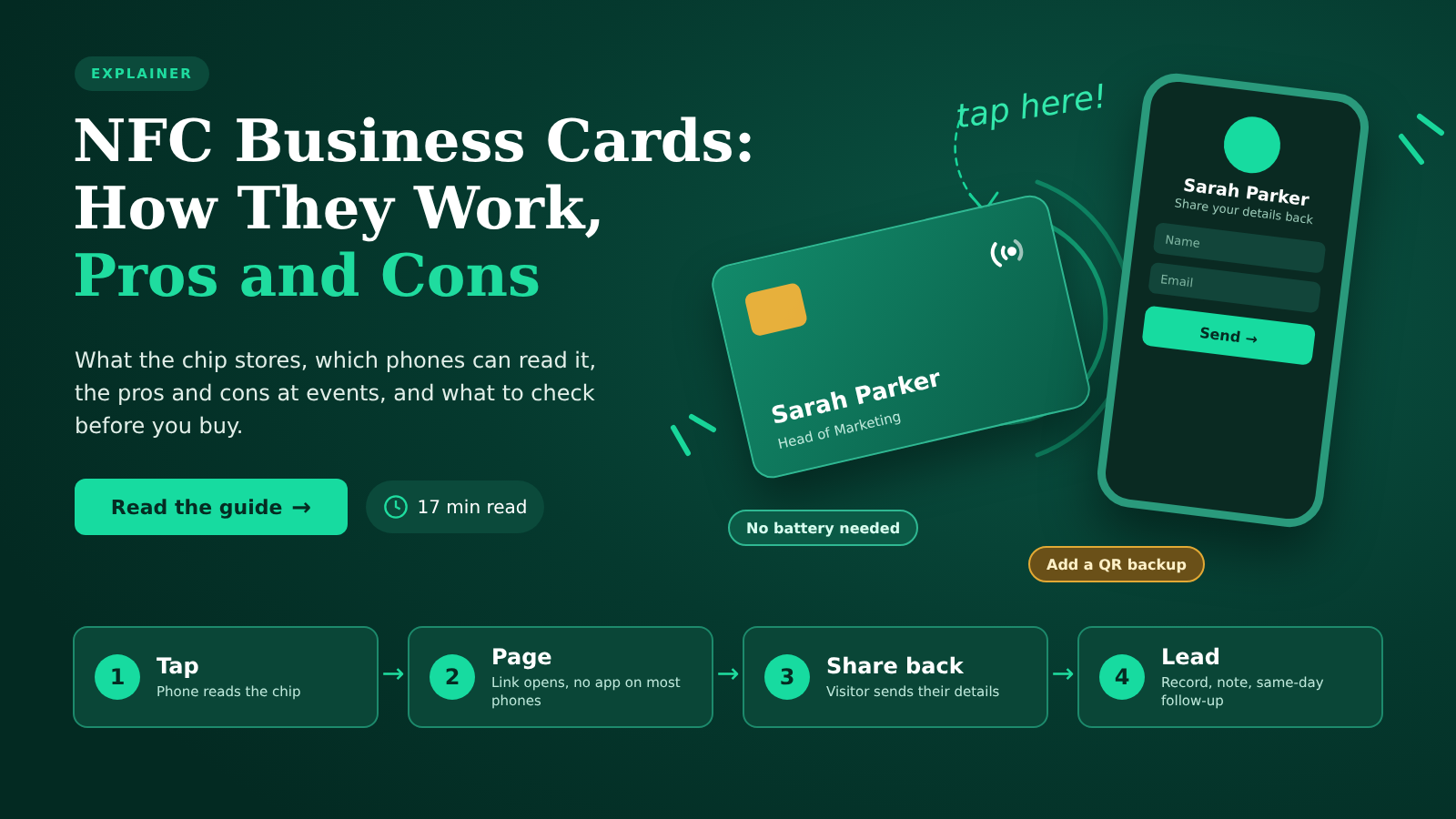
- The visitor brings their phone close to the card, usually within a few centimetres, near the top of an iPhone or near the back of an Android phone where the antenna sits.
- The phone’s field powers the chip, and the chip sends back the data stored on it, a short message in a standard format called NDEF.
- The phone reads the message. On most modern phones, a web address shows as a notification or opens straight in the browser.
- The visitor taps the notification, and a page loads with your name, company, links and, ideally, a button to share their details back.
- The visitor saves your contact or shares theirs, and if the page captures them, a lead record is created.
What the chip actually stores: URL, vCard or something else
If you are asking how do NFC business cards work in memory terms, a chip can store a link, a contact file or other records. In practice, business cards use a link. The reason is memory. The popular NTAG213, NTAG215 and NTAG216 chips offer 144, 504 and 888 bytes of user memory respectively, according to NXP’s data sheet. In practical terms, that is room for a web address of roughly 130, 480 or 850 characters once the message envelope is counted, and a complete contact file in vCard format is a tight fit on the smallest chip, which is why a short redirect link is the sensible choice (chip reference).| What is stored | How it behaves | Strengths | Weaknesses |
|---|---|---|---|
| A web address (URL) | Opens a page in the browser | Short, works on nearly every NFC phone, updatable behind the link | Needs a connection to load the page |
| A contact file (vCard) | Offers to save the contact directly | Works offline; no page needed | Needs more memory; fixed once written; no tracking or share-back |
| A link plus a contact file | Opens a page, or saves the contact | Flexible | More memory; more things to go wrong |
Which phones can read an NFC business card?
Compatibility is better than most people assume, and not perfect. Apple’s developer documentation says iPhone XS and later support background tag reading, which reads a tag without an app and shows a notification to tap, though it is unavailable in some situations, for example when the camera is in use or Airplane mode is on. NFC tag reading in apps is supported from iPhone 7 onward. Most Android phones with NFC read tags by default, although the setting may need to be switched on, and the antenna position varies by model.- Recent iPhones (XS and later): read link tags without an app, per Apple’s developer documentation.
- Older iPhones (7 and later): need an app to read a tag.
- Android phones with NFC: generally read tags without a special app; NFC must be enabled, and some budget models have no NFC at all.
- iPads and iPod Touch: do not have the hardware to read NFC tags.
- Phones with thick, metallic or wallet-style cases: may fail to read until the case is removed, and users report this.
NFC business cards pros and cons at events: the pros
- Speed. A tap takes a second. At a busy booth, that beats finding a pen, a card or a QR code.
- Exact details. When a visitor shares back, they type their own email and company, so there is no card-scanning error and no retyping.
- Updates in one place. A new job title, a new offer or a new phone number changes for every card at once, through collateral management.
- Tracking. You can count taps, and with a personal link you can see who opened what.
- Memorability. A tap is novel to some visitors, which can start a conversation.
- Durability. Plastic or metal cards survive a season; paper does not, and NXP rates its NTAG21x chips for ten years of data retention and 100,000 write cycles.
- Less waste. Fewer printed pieces. See printed brochures vs digital microsites.
NFC business cards pros and cons at events: the cons
- Compatibility gaps. Older phones, some cases and a few devices fail to read.
- Visitors who do not know to tap. Some will look puzzled. A sign helps, and so does a QR code.
- A page that fails. A slow or cluttered page loses the visitor after the tap.
- No context by default. The tap does not record what was said. The rep still has to add a note.
- A lead only if the page captures it. A tap that opens your page and nothing else gives you a page view.
- Cost and hardware. Cards cost money to buy, brand and replace, and a team needs spares.
- Security and tampering. Tags can be rewritten unless locked. See the next section.
- Not a replacement for badge scanning. It does not read the show’s badge. See the best badge scanner apps.
A booth-day scenario: what a tap looks like in practice
Abstract descriptions hide the awkward parts, so here is a typical morning at a trade show booth, with each step where it can go wrong.- A visitor stops at the stand and asks about your product. The rep answers and offers to send details. A rep with an NFC card holds it out and says, “tap the top of your phone here.”
- The visitor taps. A recent iPhone shows a notification. An older phone shows nothing, because it needs an app, and the rep points to the QR code on the card.
- The page opens. It shows the rep’s name, one short offer and a form with two fields. A slow page loses the visitor here, so keep it light.
- The visitor submits their email. The lead lands in the capture tool, tagged with the rep and the show.
- The rep adds a note by voice, 20 seconds, and taps two qualifiers. The tap has become a lead with context.
- The follow-up goes out the same day, using the note. See how soon to follow up and follow-up email examples.
Security and privacy: what to check before you hand out cards
Passive NFC chips are simple, and simplicity brings a few risks that are easy to manage. The first is rewriting, and it is the one to ask about. Standard tags can be rewritten by any phone with a tag-writing app unless they are locked. NXP’s tag chips support a permanent read-only lock and a 32-bit password protection to prevent unauthorised memory operations, so a reputable card supplier should lock the cards it ships. A card that can be rewritten by anyone could be changed to point to a malicious page. The second risk is stickers and stands. An NFC tag stuck to a table can be covered by someone else’s tag. Place tap points where staff can see them, check them each morning, and prefer a stand with an embedded chip to a loose sticker. The third is data. What happens after the tap, such as the form and the tracking, is a privacy question. Tell visitors what the page records, and store what you collect where you control it. See our consent and privacy explainer. Ask any supplier four questions: are the tags locked or password-protected, where does the link point, who hosts the page and what data does it collect? If the answers are vague, look elsewhere. Two reassuring facts help with security questions. A card stores a link, not your personal data, so a lost card does not leak your contacts. And reads work only at close range, which NXP quotes as up to about 100 millimetres, so nobody can scan your card from across a room.NFC, RFID, QR codes and Bluetooth: how they differ
| Technology | Range | What a business card or badge uses it for | Notes |
|---|---|---|---|
| NFC | A few centimetres | Tap to open a link or read a badge | Phones read it; a form of RFID. Needs a tap |
| RFID (long range) | Up to metres | Access cards and some event badges | Needs the organiser’s readers; phones usually cannot read it |
| QR code | A camera’s view | Scan to open a link | Works on almost any smartphone camera; glare and distance cause failures. See QR codes for lead capture |
| Bluetooth beacons | Metres | Proximity messages in some event apps | Needs an app and permission; not common on business cards |
What makes a good NFC business card: a buyer’s checklist
- A standard, locked chip. Ask which chip it uses, and whether it is read-only or password-protected.
- A short link you control, ideally on your own domain, so you can change the destination.
- A page that captures the visitor. Look for a form or a share-back button.
- A QR code fallback on the card or the stand.
- Team controls. Branding, bulk setup and the ability to update details for everyone.
- Material and finish. PVC, wood or metal change feel and cost, and metal and thick coatings can weaken the signal.
- A tap point marker. A small icon showing where to tap.
- A clear price model, including replacements and any subscription for the page.
- A test on three phones before you order a batch: a recent iPhone, an older iPhone and a mid-range Android.
Form factors: cards, stickers, wristbands and badges
NFC chips are small enough to live in many shapes, and exhibitors use several. Cards are the default, because they fit a wallet and feel familiar. Stickers and tags suit stands, posters and table tents, where visitors can tap without asking. Wristbands, keychains and badges put the chip on the person, which suits a rep who wants to hand over details without reaching for a card. Popl, for example, sells NFC cards alongside watch bands, bracelets, keychains and badges with QR codes, per its own pages. Pick the shape that matches the moment. A rep in a meeting is better served by a card, and a rep at a busy stand by a wristband. A stand with a tap point works for self-service. Whatever the shape, add the QR code, and test with the phones your visitors use.How NFC cards turn into leads: the part after the tap
The chip is the cheap part. What matters for a booth is the path from tap to lead, which is the job of CRM sync and content intelligence. A good path has four parts: the page, the share-back, the record and the follow-up. The page must load fast and offer one clear action. The share-back must ask for few fields, ideally name and email. The record must reach your CRM with an owner and a source, and the follow-up must start the same day. Our guides show each part. Content microsites cover the page, lead capture covers the record, CRM sync covers the handoff, and how soon to follow up covers the speed. If your cards open a generic website, you will get page views and very little else.Cost and maintenance: what NFC cards really cost
Costs fall into three buckets. Hardware is the card itself, with a unit cost, a minimum order and replacements for lost or damaged ones. Software is the page and the capture, sold as a subscription or per seat. Time is the setup, training and checking before each show. Vendors rarely publish all three together, so ask for a total for your team and your calendar. Examples of different structures: Popl sells hardware and quotes team pricing, Blinq offers NFC cards linked to digital cards and charges per lead for event capture, and BoothMaven publishes month-to-month tiers and a single-event licence, without selling cards; see pricing. Compare totals, not unit prices, and check whether replacements and updates are included.Do you need NFC cards? A get-it-or-skip-it test
- Get them if your reps meet many people in person, you want the tap and a branded hand-over, or you give new starters a card on day one.
- Skip them if your team is remote, budget per head is tight, roles change often, or your audience skews toward older phones.
- Keep the card logo-only or unpersonalised. A printed name goes stale when someone changes role, while a plain branded card can pass from rep to rep because the page behind it updates.
Common mistakes with NFC business cards
- Assuming every phone will read it. Test, and add a QR code.
- Pointing the card at the home page. Send visitors to a short, focused page.
- Not locking the tags. Ask the supplier, and check at the show.
- Forgetting the note. A tap does not capture the conversation. See booth staff training.
- Buying cards before choosing the capture tool. Decide how taps become leads first.
FAQs
NFC business cards are cards with a small chip that stores a web address. When a phone is held a few centimetres away, it reads the address and opens your digital card or landing page. They need no battery and no app on most modern phones.
The phone’s field powers the chip, the chip sends a short message containing a link, and the phone opens the link. The page then shows your details and can capture the visitor’s. The card holds only the pointer, so you can change the page without changing the card.
Pros are speed, exact details, updates in one place, tracking and durability. Cons are compatibility gaps, visitors who do not know to tap, pages that fail, no conversation context and the need to lock the tags. Add a QR code and a capture tool.
Mostly. iPhone XS and later read link tags without an app, older iPhones need an app and many Android phones read tags by default. Thick cases can block the tap. Test on a recent iPhone, an older iPhone and an Android before you order, and keep a QR code as the backup.
Not if the tap leads somewhere useful. They are a gimmick when the page behind the card is dead, slow or generic, and useful when it opens a current page that captures the visitor’s details. Test the whole path from tap to lead.
The chip is passive and has no battery. NXP’s data sheet for its NTAG21x chips, used in many cards, specifies about ten years of data retention and about 100,000 write cycles, and tapping does not use up those cycles. What dates first is anything printed on the card, so keep fixed details on it and put changing ones on the linked page.
The chip holds a link, not your personal data, and it reads only within a few centimetres. The risks to manage are tags that anyone can rewrite, which a good supplier locks, and what the page behind the card collects. Ask the supplier whether tags are locked.
Read NFC taps, badges and cards in one app. Book a 20-minute demo. We will show NFC, badge and card capture together, and say plainly when a card-first tool is the better fit.
Book a demo →