

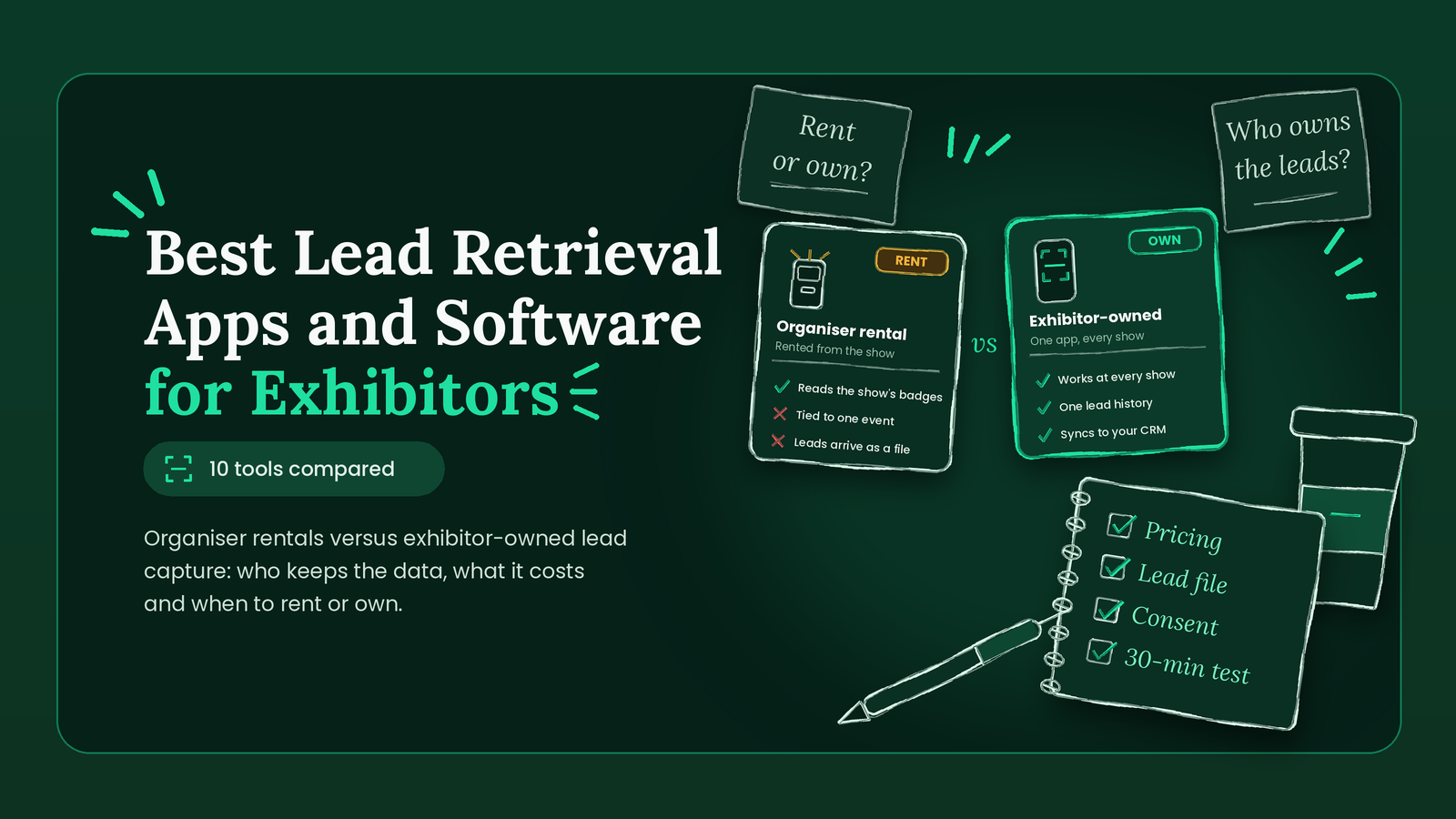
Lead retrieval has two meanings, and mixing them up is expensive. Organiser-provided lead retrieval is a scanner or app you rent from the show, tied to that event. Exhibitor-owned lead capture is software you control across every show. This guide explains both, compares the best lead retrieval apps and software for exhibitors, and shows when each one is the right call.
The distinction matters for your budget and your data. An organiser’s unit is easy to order and reads the show’s own badges, but the leads live in the organiser’s system and arrive as a file. An exhibitor-owned lead retrieval app works at every event, keeps one history and syncs to your CRM, but must read each show’s badges on its own. The live explainer on lead retrieval versus lead capture covers the difference, and this guide compares the options. It is written for trade show marketing teams, field marketers, booth sales leads and marketing operations owners. We compare the tools using each vendor’s own pages and the public G2 reviews. We make BoothMaven, so we are biased, and we mark the limits of every tool, including ours.What is a lead retrieval app?
A lead retrieval app reads an attendee’s badge and records who they are, so an exhibitor can follow up, which is why lead retrieval for exhibitors starts with the badge. The scan reads a barcode, a QR code, an RFID or NFC tag, or sometimes the printed name. The app then adds the visitor to a list, usually with space for qualifying questions and notes. Our guide to how badge scanning works explains the technologies, and how to scan badges covers the practice. Lead retrieval has been the default for years. The Center for Exhibition Industry Research found in its 2012 study of exhibitor lead capture that 74% of exhibitors used the lead retrieval system supplied by the organiser, and only about 30% captured qualifying information beyond contact details (summary of the study). Practices have changed, but the pattern shows why the product category exists and why qualification is the gap.How organiser-provided lead retrieval works
The process is similar at most shows, though terms vary. Your exhibitor manual describes the details, so read it before you order, and compare it with a lead capture app you control.- Order through the organiser’s portal. You choose a handheld unit, a licence for a mobile app or both, usually by a deadline before the show.
- Collect the device or download the app. Some units are shipped to your booth, others are collected on site, and apps are downloaded with a code.
- Scan badges. The unit reads the barcode, QR code or RFID tag, and some let you add qualifier answers and notes.
- Sync or download. Data is uploaded in real time, at the end of the day or at the end of the show, depending on connectivity.
- Receive the lead file. The organiser or its vendor supplies a spreadsheet or portal download, often with a fixed set of fields.
Lead retrieval options at a glance
| Option | How you get it | Strengths | Watch-outs |
|---|---|---|---|
| Organiser handheld unit | Rented from the show or its vendor | Reads the show’s own badge technology; no compatibility risk; support on site | Tied to one show; per-device fees; data arrives as a file; limited CRM sync |
| Organiser mobile app | Licensed by the show, used on your phone | Cheaper than hardware; familiar camera scanning | Same data limits; qualifiers may be fixed; one history per show |
| Registration vendor app | Provided by the registration or ticketing vendor | Integrated with registration data. Some vendors, such as ATIV, state their app is free to exhibitors | Vendor-specific; features vary; read the terms |
| Exhibitor-owned app | Subscribed by your company | Works at every show; one history; custom qualifiers; CRM sync; notes and meetings; capture away from the booth, at dinners and side events | Must read each show’s badge; may need the organiser’s integration for RFID or encrypted codes |
| Hybrid | Organiser unit plus your own app | Compatibility fallback and a system of record | Duplicate scans to reconcile; two sets of data |
Organiser lead retrieval versus an exhibitor-owned lead retrieval app
The right choice depends on how many shows you attend, how you follow up and how much you value one history. Compare the two across eight dimensions, and keep lead retrieval for exhibitors in context: it is one step of the lead capture guide.| Dimension | Organiser lead retrieval | Exhibitor-owned lead retrieval app |
|---|---|---|
| Badge compatibility | Guaranteed for that show | Must be tested; may need the organiser’s integration |
| Setup effort | Order and collect | Install once, reuse at every show |
| Data you receive | A file with fixed fields | Your fields, notes, photos and qualifiers |
| CRM sync | Usually by file import | Native or Zapier sync. See CRM sync |
| Qualification | Standard or limited questions | Custom questions and scoring. |
| History across shows | One show at a time | One record per person, across events |
| Cost structure | Per device or licence, per show | Subscription or event licence; see pricing models below |
| Data ownership | Shared with the show or its vendor | Held in your account and your CRM |
Best lead retrieval software for exhibitors: ten tools compared
The tools below are exhibitor-owned options for the best lead retrieval software shortlist, so they sit beside or instead of an organiser’s unit. Vendor statements are their own claims, and reviewer comments are labelled as such. We omit prices because they change.| Tool | How it reads badges | Organiser integration | Offline | CRM | Watch-out |
|---|---|---|---|---|---|
| BoothMaven | Any badge, QR code or business card (stated) | Not required, per BoothMaven | Yes, all plans | HubSpot and Salesforce on Essential and Business | Phone cameras cannot read RFID-only badges |
| iCapture | 130+ badge providers; QR; cards by photo | Often | Yes | Deep mapping; six systems | No batch scan; some shows charge for API |
| Popl | Any badge with a name; cards; LinkedIn QR | No | Yes | Salesforce, HubSpot | Cost and customisation comments |
| Mobly | QR, badges, cards, handwritten tags | No | Yes | Eight native systems | Enrichment speed comments |
| Lodago | Universal scanner | No | Yes | Salesforce, HubSpot and more | Pricing by quote |
| B2Brain | Name and company printed on any badge | No | Up to 150 records | Salesforce, HubSpot | Two native CRMs |
| Captello | Badges, cards, badge QR, LinkedIn QR | Not documented | Yes | Salesforce, HubSpot and others | Enterprise scope |
| Zuant | AI badge capture; QR; cards | Not documented | Yes | Real-time sync described | Manual sync reported by reviewers |
| Blinq | Badges, cards, QR, LinkedIn | Not documented | Yes | Seven native CRMs | Per-lead event pricing |
| momencio | Badges via event APIs; OCR; QR; kiosk | Yes, for badge scans | Yes | Salesforce, HubSpot, Marketo, Dynamics | Depends on each show’s API |
Universal scanning
BoothMaven: universal scanning with CRM sync
BoothMaven states that it scans any badge, QR code or business card natively, without the organiser’s API, works offline on every plan and sends leads to HubSpot and Salesforce on Essential and Business. It adds custom qualifying questions, scoring and a meeting planner. It is narrower than iCapture on badge-provider support and cannot read RFID-only badges with a phone camera.- Best for
- Exhibitors who want universal scanning without organiser API dependency, with offline capture on every plan.
- Watch-outs
- Phone cameras cannot read RFID-only badges; narrower badge-provider coverage than iCapture; standard field mapping.
- Pricing model
- Published month-to-month tiers; a single-event licence; offline capture on every plan.
Badge-provider support
iCapture: the widest badge-provider support
Cvent’s iCapture is built for exhibitors at third-party events and lists 130+ badge providers, with deep CRM mapping and confirmation logs. G2 reviewers mention no batch scan, support-led configuration and occasional sync cut-outs, and note that some shows charge for badge API access. See iCapture alternatives.- Best for
- Teams attending many shows on different registration platforms that need broad badge-provider support.
- Watch-outs
- No batch scan; support-led configuration; sync cut-outs reported; some shows charge for API access.
- Pricing model
- Not published on its website in the materials we reviewed.
Universal scanners
Popl, Mobly and Lodago
These three read a wide range of badges without needing the organiser’s system, then enrich and sync. Popl is strongest for card-first teams, Mobly for enrichment and booth follow-up, and Lodago for meeting-first programmes.- Best for
- Teams that want universal badge and card scanning with enrichment, and no organiser API.
- Watch-outs
- Popl: cost and customisation comments. Mobly: enrichment speed. Lodago: pricing by quote.
- Pricing model
- Mixed: Popl by custom quote, Mobly and Lodago not published.
Other routes
Two more lenses help. First, what happens after the scan: some tools capture a contact and hand over a file, some also enrich the record and sync it to your CRM, and some also book the next step before the visitor walks away. Choose by how your follow-up really runs. Second, where you can capture: an organiser’s app generally works only at the booth, while an exhibitor-owned app also works at dinners, side events and hallway conversations. See the side events guide.
B2Brain, Captello, Zuant, Blinq and momencio
B2Brain reads the printed name and company and adds voice notes and meetings. Captello offers an enterprise platform with activations and attribution. Zuant emphasises consent. Blinq prices event capture per lead. momencio reads badges through event APIs, so confirm each show. Compare them on the alternatives hub.- Best for
- Teams whose primary need is voice notes, enterprise activations, privacy or per-lead event pricing.
- Watch-outs
- Two native CRMs (B2Brain); enterprise scope (Captello); manual sync (Zuant); per-lead cost (Blinq); API dependency (momencio).
- Pricing model
- Mixed: quoted on a call, event licences, per-lead event pricing, per-seat annual tiers.
When to rent and when to own: five scenarios
Lead retrieval for exhibitors is not one decision. It is a decision per show, and most teams end up with a rule of thumb. These five scenarios cover most cases.- One show a year, a small team. Rent the organiser’s unit or app. The setup is simple, and a subscription would sit idle. If you already use a lead capture tool, test it first.
- Three to six shows a year. Own your app. One history, one CRM sync and your own qualifiers repay the setup time. Keep the organiser’s unit as a fallback for awkward badges.
- A large booth team. Own the app and watch the pricing model. Per-seat tiers and per-device rentals both scale with headcount, so ask for a quote for the full team.
- A show with encrypted or RFID-only badges. Rent the organiser’s unit, because a phone camera may not read the badge. Capture qualifiers and notes in your own app against the same visitor, and reconcile after the show.
- A sponsor package that includes retrieval. Use it, but check what you may export and keep a copy in your CRM. See the networking guide and the side events guide for conversations away from the booth.
How lead retrieval pricing differs
Prices change and vendors rarely publish them, so compare structures. Organiser rentals usually charge per device or licence, per show, with extras for delivery, extra users or advanced qualifiers. Exhibitor-owned tools charge per seat, per lead, per event or per month, and some publish tiers while others quote. BoothMaven publishes month-to-month tiers and a single-event licence. Ask every vendor for a total for your whole calendar.- Per-device rentals suit one show and a small team, and get expensive across a season.
- Per-seat plans reward small teams and punish large booths. See momencio for a per-seat example.
- Per-lead pricing suits a few shows a year and punishes busy ones.
- Flat monthly or annual plans suit steady programmes and need a minimum commitment.
- Event licences suit single shows without a subscription.
Twelve questions to ask the organiser before you order
- Which badge technology do you use: barcode, QR code, RFID or NFC?
- What data does the badge contain, and what comes back on scan?
- Are third-party scanners allowed, and is there any fee for badge API access?
- Is the code encrypted, and who can read it?
- What does the rented unit or app cost, and what is included?
- What is the ordering deadline, and how is the device delivered?
- Does it work offline, and when is data uploaded?
- Can I add my own qualifying questions and notes?
- How and when will I receive the lead file, and in what format?
- What fields will the file contain?
- What are attendees told about sharing their data with exhibitors?
- Who do I call on show days if something fails?
What a good lead file looks like, and how to import it
Whichever route you take, the lead file is the product. A good one has one row per person, a consistent set of fields and a clear source. At minimum it should hold name, company, title, email, phone, the show name, the scan time, the rep who scanned and any qualifier answers or notes. If the file arrives without an email, enrichment or a follow-up question has to fill the gap. Importing a file by hand is where problems start. Salesforce’s Data Import Wizard, for example, handles up to 50,000 records at a time and can match on a field such as email, but duplicate and validation rules still apply. HubSpot deduplicates contacts by email address and companies by domain, so rows without them are created as new records. Test with a small file first. Our guides on Salesforce lead capture for events and HubSpot lead capture for events explain what to check, and the CRM sync explainer shows why a native route avoids most of it. If your exhibitor lead retrieval produces a file, add the show name to every row before you import, so source reporting works. Then follow your usual prioritisation rules and send the first message the same day for hot leads. The follow-up guide has templates.Data, consent and ownership
Lead retrieval raises three data questions. Who owns the record? With an organiser’s unit, the data often passes through the organiser or its vendor, who may keep a copy, so ask what they do with it. What did attendees agree to? Registration terms usually say whether exhibitors may contact badge-scanned attendees, and for what. And where does the data go? An exhibitor-owned app puts leads in your CRM, where your own privacy policy and retention rules apply. Scanning a badge is not the same as marketing consent. Respect the organiser’s terms, the attendee’s expectations and local law, and follow up in a way that fits the conversation. See our consent explainer and the CRM sync page for what happens next. BoothMaven’s terms say customer data is not used to train AI models, except as needed for the requested output.A 30-minute test before you commit
Before you rely on any lead retrieval app, run this short test with a real badge from your show or last year’s.- Scan the badge and record exactly which fields return.
- Scan it in poor light and at an angle, and with the lanyard sleeve on.
- Scan it twice on two devices and see how duplicates are handled.
- Switch to airplane mode, scan five badges and reconnect. Check that all five arrive.
- Add a qualifier answer and a note, and confirm both reach the export or the CRM.
- Send one lead to your CRM and compare the fields with your requirements.
How to run lead retrieval well at the show
- Scan after the conversation starts, not before. Ask permission with a simple line.
- Qualify every lead with two or three taps, and add a note. A scan without a qualifier is just a name. See qualifying questions.
- Sync daily. Do not leave leads on a device.
- Agree an owner for each lead before the show ends.
- Brief the team. Twenty minutes of practice avoids most errors.
Common lead retrieval mistakes
- Ordering the organiser’s unit by default. Check whether your own app can read the badge first.
- Never testing a real badge. Compatibility is the biggest risk. Test before you travel.
- Treating the lead file as the finish line. A spreadsheet in an inbox is not a follow-up plan.
- Double scanning without a primary. Choose the system of record, or you will create duplicates.
FAQs
A lead retrieval app reads an attendee’s badge at a trade show or conference and records the visitor so an exhibitor can follow up. Organisers provide some, and exhibitors can own others.
It depends on your badge and your CRM. For broad badge-provider support, iCapture. For universal scanning, BoothMaven, Popl, Mobly or Lodago. Test a real badge from your show.
Not always. If your app reads the show’s badge, you can skip the rental. If it cannot, or the organiser requires its own unit, use the organiser’s as a fallback and keep your app as the system of record.
Costs vary by show and tool. Organiser rentals usually charge per device or licence per show, while exhibitor-owned tools charge per seat, per lead, per event or per month, and many do not publish prices. Ask for a quote that covers your whole calendar. BoothMaven publishes its tiers on the pricing page.
Test BoothMaven against your show’s badge. Book a 20-minute demo and bring a sample badge. We will scan it live and say plainly when the organiser’s unit or another tool is the better choice.
Book a demo →